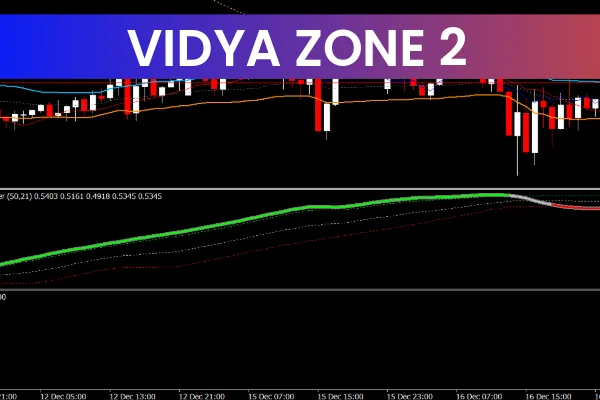
The Vidya Zone 2 Indicator for MT4 is a versatile and popular tool designed for Forex traders who want to improve their ability to identify market trends and potential trade opportunities. Whether you’re a beginner or an experienced trader, this indicator is designed to simplify your decision-making process and help you stay on the right side of the market.
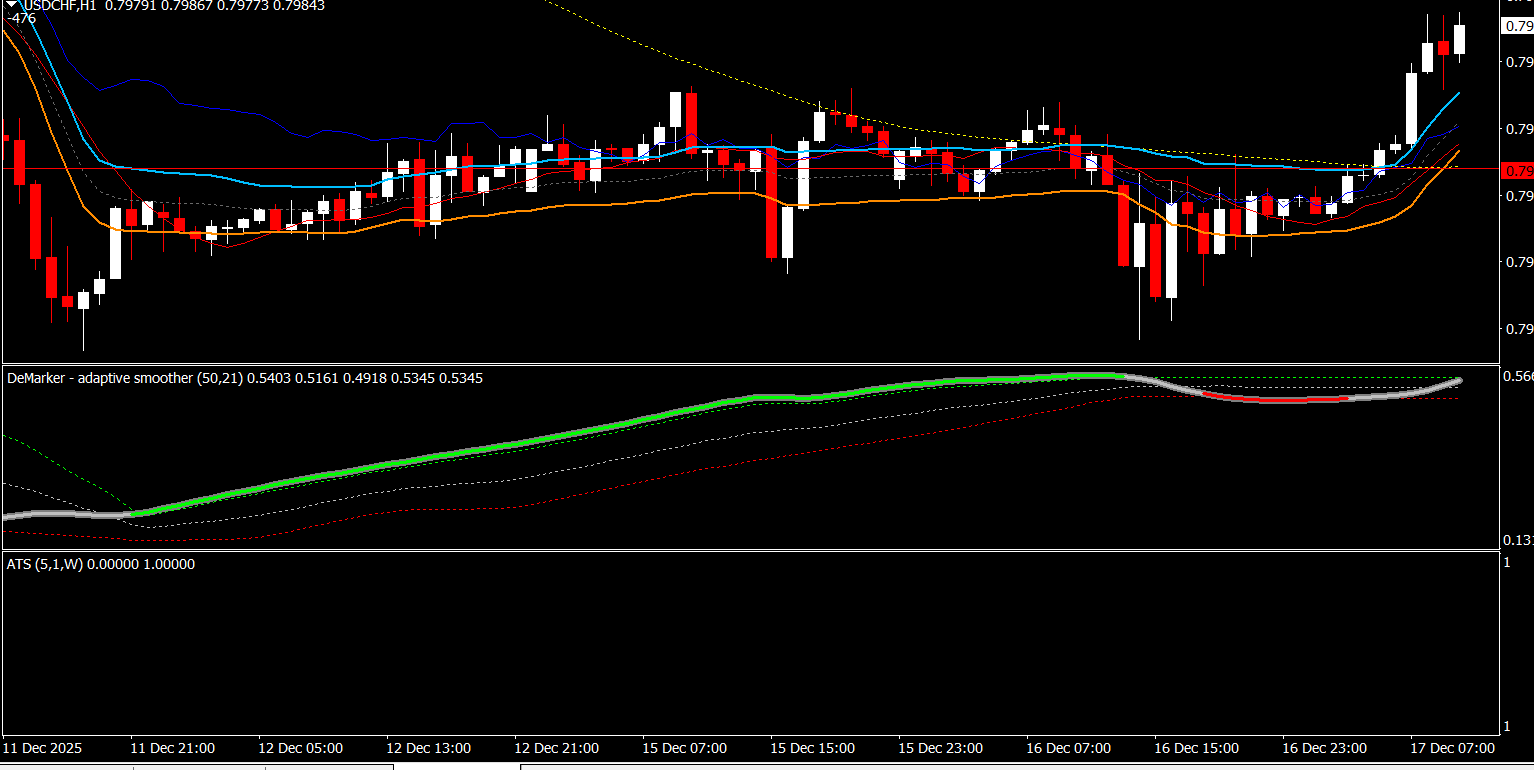
By using a combination of moving averages and oscillators, the Vidya Zone 2 Indicator generates clear buy and sell signals. It also displays the current trend, allowing traders to easily spot ideal entry and exit points. Moreover, it is highly customizable, making it suitable for traders with various strategies and trading styles.
What is the Vidya Zone 2 Indicator?
The Vidya Zone 2 Indicator is an advanced Forex trading tool for the MT4 platform that uses a mix of moving averages and oscillators to generate actionable signals. It is an improved version of the original Vidya Zone Indicator, designed to help traders identify potential entry and exit points for better market timing.
Buy and Sell Signals: The indicator generates buy signals when it detects favorable market conditions, and sell signals when it identifies the potential for a market downturn.
Current Trend Identification: The Vidya Zone 2 helps traders recognize the prevailing trend in the market, giving them an idea of whether the market is trending upwards or downwards.
Versatile and Customizable: It works across all timeframes (from 1 minute to 1 month) and can be adjusted to fit different trading styles and strategies.
Whether you're looking for quick trades or long-term positions, the Vidya Zone 2 Indicator can help you spot profitable opportunities.
How Does the Vidya Zone 2 Indicator Work?
The Vidya Zone 2 Indicator works by analyzing price movements using a combination of moving averages and oscillators. Here’s how it operates:
Moving Averages:
The Vidya Zone 2 incorporates moving averages to determine the direction of the market trend. It helps smooth out price data and provides traders with an overall sense of the market’s direction.
Oscillators:
Oscillators within the indicator are used to identify potential reversals or price exhaustion points, which can be valuable for spotting overbought or oversold conditions.
Buy and Sell Signals:
The indicator generates buy signals when the price is above a key moving average and shows signs of upward momentum. Similarly, sell signals are generated when the price is below a moving average and a downward trend is detected.
Trend Identification:
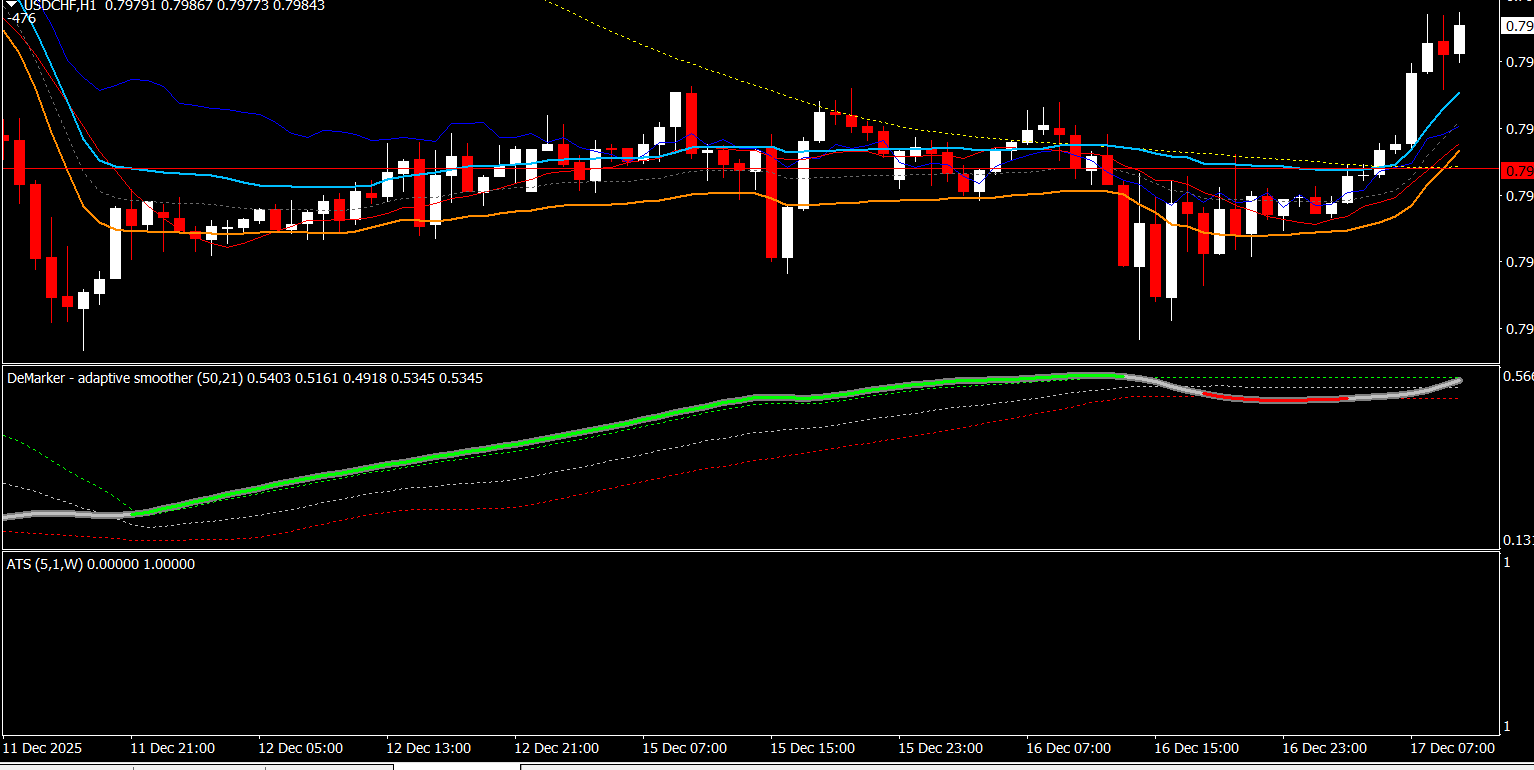
The Vidya Zone 2 visually displays the current trend on the chart, often in the form of color changes or zone indicators, making it easy for traders to determine when the market is in a bullish or bearish phase.
Alerts:
The Vidya Zone 2 Indicator can be configured to send alerts to your device whenever a potential trade setup is identified. This allows traders to act quickly and efficiently when trading opportunities arise.
Key Benefits of the Vidya Zone 2 Indicator
The Vidya Zone 2 Indicator provides several significant advantages for Forex traders:
Clear Buy/Sell Signals: With the combination of moving averages and oscillators, the indicator generates easy-to-understand buy and sell signals, allowing you to take action with confidence.
Trend Visualization: The indicator highlights the current trend, helping you avoid trading against the market and enter trades that align with the prevailing momentum.
Customizable Settings: Adjust the settings to tailor the indicator to your specific trading style, whether you prefer short-term trades or long-term positions.
Multi-Timeframe Compatibility: The Vidya Zone 2 Indicator works across various timeframes, making it useful for scalpers, swing traders, and long-term investors alike.
Alerts: Built-in alerts keep you updated in real time when trading opportunities appear, allowing you to act immediately without constantly monitoring the market.
Easy Setup: The Vidya Zone 2 Indicator is simple to install and use, even for beginners. It provides clear signals and instructions, making it accessible to all levels of traders.
How to Use the Vidya Zone 2 Indicator Effectively
To get the best results with the Vidya Zone 2 Indicator, consider the following tips:
1. Identify and Follow the Trend
One of the primary uses of the Vidya Zone 2 Indicator is to identify the prevailing trend. When the market is trending upwards (bullish), look for buy signals. Conversely, when the market is trending downwards (bearish), wait for sell signals. Trading in the direction of the trend increases your chances of success.
2. Use Buy/Sell Signals for Timing Entries and Exits
The Vidya Zone 2 Indicator helps you pinpoint the best entry and exit points by generating buy and sell signals. Look for confirmation of these signals on multiple timeframes for added reliability.
Buy Signal: Look for a buy signal when the price is above the moving average and the oscillator shows upward momentum.
Sell Signal: A sell signal appears when the price falls below the moving average and the oscillator indicates a potential downturn.
3. Customize for Your Trading Style
If you're a scalper or day trader, you can adjust the settings to make the Vidya Zone 2 more sensitive to shorter timeframes. If you're a swing trader or long-term investor, you can adjust it for smoother signals on longer timeframes.
4. Monitor Alerts
Set up alerts to notify you whenever the Vidya Zone 2 Indicator detects a potential trade setup. This helps you stay informed without constantly watching the market.
5. Combine with Other Indicators
For more reliable signals, combine the Vidya Zone 2 Indicator with other technical indicators such as RSI, MACD, or support/resistance levels to confirm the direction of the trend and avoid false signals.
How to Set Up the Vidya Zone 2 Indicator on MT4
Setting up the Vidya Zone 2 Indicator on your MT4 platform is simple:
Download the Indicator:
Visit IndicatorForest.com to download the Vidya Zone 2 Indicator for free.
Install the Indicator:
After downloading, open the MT4 data folder (File > Open Data Folder > MQL4 > Indicators). Place the downloaded file in the "Indicators" folder.
Apply the Indicator:
Restart MT4 and open the chart for the currency pair you want to trade. In the "Navigator" window, drag and drop the Vidya Zone 2 Indicator onto the chart.
Adjust Settings:
Once installed, customize the settings to suit your trading preferences. Adjust parameters like period, sensitivity, and alerts based on your trading style.
Conclusion
The Vidya Zone 2 Indicator for MT4 is an excellent tool for Forex traders who want to improve their market analysis and spot profitable trading opportunities. By combining moving averages with oscillators, this indicator generates clear buy and sell signals and helps identify the prevailing market trend.
Its customizable features, ease of use, and ability to work across various timeframes make it suitable for traders of all experience levels. Whether you’re looking for quick trades or long-term market analysis, the Vidya Zone 2 Indicator is a powerful addition to your trading toolbox.
For more free Forex indicators, visit IndicatorForest.com and enhance your trading strategy today.
FAQ
Vidya Zone 2 is an enhanced version with improved zone detection and additional features. It provides better zone identification, more accurate signals, and enhanced visual clarity compared to the original version.
Version 2 includes improved zone detection algorithms, better signal filtering, enhanced visual display, additional customization options, and more reliable zone identification for higher accuracy trading.
Use improved zones for more accurate entry points, rely on better filtering to reduce false signals, take advantage of enhanced visuals for clearer analysis, and use additional customization to match your trading style.
Trend-following within zones, zone breakout trading, mean reversion at zone boundaries, and swing trading using zone analysis. The enhanced features make these strategies more reliable.
The enhanced version provides more accurate signals, better zone identification, reduced false signals, improved visual clarity, and additional features that make trading more efficient and profitable.
1 Download
Published:
Dec 17, 2025 09:25 AM
Category: