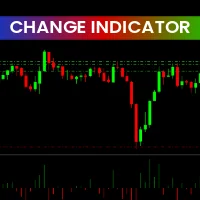
The Change Indicator for MetaTrader 4 (MT4) is a momentum-based technical indicator that measures changes in market volatility and price strength. By analyzing differences between historical price data and the current closing price, the indicator visually represents momentum shifts using a histogram chart.

This makes it an essential tool for traders looking to monitor the speed and strength of price movement across any tradable asset, including Forex, commodities, indices, and cryptocurrencies.
Both novice and advanced traders can use the Change Indicator MT4 to gain insight into market dynamics and momentum changes—crucial information for identifying potential trade continuation or reversal zones.
How the Change Indicator MT4 Works
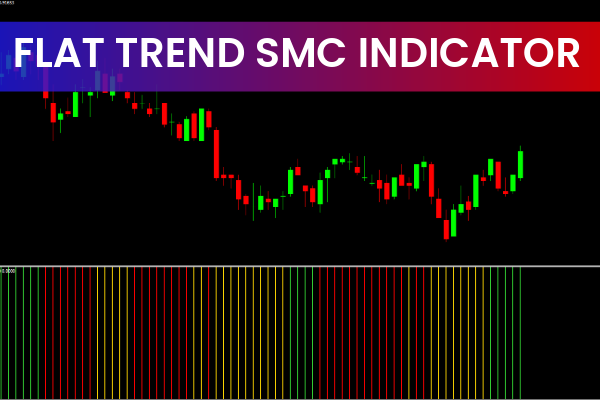
The Change Indicator calculates momentum by tracking how much the current price deviates from past data, giving a clear visualization of volatility changes. These fluctuations are displayed as colored histogram bars in a separate indicator window below your main price chart.
Green bars represent bullish momentum—indicating price strength and potential upward continuation.
Red bars represent bearish momentum—suggesting weakness or downward market movement.
The height of each histogram bar corresponds directly to the intensity of momentum. In other words:
Longer bars = stronger momentum (high volatility)
Shorter bars = weaker momentum (low volatility)
This real-time feedback allows traders to gauge the energy behind price moves, helping them identify when to stay in a trade, exit early, or wait for confirmation before entering.
How to Trade with the Change Indicator MT4
Although the Change Indicator does not generate direct buy or sell signals, it provides valuable contextual insights for trade management.
Identifying Market Momentum
When green histogram bars expand, it signals strong bullish momentum—an ideal condition for buy trades or holding existing long positions.
When red histogram bars expand, it signals bearish pressure—suggesting potential sell trades or short entries.
Spotting Weak Momentum
If histogram bars begin to shrink, it indicates fading momentum and possible market consolidation. Traders can use this as a warning to exit trades or tighten stop-loss levels.
Combining with Other Indicators
The Change Indicator MT4 is most effective when combined with:
Price Action Analysis – to confirm breakout or reversal setups.
Moving Averages or RSI – to filter trades and confirm momentum direction.
Support And Resistance Zones – to spot high-probability entries.
For example, if the price is near a major support and green bars start expanding, it could signal an upcoming bullish reversal.
Benefits of the Change Indicator MT4
Tracks market momentum accurately – Helps traders read price energy and strength.
Simple histogram visualization – Easy to interpret for all experience levels.
Works across all assets and timeframes – Suitable for scalpers, day traders, and swing traders.
Non-intrusive display – Sits in a separate chart window without cluttering candlesticks.
Enhances trade timing – Aids in determining when to hold or exit trades.
Free to download – Available at IndicatorForest.com.
This indicator doesn’t predict direction but empowers traders to read volatility trends—a key edge in modern Forex trading.
Conclusion
The Change Indicator for MT4 is a reliable and user-friendly Momentum Indicator designed to monitor price strength and volatility changes in real time. By visualizing bullish and bearish momentum through a color-coded histogram, it allows traders to stay in tune with market energy and make more informed trading decisions.
While it’s not a standalone signal generator, combining it with price action and trend confirmation tools can significantly improve your trading accuracy.
You can download the Change Indicator MT4 free from IndicatorForest.com and start monitoring momentum like a professional trader.
3 Downloads
Published:
Nov 05, 2025 07:54 AM
Category: