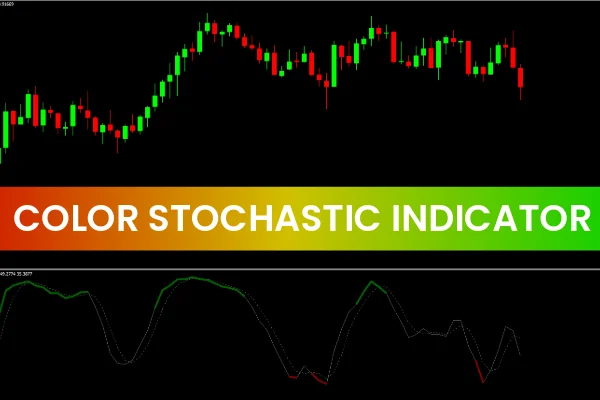
The Color Stochastic Indicator for MT4 operates similarly to the traditional Stochastic Oscillator, but it adds a powerful visual color-coded enhancement that makes identifying market reversals faster and easier.
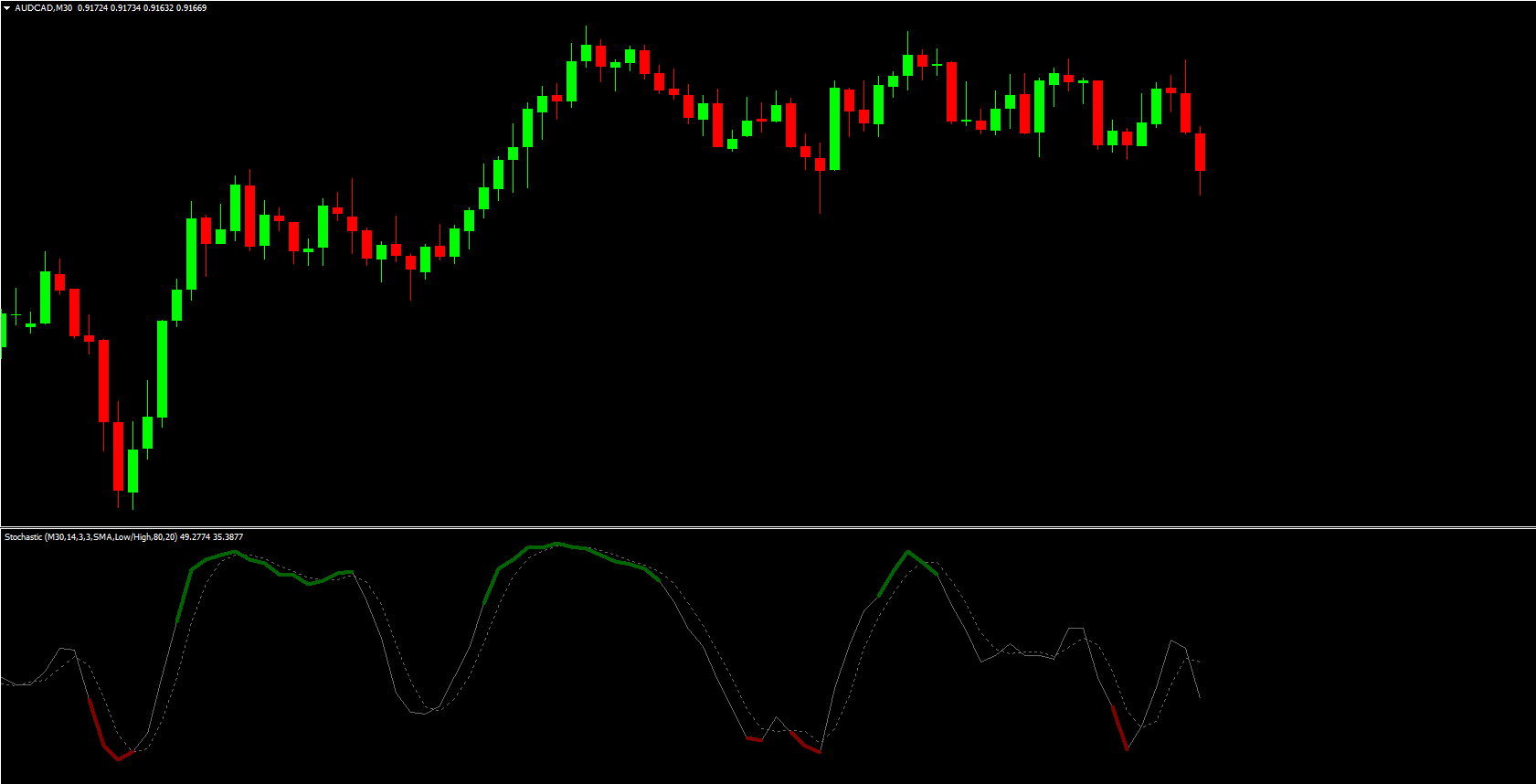
As a momentum-based technical indicator, it compares the closing price of an asset to its price range over a set period — usually 14 periods. By doing this, it helps traders determine whether the market is in an overbought or oversold condition, which often signals upcoming trend reversals.
What makes this version stand out is its color-coded reversal signals:
Red color marks a potential bullish reversal (oversold condition).
Green color marks a potential bearish reversal (overbought condition).
This makes the Color Stochastic ideal for both beginner and experienced traders who want an intuitive, easy-to-read tool for timing market entries and exits.
How the Color Stochastic Indicator Works
The Color Stochastic indicator measures momentum using two fluctuating lines that range between 0 and 100. These lines show how the current price relates to the highest high and lowest low over the selected lookback period.
Typically, the default setting covers 14 periods, which means:
On a daily chart, it measures the past 14 days.
On a weekly chart, it measures 14 weeks.
On an hourly chart, it measures 14 hours.
Overbought and Oversold Conditions:
When the indicator value moves above 80, it suggests that the market is overbought.
When it moves below 20, it indicates that the market is oversold.
The color change on the stochastic lines — green for overbought, red for oversold — allows traders to spot potential reversals instantly without manually drawing zones or interpreting complex patterns.
How to Use the Color Stochastic Indicator for Trading
Using the Color Stochastic Indicator for MT4 is straightforward. It works like the traditional stochastic oscillator but adds a clear color-based visual cue for trading decisions.
Long (Buy) Setup:
Watch for the indicator line to turn red, signaling an oversold market condition.
Confirm a bullish reversal candle (e.g., a strong bullish engulfing or pin bar).
Enter a long trade when the bullish candle closes.
Stop-loss: Just below the candle’s low.
Take-profit: Next resistance level or when the indicator reaches the overbought (green) zone.
Short (Sell) Setup:
Look for the indicator line to turn green, showing an overbought condition.
Wait for a bearish candle confirmation.
Enter a short trade at candle close.
Stop-loss: Slightly above the candle’s high.
Take-profit: Next support level or when the indicator enters the oversold (red) zone.
These color-coded signals help simplify decision-making and enhance accuracy when identifying momentum shifts and potential reversals.
Why Use the Color Stochastic Indicator?
The Color Stochastic Indicator for MT4 is particularly useful because of its:
Enhanced Visual Clarity: Color-coded reversal points make interpretation effortless.
Beginner-Friendly Interface: Ideal for traders learning stochastic-based trading.
Accuracy in Trend Reversals: Detects momentum exhaustion effectively.
Versatility: Works on all markets — Forex, stocks, commodities, and crypto.
Adaptability: Compatible with multiple timeframes and strategies.
By adding this indicator to your chart, you gain a dynamic momentum visualization that simplifies identifying market turning points.
Conclusion
The Color Stochastic Indicator for MT4 is an advanced yet easy-to-use upgrade of the traditional stochastic oscillator. It provides color-coded insights into overbought and oversold conditions, allowing traders to spot trend reversals quickly.
Whether you are a beginner or an experienced trader, this indicator is an excellent addition to your technical analysis toolkit.
Visit IndicatorForest.com to download the Color Stochastic Indicator for MT4 and explore other premium MT4 and MT5 tools for better market analysis.
4 Downloads
Published:
Nov 06, 2025 09:18 AM
Category: