Navigating Global Liquidity with the Forex Market Hours GMT Indicator
The foreign exchange market is a decentralized, global arena that operates 24 hours a day, five days a week. While this constant availability is a major draw for traders, not all trading hours are created equal. Success in the markets depends heavily on understanding volatility and liquidity, both of which shift as different global financial centers open and close. The Forex Market Hours GMT indicator is a vital tool for MetaTrader users, providing a real-time visual map of the world’s most influential trading sessions directly on your charts.
The Importance of Market Session Timing
The Forex market is divided into four major trading sessions: Sydney, Tokyo, London, and New York. Each session carries its own unique "personality" and impact on currency pairs.
- Asian Session (Sydney & Tokyo): Known for lower volatility, this session often sees consolidation or range-bound trading, particularly in European pairs like EURUSD.
- European Session (London): As the financial capital of the world, London’s open marks a massive surge in liquidity. This is often when the day’s primary trend is established.
- North American Session (New York): The second-largest session, New York brings heavy volume, especially as it overlaps with the London session.
- The "Power Hour" Overlap: The period between 12:00 PM and 4:00 PM GMT is when London and New York are both active. This overlap generates the highest volume and most significant price moves.
Mastering Volatility with Visual Cues
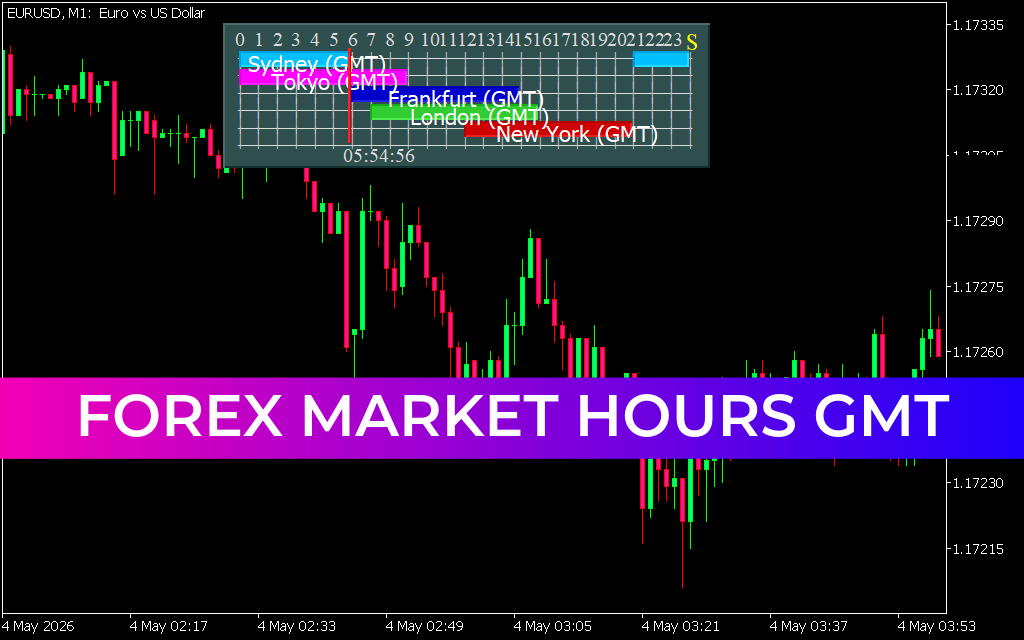
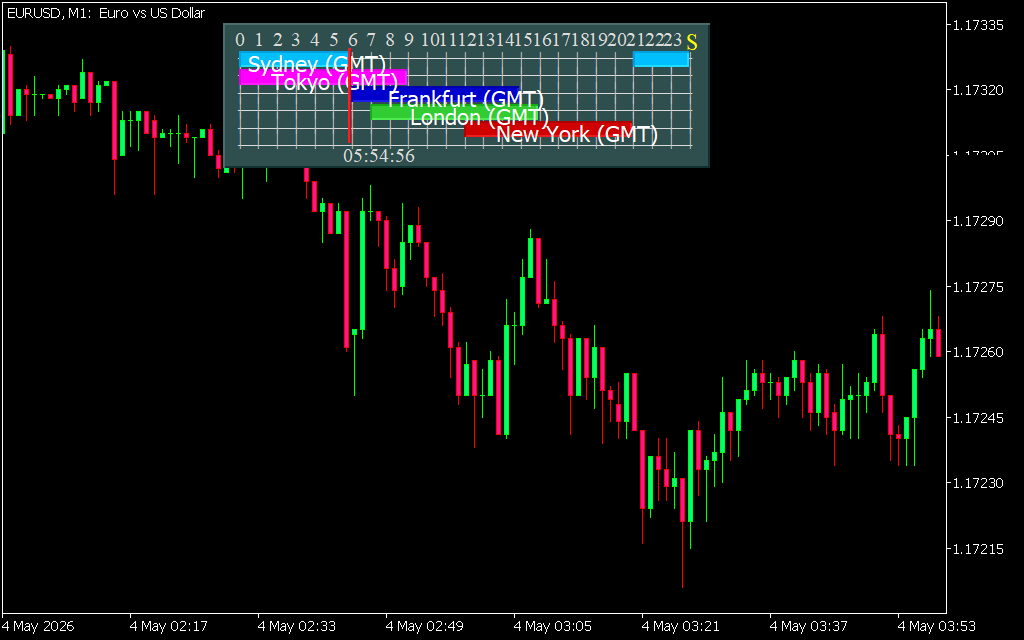
As illustrated in the EURUSD M1 chart, the Forex Market Hours GMT indicator overlays a clear, color-coded dashboard onto your workspace. Instead of manually calculating time zone differences or checking external websites, you can see at a glance which markets are active.
By identifying the current session, you can adjust your strategy accordingly. For example, a "breakout" strategy that works perfectly during the high-volatility London session might fail miserably during the quiet Asian hours. This indicator helps you avoid "dead" markets where Price Action is stagnant, saving you from unnecessary spread costs and capital exposure during low-probability periods.
Enhancing Trade Discipline
Beyond just showing time, the Forex Market Hours GMT indicator serves as a psychological anchor for your trading plan.
- Session-Specific Strategy: Use the visual bars to define your trading window. Many professionals only trade during the first three hours of London or the London/New York overlap to capture the most reliable momentum.
- Avoid News Traps: Economic data releases are tied to specific sessions. Knowing that you are in the New York session alerts you to be wary of high-impact US Dollar news events.
- Global Synchronization: Whether you are in London, Tokyo, or New York, the indicator uses the universal GMT standard to ensure your technical analysis remains consistent with global institutional flows.
By integrating the Forex Market Hours GMT indicator into your MT4 or MT5 platform, you transition from a reactive trader to a strategic operator. You stop guessing when the market will move and start trading with the rhythm of global liquidity.
10 Downloads
Last Update:
May 04, 2026 10:56 AM
Published:
Jan 28, 2026 13:41 PM
Category: