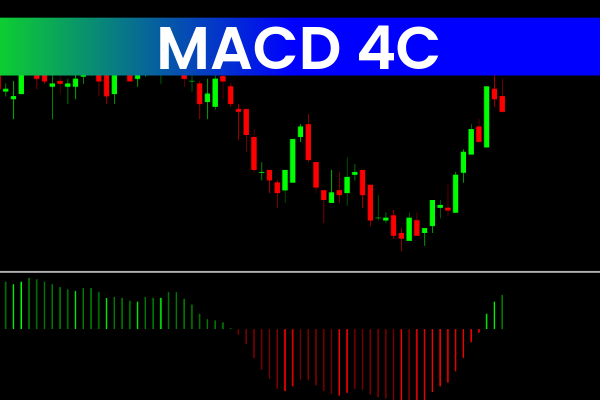
The MACD 4C Indicator for MT4 is a visually improved version of the traditional MACD indicator. Widely used in the forex and financial markets, MACD helps traders analyze momentum shifts, trend direction, potential reversals, and entry opportunities. This upgraded MACD 4C version offers clearer signals by using four distinct histogram colors, making market interpretation much easier.
How Do I Get MACD on MetaTrader?
MACD is pre-installed on all MetaTrader platforms.
You can access it via:
Insert
Indicators
Oscillators
MACD
However, the MACD 4C Indicator for MT4 provides a more advanced and visually clearer version. We recommend downloading and applying the 4-color MACD to improve signal accuracy and readability.
Features of MACD 4C Indicator for MT4
Four-Color Histogram for Better Clarity
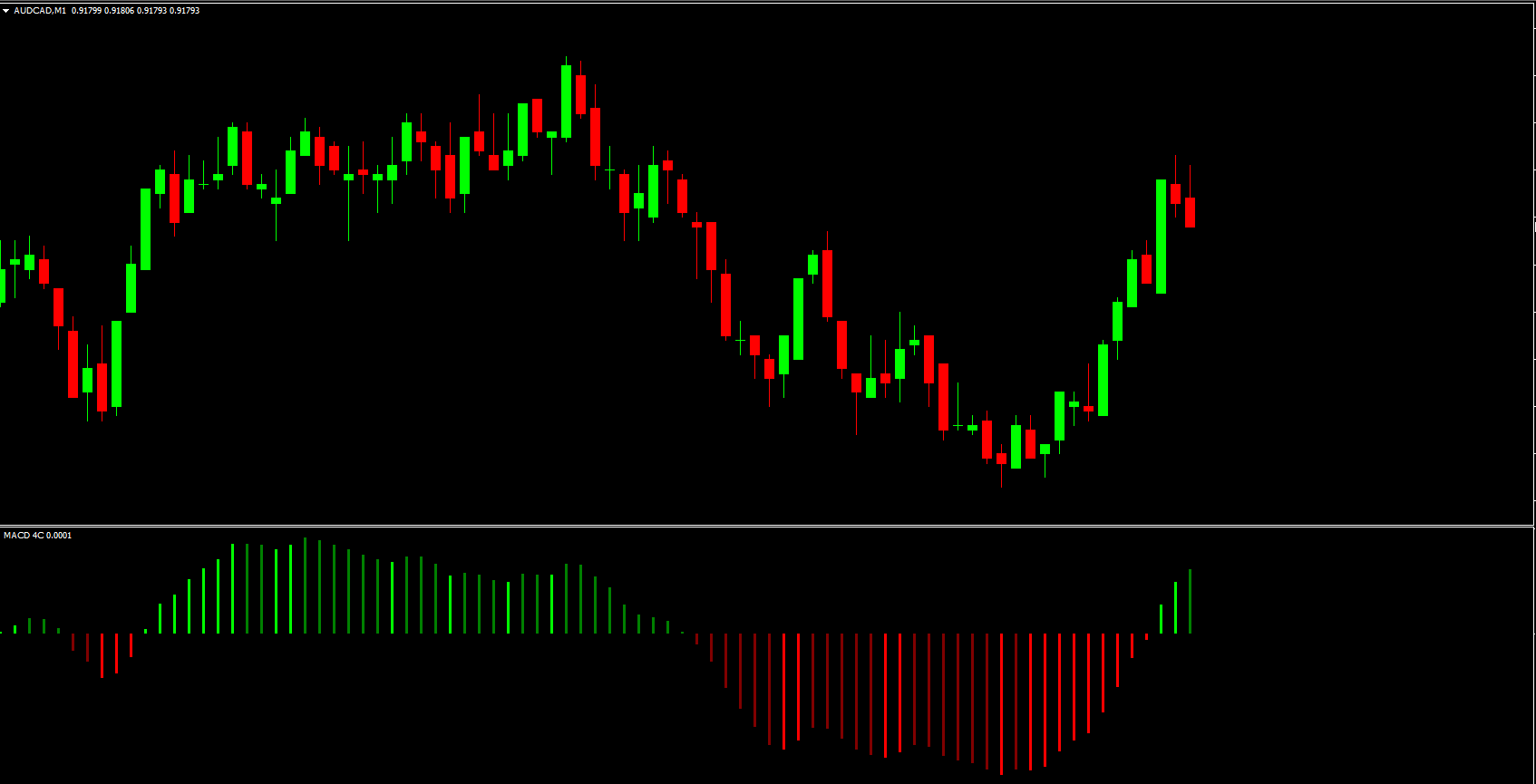
Unlike the standard MACD’s single-color bars, MACD 4C uses four colors:
Lime – MACD crosses upward (bullish crossover)
Maroon – MACD crosses downward (bearish crossover)
Green – weakening bullish momentum
Red – weakening bearish momentum
This makes it easy to understand market strength or weakness at a glance.
Clear Bullish & Bearish Crossovers
A lime histogram indicates a potential bullish trend beginning, while a maroon bar signals a potential bearish trend starting.
Momentum Strength Detection
Lime/Maroon = strong trend momentum
Green/Red = momentum fading
This helps traders anticipate potential reversals or consolidations.
Improved Visualization Over Standard MACD
The enhanced color system makes it easier to detect changes without analyzing raw data or waiting for a cross line.
Benefits of Using the MACD 4C Indicator
Simplified Signal Interpretation
Perfect for beginners, the MACD 4C makes momentum and trend behavior visually obvious, reducing confusion and improving decision-making.
Reliable Confirmation Tool
Traders can pair the MACD 4C with:
Support/resistance
Trendlines
EMA strategy
Breakout systems
Using it as confluence helps confirm trend direction, entry signals, and potential reversals.
FAQ
3 Downloads
Published:
Dec 12, 2025 04:46 AM
Category: