Master Institutional Order Flow with the Market Profile Virgin POC Indicator
In the world of professional trading, price is only one part of the equation. To truly understand where the market is headed, you must understand Value. The Market Profile Virgin POC (Point of Control) Indicator is a premier tool for MetaTrader users that identifies institutional magnets and hidden support/resistance levels based on historical volume and time distribution. By highlighting "Virgin" levels that have not been retested, this indicator provides traders with high-probability targets and reversal zones that standard technical indicators often miss.
What is a Virgin POC (VPOC)?
The Point of Control (POC) is the price level where the most trading activity occurred during a specific period—essentially the "fairest" price in the eyes of buyers and sellers. A Virgin POC occurs when a POC level is created but the market does not return to touch or "test" that price in the following sessions.
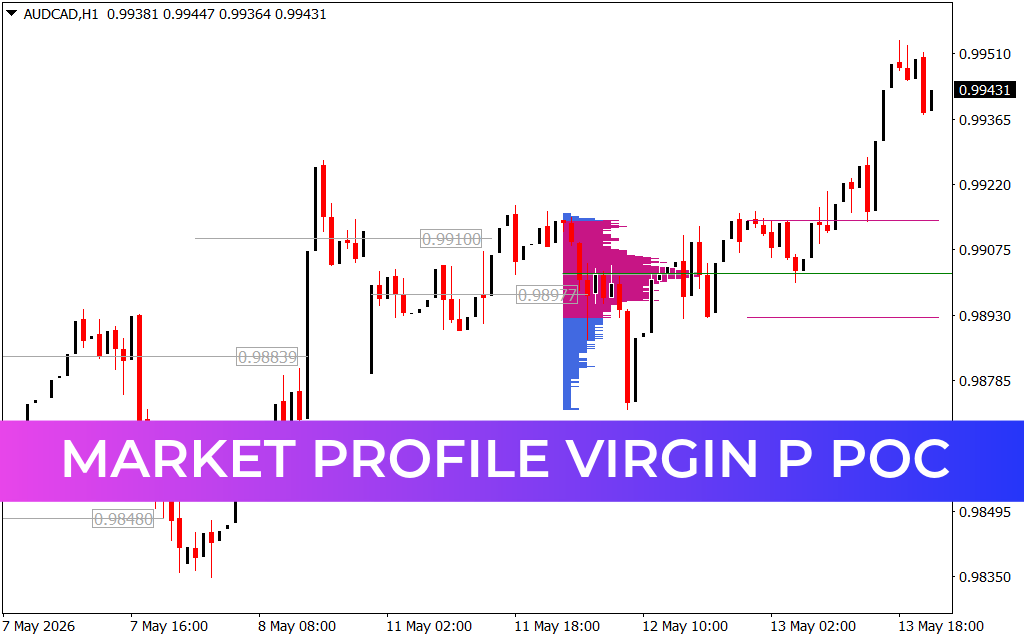
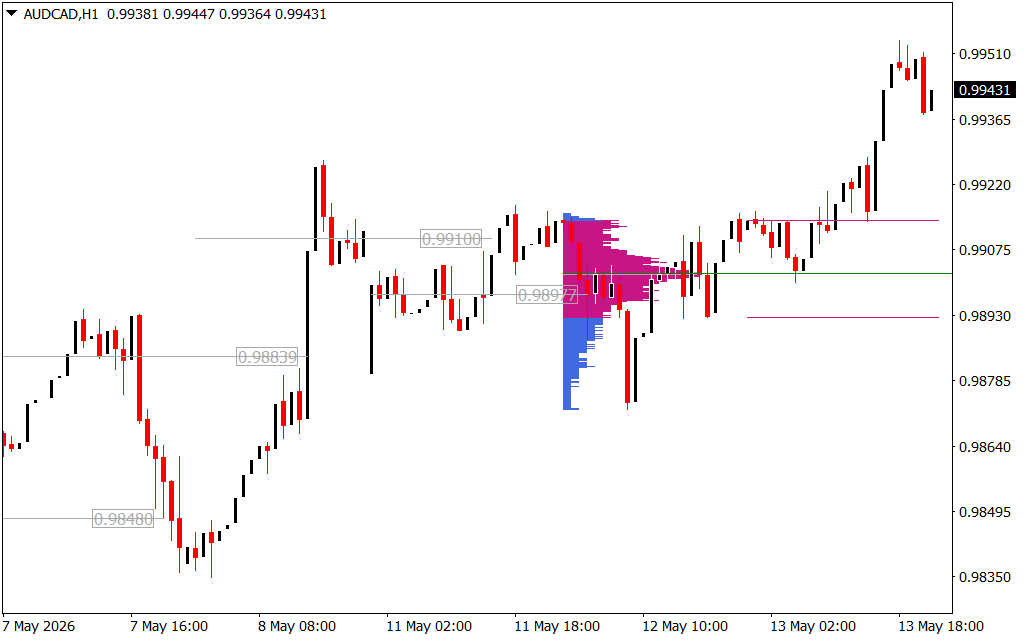
Institutions and high-frequency algorithms view these levels as significant price imbalances. Because a high volume of orders was left "unfinished" at these levels, the market has a structural tendency to return to them like a magnet. As seen in the AUD/CAD H1 chart, these levels act as invisible floors and ceilings where major players often re-enter the market.
Key Features and Trading Advantages
- Institutional Magnetic Targets: VPOCs are widely considered the most accurate "Take Profit" targets in professional trading. If the market is trending, it will often gravitate toward the nearest Virgin POC to satisfy liquidity needs.
- Objective Support And Resistance: Unlike subjective trendlines, a Virgin POC is based on actual transaction data. The indicator automatically plots these levels (as seen with the 0.98977 and 0.99100 levels on the chart), providing you with a clean, horizontal roadmap of Market Structure.
- Volume Profile Integration: The indicator utilizes a visual histogram to show the distribution of price over time. This "bell curve" analysis helps traders identify the "Value Area," ensuring you buy at a discount and sell at a premium.
- Clear Visual Alerts: Professional versions of this tool highlight when a Virgin POC is finally "naked" no more, signaling that a major liquidity gap has been filled and a potential Trend Reversal is imminent.
Strategic Application for Day Traders
For day traders and swing traders, the Market Profile Virgin POC indicator is a game-changer for entry timing. A common high-probability strategy involves waiting for the price to approach a historical Virgin POC. When the price hits this level, traders look for exhaustion patterns or candlestick reversals to enter a trade in the opposite direction, betting on a "bounce" from this high-volume zone.
On the provided H1 chart, the market's recovery and sustained bullish move are perfectly framed by these historical levels. By knowing where the previous "points of control" were located, a trader could have anticipated the bullish breakout and identified the next logical resistance levels with surgical precision.
Conclusion
The Market Profile Virgin POC Indicator is an essential asset for any trader looking to move beyond basic retail strategies and into the realm of order flow and institutional logic. By identifying where the "smart money" has transacted most heavily, it provides a level of market depth that simple moving averages or oscillators cannot provide. Download it today to start trading where the value truly lies.
21 Downloads
Last Update:
May 14, 2026 01:38 AM
Published:
Jan 22, 2026 19:11 PM
Category: