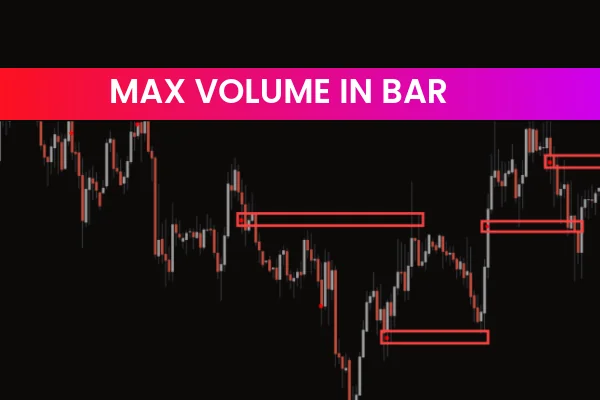
Every trader has wondered how to spot the exact location of the highest traded volume within a single bar—just like on professional exchange terminals. The Max Volume in Bar Indicator for MT4 makes this possible.
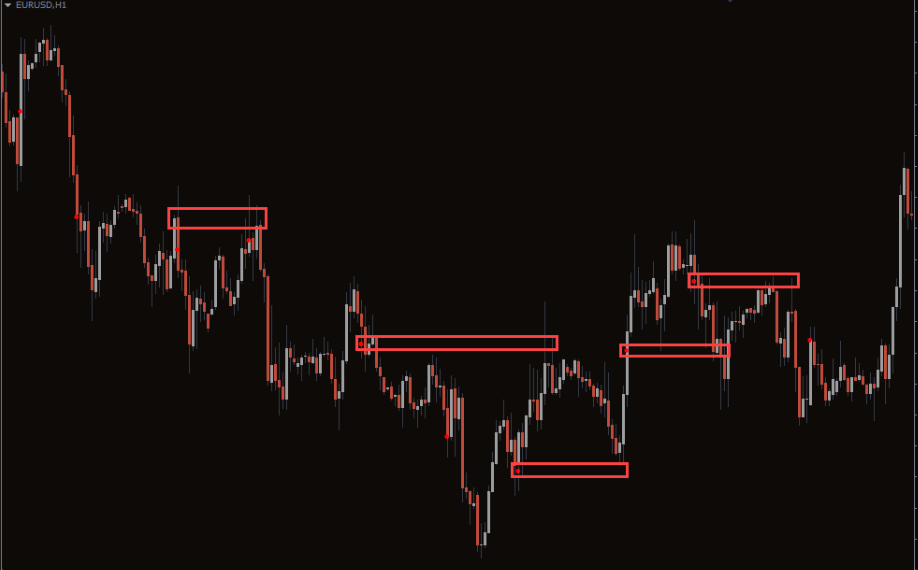
This innovative Forex Indicator highlights the Point of Control (POC), or the price level inside each candle where the most trading volume occurred. On your MT4 chart, it appears as a small dot—simple yet powerful. Understanding these max volume levels gives traders deeper insight into where major participants are entering or exiting the market.
How the Max Volume in Bar Indicator Works
The indicator automatically scans each candle to find where the maximum trading activity took place. This “volume core” represents the market’s heartbeat inside every bar.
In volume profile terminology, this area is known as the Point of Control (POC)—the price that saw the most traded volume. Recognizing this level allows traders to visualize hidden Support And Resistance zones that are invisible on standard candlestick charts.
Key Benefits of Using the Max Volume in Bar Indicator
1. Identify Price Magnets and Reaction Zones
Max volume points often act as price magnets or reaction areas. Price tends to revisit these levels, making them valuable for setting entries, stop losses, or profit targets.
2. Spot Reversal Patterns Like Up-Thrusts (UTs)
When the max volume dot appears near the candle’s top in an uptrend or near the bottom in a downtrend, it may indicate exhaustion or an upcoming reversal. Traders can use these signals to anticipate market turning points.
3. Confirm Trend Strength
If the volume concentration (POC) consistently rises with price, it validates a strong bullish trend. Conversely, if it shifts lower while price rises, it could signal weakening momentum.
Dual Operating Modes
The Max Volume in Bar Indicator for MT4 operates in two flexible modes:
1. Current Timeframe Mode (Default)
This mode displays the max volume level within each candle based on your chart’s active timeframe. It’s perfect for monitoring intrabar trading activity.
2. Higher Timeframe Mode
You can select a higher timeframe—such as D1 or W1—while staying on a lower chart (e.g., H1 or M15). The indicator then projects the higher timeframe POC levels onto your current chart.
This multi-timeframe perspective helps traders spot major volume clusters that often act as long-term support or resistance zones.
Practical Trading Applications
Here are a few actionable ways to use this indicator in your daily trading:
Validate breakout zones: If price breaks through a POC level with strong volume, it often confirms a true breakout.
Enhance confluence: Combine POC dots with moving averages, Fibonacci retracements, or trendlines for more reliable setups.
Refine entries: Use the Max Volume in Bar Indicator alongside your favorite Price Action strategy to find precise entry levels backed by real market activity.
Multi-timeframe confirmation: Overlay weekly or daily max volume levels while analyzing shorter-term charts to trade in harmony with the broader trend.
Why Volume Analysis Matters
Volume tells the story behind price movement. Without it, traders only see half the picture. The Max Volume in Bar Indicator adds a new layer of transparency by showing where the real trading interest lies inside every candle.
Just like professional terminals that display volume profiles, this MT4 tool offers the same precision in a compact format—ideal for retail traders looking to upgrade their technical analysis toolkit.
Conclusion
The Max Volume in Bar Indicator for MT4 is a simple yet powerful addition to any trader’s arsenal. Whether you want to identify volume clusters, validate trends, or spot early reversals, this tool delivers accurate volume insights directly on your chart.
It’s free to download and easy to use, making it ideal for traders of all experience levels.
👉 Visit IndicatorForest.com today to download the indicator and explore our Forex indicators bundle for even more advanced trading tools.
Remember: Always ensure your MT4 platform has sufficient historical data loaded—volume accuracy depends on it!
11 Downloads
Published:
Dec 26, 2025 10:04 AM
Category: