Master Intraday Costs with the Spread on Chart Indicator for MT4
In the highly competitive world of retail Forex and CFD trading, profitability is determined by two main factors: finding accurate market entries and keeping your transaction fees low. While most retail traders spend years tweaking complex technical indicators or searching for advanced Price Action setups, they frequently ignore their single largest recurring trading expense—the broker’s spread. During high-impact economic news releases, volatile market openings, or quiet rollover sessions, spreads can widen drastically. This cost inflation can turn a winning technical setup into an immediate loss. The Spread on Chart indicator for MetaTrader 4 (MT4) solves this problem by bringing transparent, real-time cost tracking directly onto your active trading chart.
Why Real-Time Spread Tracking Matters
The spread is the fractional price difference between where you can buy an asset (the Ask price) and where you can sell it (the Bid price). Because this metric changes constantly based on live interbank liquidity, trading blindly without knowing the current spread is a major operational risk.
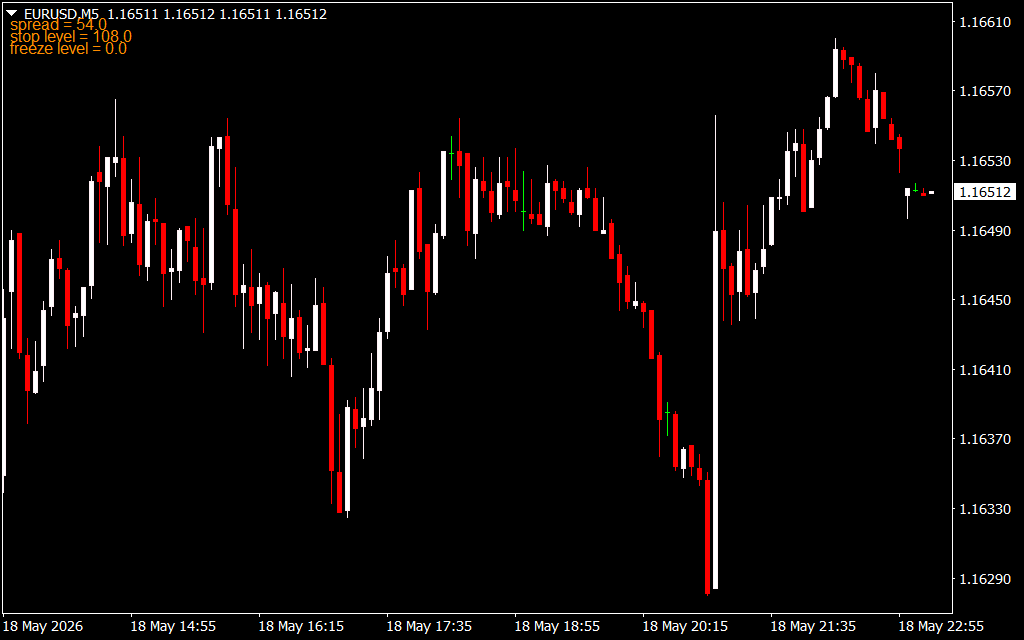
The Spread on Chart indicator acts as a live, automated cost panel. Instead of making you open the crowded "Market Watch" window or manually calculate decimal pips, the software prints clear, real-time metrics in the upper left corner of your primary workspace:
- Live Spread Tracking (spread): Displays the exact current spread in points (e.g., 54.0 points, which equals 5.4 fractional pips), letting you see your transaction costs before you open a position.
- Stop Level Boundaries (stop level): Monitors the minimum distance required by your broker (e.g., 108.0 points) for placing protective stop-loss orders or take-profit targets, helping you avoid frustrating order rejection errors.
- Freeze Level Parameters (freeze level): Tracks active freeze constraints, showing you if the broker restricts modifications to pending orders when the live price gets too close to your target levels.
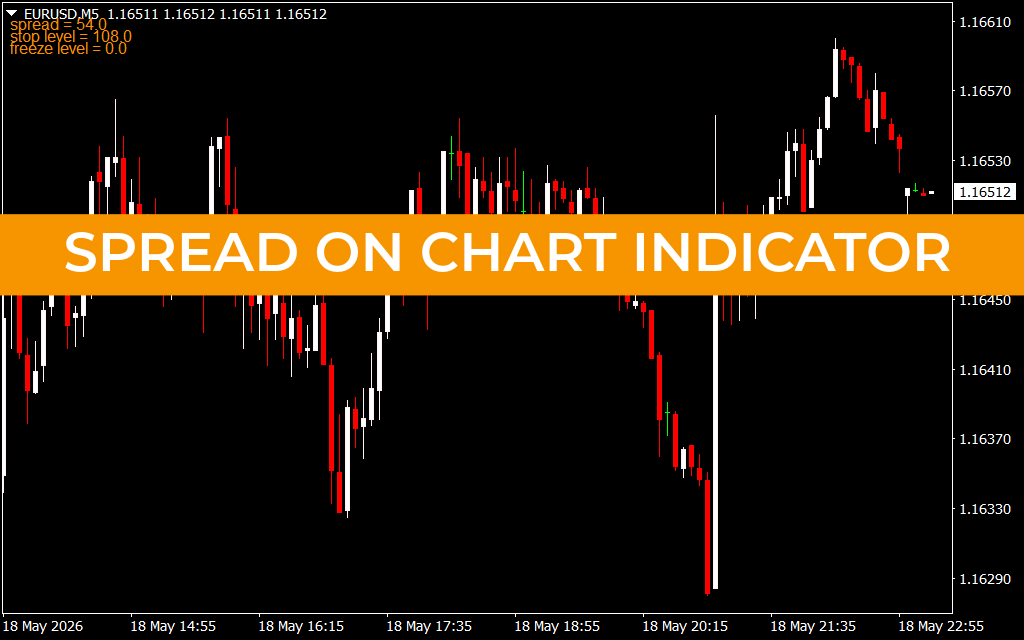
As shown on the EURUSD M5 chart, this tracking dashboard stays neatly tucked away in the upper corner of your screen. This design choice leaves your primary candlestick chart clean, organized, and perfectly clear for identifying support baselines or trend reversals.
Core Strategic Benefits for Scalpers and Day Traders
- Prevents Trading in Illiquid Markets: The live orange dashboard gives you an immediate visual warning when spreads widen unexpectedly, helping you stay safely on the sidelines during high-risk market events.
- Optimizes Order Placement Accuracy: Knowing the exact broker stop limits ensures your stop-loss and take-profit orders are placed at mathematically valid intervals every single time.
- Maintains a Clean Workspace: By shifting important account data into a tiny text block, it eliminates visual clutter and leaves your workspace completely organized.
Practical Application and Risk Execution
To make the Spread on Chart indicator a core part of your daily execution routine, apply these two operational trading rules:
- The Spread Expansion Filter: Before clicking buy or sell on an intraday setup, check the live spread metric in the top corner. If the value has spiked significantly above your asset's normal average, pause your execution. Wait for the market layout to stabilize and the spread to contract to its baseline level before risking your capital.
- The Precision Order Check: When scaling into high-frequency Scalping setups or news-breakout trades, cross-reference the live stop level parameter. Use this coordinate to make sure your structural stop-loss is placed outside the broker's minimum distance window, preventing execution delays when volatility peaks.
1 Download
Last Update:
May 19, 2026 02:32 AM
Published:
Jan 19, 2026 20:06 PM
Category: