The Time Indicator for MT4 is an essential tool for traders who want to optimize trade timing across global forex sessions. Because the forex market operates 24 hours a day, different trading sessions—such as London, New York, Sydney, and Tokyo—create fluctuations in volatility. Smart traders understand that the highest volatility often occurs during the London–New York session overlap or when high-impact news is released. By using the Time Indicator for MT4, traders can precisely monitor time zones and execute trades with better precision.
Why Timing Matters in Forex Trading
Forex trading is heavily influenced by market sessions, news events, and liquidity conditions. Missing the right timing can lead to poor entries or unexpected volatility. This is where tools like the Time Indicator for MT4 become invaluable.
Market Sessions and Volatility Surges
London Session: Known for strong market movement.
New York Session: Highly active, especially when overlapping with London.
Asian Sessions: Lower volatility, ideal for specific strategies.
Monitoring these sessions helps traders anticipate market movements and plan entries accordingly.
Understanding the Time Indicator for MT4
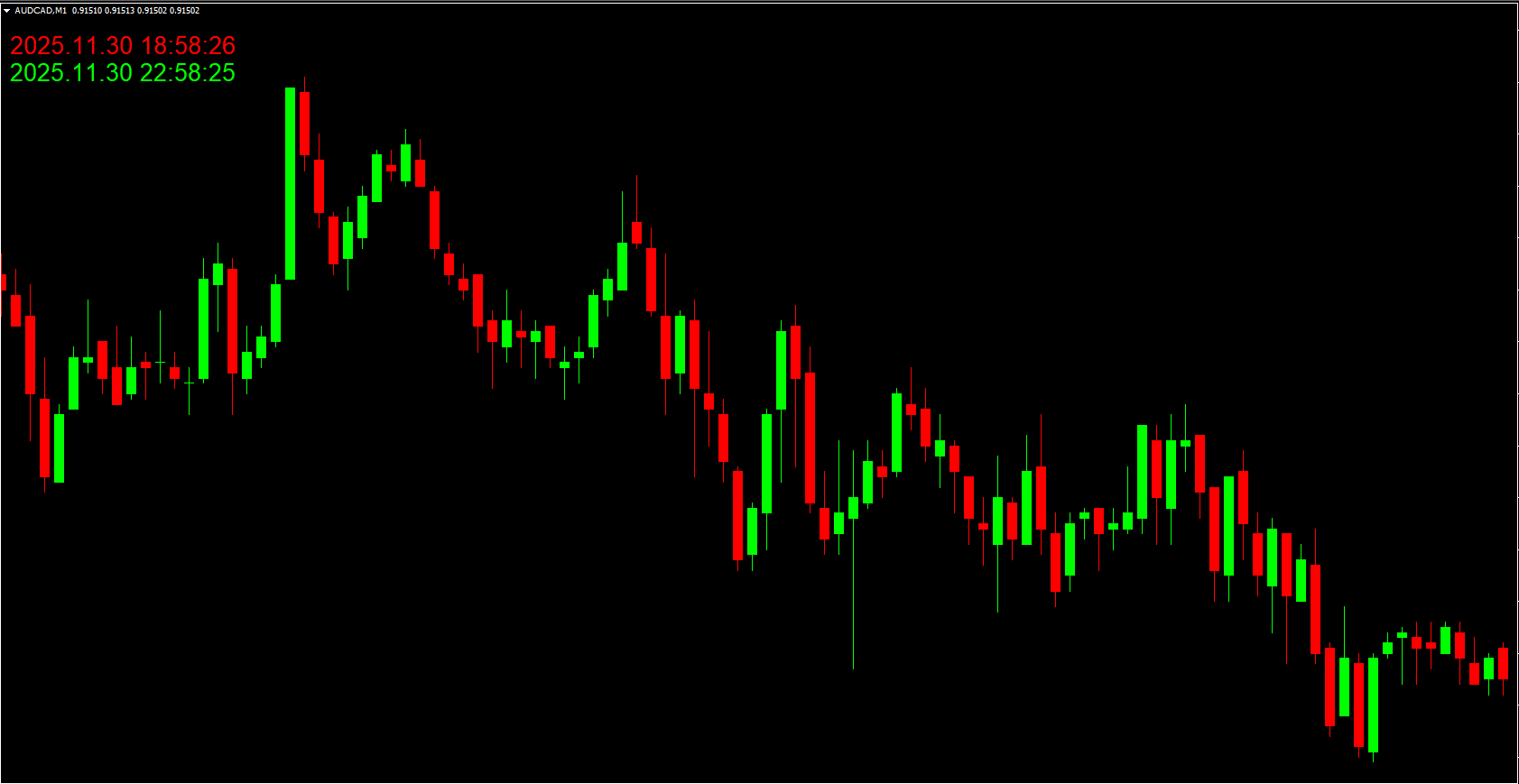
The Time Indicator for MT4 provides two essential time readings:
Local Time and Server Time Display
Local Time: The time zone of the trader’s physical location.
Server Time: The time zone from the broker’s server.
This dual-display helps traders avoid confusion, especially when timing entries around economic events or session changes.
Visual Presentation on the Chart
The indicator typically displays:
Server time (often in red)
Local time (often in lime or another contrasting color)
This visual clarity helps eliminate timing errors and ensures traders remain synced with the correct market session.
How Traders Use the Time Indicator for MT4
News Trading
News traders rely on precise timing. The indicator helps them anticipate major announcements, such as NFP or FOMC statements, and position themselves before volatility spikes.
Session-Based Trading
Many strategies focus on the start or overlap of sessions. The Time Indicator lets traders track session openings without needing external world clocks.
Technical Trading
Even technical analysts depend on timing—whether to avoid low-volume periods or plan exits before spreads widen.
What the Time Indicator for MT4 Does NOT Do
It’s crucial to note that the Time Indicator does not generate trade signals. It does not measure:
Momentum
Volatility
Overbought/oversold conditions
Instead, it acts purely as a timing support tool, making it perfect for combining with other analytical indicators.
Best Tools to Combine With the Time Indicator
For enhanced effectiveness, pair the Time Indicator with:
Fxr Economic Calendar
Helps traders view upcoming news releases directly on the chart.
Trading Session Indicators
Offer a visual map of global forex sessions.
Using these tools together creates an efficient market-timing framework for both manual and algorithmic traders.
Conclusion
The Time Indicator for MT4 is a simple yet powerful tool that supports traders in executing well-timed trading decisions. Whether you're a news trader, session trader, or technical analyst, understanding market timing is essential. While the indicator does not provide buy or sell signals, it significantly improves precision when combined with supporting tools like the Fxr Economic Calendar.
To download more expert-designed indicators and enhance your trading experience, visit IndicatorForest.com today.
FAQ
11 Downloads
Published:
Nov 30, 2025 13:07 PM
Category: