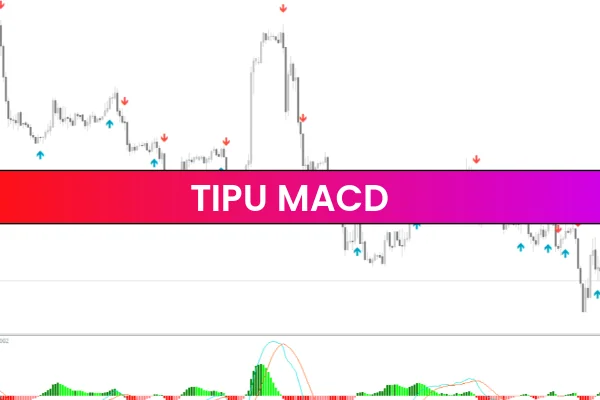
The Tipu MACD Indicator MT4 is a popular and reliable technical analysis tool widely used by forex traders on the MetaTrader 4 platform. It is based on the classic Moving Average Convergence Divergence (MACD) indicator but includes enhanced features and customization options that make trend detection and momentum analysis easier. This indicator is free to use and suitable for traders of all experience levels.
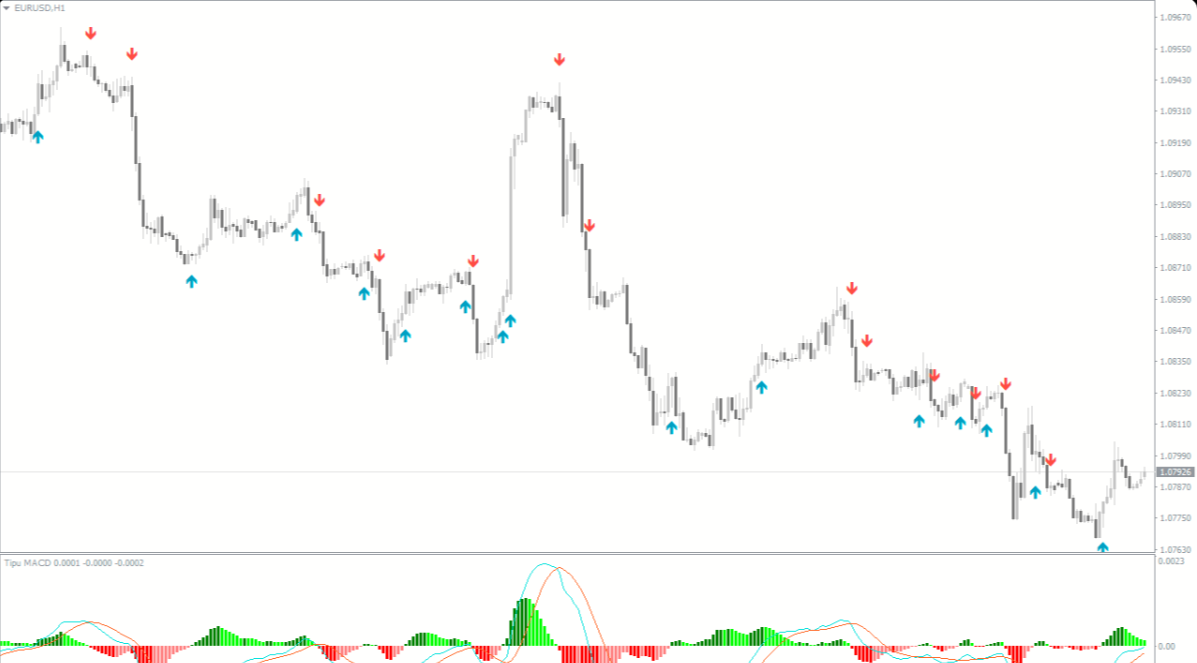
By improving the visual presentation and flexibility of the traditional MACD, the Tipu MACD Indicator helps traders better understand market direction, identify potential entry and exit points, and confirm overall Trend Strength. It is especially useful for traders who rely on momentum-based strategies.
Understanding How the Indicator Works
Core MACD Logic
The indicator uses the standard MACD formula, which is calculated from the difference between fast and slow exponential moving averages. A signal line is then applied to identify momentum changes. This structure helps traders understand whether bulls or bears are in control of the market.
Enhanced Features
What makes this version stand out is its improved visualization and settings flexibility. Traders can customize colors, periods, and display styles to better match their trading preferences. These enhancements make signals clearer and reduce confusion during fast market movements.
Interpreting Trading Signals
Trend Direction Analysis
When the MACD line moves above the signal line, it generally indicates bullish momentum. When it crosses below, it suggests bearish momentum. The histogram also helps traders visualize the strength of the trend more clearly.
Buy and Sell Opportunities
A buy signal may occur when the MACD crosses above the signal line below the zero level
A sell signal may appear when the MACD crosses below the signal line above the zero level
These signals become more reliable when combined with support, resistance, or trendline analysis.
Momentum Confirmation
The histogram bars expanding show increasing momentum, while shrinking bars indicate weakening momentum. This helps traders decide whether to stay in a trade or prepare for a possible exit.
Effective Trading Strategies
Trend-Following Approach
Traders can use the indicator to trade in the direction of the dominant trend:
Look for buy signals during an uptrend
Look for sell signals during a downtrend
Using higher timeframes can improve signal accuracy.
Scalping and Day Trading
On lower timeframes such as M5 or M15, the indicator can be used to capture short-term price movements. Fast MACD crossovers combined with momentum expansion are useful for Scalping setups.
Swing Trading Setup
Swing traders can use the indicator on H1, H4, or D1 charts to identify momentum shifts near key price levels, helping them enter trades with better timing.
Benefits for Forex Traders
Clear visualization of trend and momentum
Customizable settings for different strategies
Works on all currency pairs
Suitable for scalping, day trading, and swing trading
Free and easy to install on MT4
These advantages make it a valuable addition to any forex trading system.
How to Install on MT4
Download the indicator file
Open MetaTrader 4
Click File → Open Data Folder
Navigate to MQL4 → Indicators
Paste the indicator file
Restart MT4
Attach the indicator to your chart
Final Conclusion
The Tipu MACD Indicator MT4 is an improved version of the traditional MACD that offers better clarity, flexibility, and usability. It helps traders identify trend direction, confirm momentum, and spot potential trading opportunities with greater confidence. Whether you are a beginner or an experienced trader, this indicator can enhance your technical analysis.
👉 Visit IndicatorForest.com to download this indicator and discover more professional MT4 tools designed to improve your forex trading performance
FAQ
6 Downloads
Published:
Dec 20, 2025 22:07 PM
Category: