Mastering Market Structure with Trend Direction Identification
In the high-stakes world of Forex trading, the oldest adage remains the most relevant: "The trend is your friend." However, for many traders, the challenge isn't just following a trend, but accurately identifying its birth and exhaustion before it’s too late. The Trend Direction Identification indicator is a premier technical solution designed to quantify the two most critical components of price movement: direction and force. By filtering out market noise, this tool provides a clear roadmap for traders looking to align themselves with the path of least resistance.
The Mechanics of Direction and Force
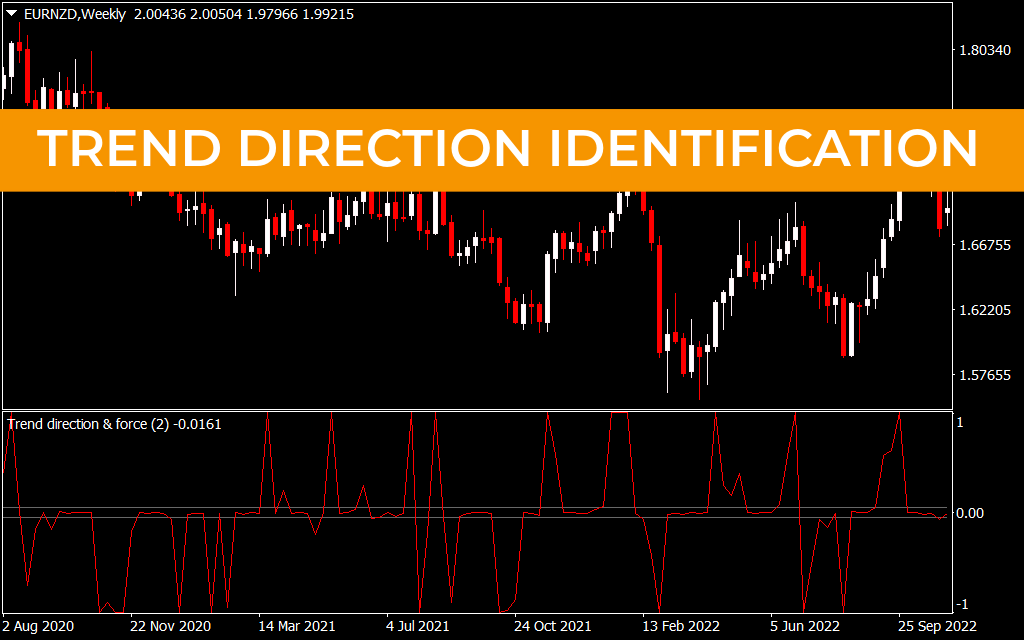
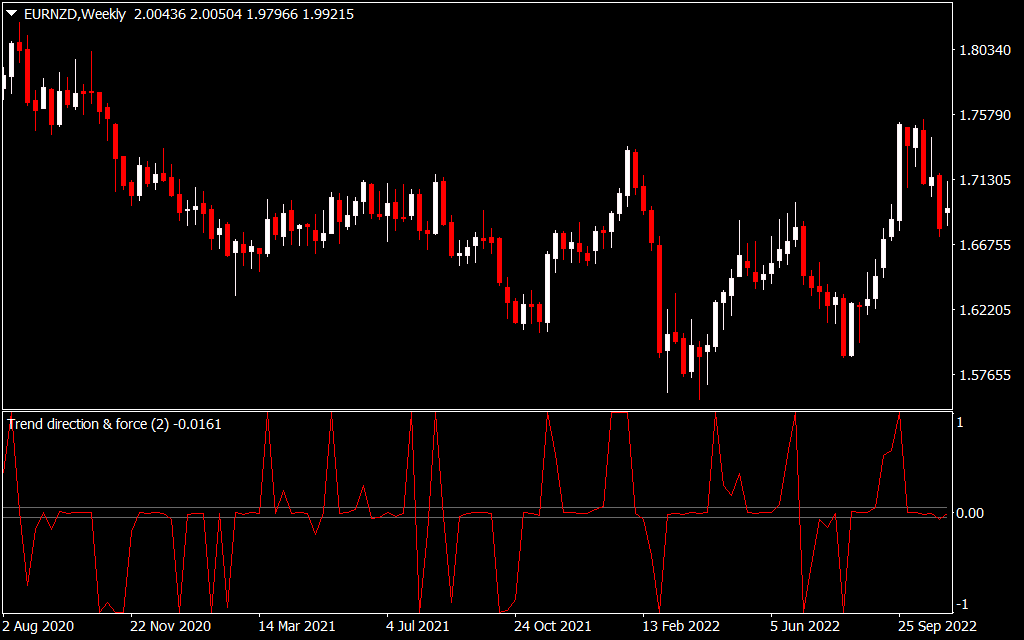
Most trend indicators rely solely on lagging price averages, which often result in late entries. The Trend Direction Identification indicator evolves past this limitation by incorporating a "Force" element. As seen in the EURNZD Weekly chart, the indicator operates as a bounded oscillator between the values of 1 and -1, centering around a zero-point equilibrium.
- Positive Values (Above 0): This indicates a bullish environment where buyers have the upper hand. Sharp peaks toward the 1.00 level suggest extreme bullish force, often seen during the acceleration phase of a new uptrend.
- Negative Values (Below 0): This indicates a bearish environment. When the indicator pushes toward -1.00, it signals that selling pressure is at its peak, providing a high-confidence signal to look for short opportunities or to tighten stop-losses on long positions.
Why Accurate Identification is the Key to Profit
Trading against the prevailing market sentiment is one of the primary reasons retail accounts fail. The Trend Direction Identification indicator acts as a biological "gatekeeper" for your trading strategy:
- Eliminating Guesswork: Instead of subjectively drawing trendlines, the indicator provides an objective mathematical value. If the line is below zero, you are in a sell-dominant market.
- Visualizing Momentum Squeezes: When the indicator line flattens or hugs the zero line, the market is in a "squeeze" or consolidation phase. This is a critical signal to stay on the sidelines and wait for the next explosive breakout.
- High-Timeframe Confirmation: On charts like the W1 (Weekly), the indicator reveals the "macro" trend. Identifying a trend shift on this scale allows traders to catch moves that can last for thousands of pips.
Strategic Application
The most effective way to utilize Trend Direction Identification is as a Trend-Momentum Filter. For trend-following strategies, you should only seek buy signals when the indicator is consistently printing positive values. For contrarian traders, the moments where the indicator hits the extreme 1 or -1 levels and begins to pull back toward zero can signify an overextended market ready for a mean-reversion correction.
By integrating this tool into your MT4 or MT5 platform, you gain a structural advantage. You are no longer just looking at where price has been; you are measuring the internal energy that dictates where price is going next.
7 Downloads
Last Update:
Apr 26, 2026 16:21 PM
Published:
Feb 02, 2026 02:12 AM
Category: