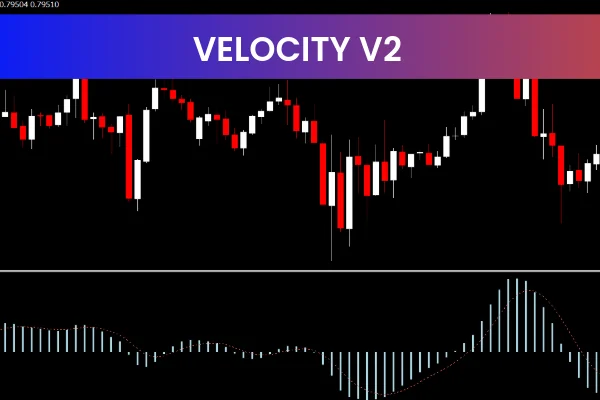
The Velocity v2 Indicator is a powerful and practical Forex trading tool designed for traders who want to measure trend strength accurately. Available as a free MT4 indicator, it is widely used by traders who rely on momentum and trend confirmation to improve their market timing. By measuring the speed of price movement, the Velocity v2 Indicator helps traders determine whether a trend is strengthening or weakening.
Because of its simplicity and effectiveness, this indicator is suitable for both beginner and advanced Forex traders using the MetaTrader 4 platform.
What Is the Velocity v2 Indicator
The Velocity v2 Indicator is a momentum-based technical tool that focuses on price speed rather than price direction alone. Instead of just showing whether the market is moving up or down, it reveals how fast the price is moving. This information is crucial for confirming Trend Strength and avoiding weak or false market moves.
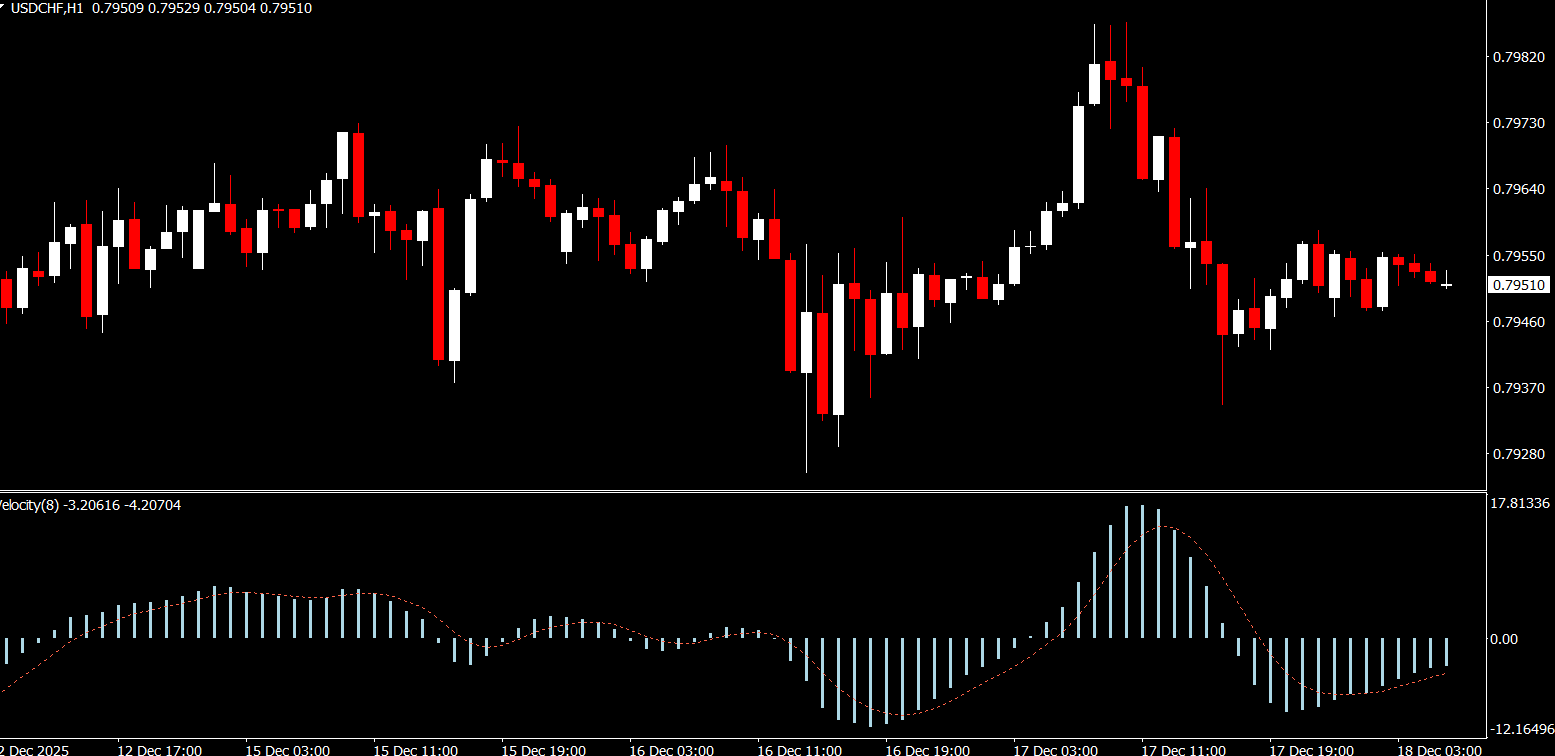
The indicator plots a single line on the chart that reflects the velocity of Price Action. Changes in this line provide valuable insight into market momentum.
How the Velocity v2 Indicator Works
Once applied to an MT4 chart, the Velocity v2 Indicator begins analyzing price movement in real time.
Basic interpretation includes:
A rising line indicates increasing momentum and a strengthening trend
A falling line signals decreasing momentum and a weakening trend
Sharp changes in the line may suggest potential trend shifts or corrections
By focusing on speed rather than noise, the Velocity v2 Indicator allows traders to assess whether a move has enough strength to continue.
Key Benefits of the Velocity v2 Indicator
The Velocity v2 Indicator offers several advantages that make it popular among Forex traders.
Main benefits include:
Clear measurement of trend strength
Easy visual interpretation
Works on all currency pairs and timeframes
Helps confirm entries and exits
Free to download and use on MT4
Because it measures momentum directly, the indicator is especially useful during trending market conditions.
How to Use the Velocity v2 Indicator in Trading
Using the Velocity v2 Indicator is very simple. After downloading, traders only need to drag and drop it onto their MT4 chart.
Common usage methods:
Enter trades in the direction of the trend when velocity is rising
Avoid new entries when velocity is falling or flat
Use the indicator as confirmation alongside trend or price action tools
Monitor velocity changes to manage exits more effectively
The indicator is best used as a confirmation tool rather than a standalone signal generator.
Best Trading Strategies with the Velocity v2 Indicator
The Velocity v2 Indicator works well when combined with other technical indicators.
Effective strategy combinations include:
Trend-following strategies using moving averages
Breakout confirmation strategies
Momentum-based setups with RSI or MACD
Using multiple confirmations reduces false signals and improves trade quality. Proper risk management, including stop-loss placement, remains essential.
Why Traders Use the Velocity v2 Indicator
Many Forex traders choose the Velocity v2 Indicator because it provides insight that traditional indicators often miss. While price direction is important, price speed reveals whether market participants are committed to the move.
Its lightweight design, ease of use, and ability to enhance trade confidence make it a valuable addition to any MT4 trading setup.
Conclusion and Call to Action
The Velocity v2 Indicator is a reliable and free MT4 tool that helps Forex traders measure trend strength by analyzing price movement speed. Its clear signals and simple design make it ideal for improving trend confirmation and trade timing.
For more free Forex indicators, professional tools, and trading resources, visit IndicatorForest.com and take your trading to the next level.
FAQ
Velocity v2 focuses on the speed of price changes rather than just direction, plotting a line that rises as momentum increases and falls as it slows. This helps you see how strong a move really is.
You can use it to confirm entries only when velocity is rising in the direction of your trade, and to be cautious or take profits when the line starts to flatten or fall, suggesting waning momentum.
It operates on any timeframe. Faster charts show more frequent momentum swings, while higher charts highlight only the strongest and most important surges and slowdowns.
Not reliably. Sudden drops in velocity can warn that a move is tiring, but direction still comes from price structure and other tools. Treat it as a confirmation or timing aid, not a stand‑alone predictor.
Moving averages, trendlines, breakout levels and oscillators like RSI work well together, with Velocity v2 confirming whether breakouts or pullbacks have enough force behind them.
3 Downloads
Published:
Dec 18, 2025 00:54 AM
Category: