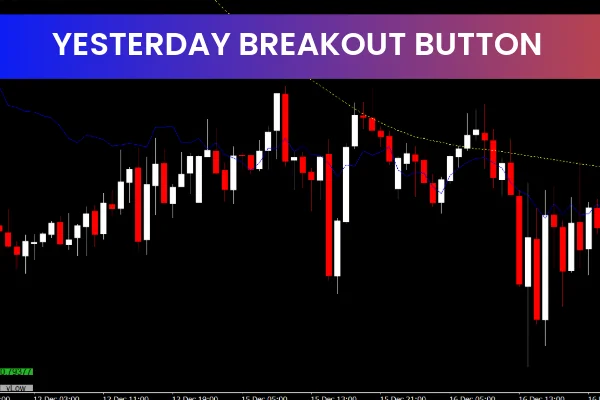
The Yesterday Breakout Button Indicator is a powerful yet simple Forex tool for the MT4 platform, designed to help traders easily identify and trade breakouts from yesterday’s high and low. This free and user-friendly indicator is ideal for traders who want to capture potential price movements when the market breaks through key levels established the previous day.
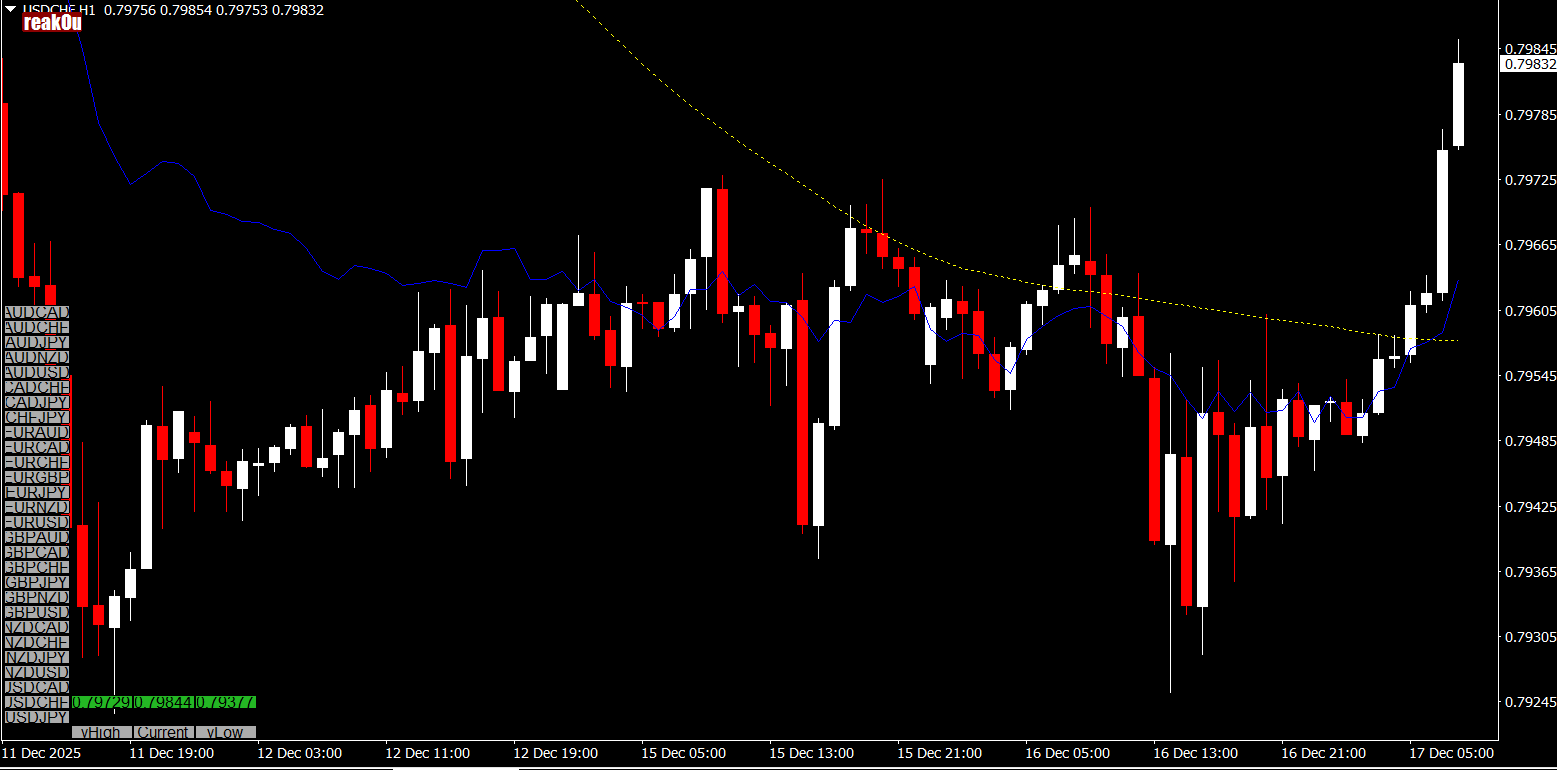
With a simple button placed on your chart, the Yesterday Breakout Button Indicator allows you to enter trades with just one click, streamlining the process and helping you focus on what matters most: your trading strategy. Let’s dive deeper into how this indicator works and how it can improve your trading.
What Is the Yesterday Breakout Button Indicator?
The Yesterday Breakout Button Indicator is a straightforward tool that enables traders to trade breakouts at yesterday’s high and low levels. It’s especially useful in trending singnal markets where breakouts offer profitable opportunities.
Here’s how it works
The indicator identifies the high and low points of the previous trading day (yesterday).
It plots a button directly on the chart that, when clicked, places a trade at either the high or low breakout level.
The indicator can also be customized to include stop loss, take profit, and risk parameters to suit your trading style.
This simple yet effective approach helps traders take advantage of breakouts without the need for complex chart analysis.
How the Yesterday Breakout Button Indicator Works
The Yesterday Breakout Button Indicator simplifies the process of identifying and executing breakouts by providing a one-click trade button. Here’s a breakdown of how it functions:
Plotting the Breakout Levels:
The indicator automatically identifies yesterday’s high and low price levels and displays them on your MT4 chart.
Click to Trade:
When the price breaks above yesterday's high or below yesterday’s low, the indicator places a button on the chart. By clicking this button, the indicator executes a trade at the breakout level. This ensures that traders can quickly act on potential breakout opportunities.
Customizable Settings:
Traders can set customizable parameters, such as:
Risk management: Set how much risk you’re willing to take per trade.
Stop loss and take profit: Customize where to place stop loss and take profit levels according to your strategy.
One-click Trading:
With the button on the chart, traders can open and close positions easily, without manually setting the entry levels or navigating through different menus.
Benefits of Using the Yesterday Breakout Button Indicator
The Yesterday Breakout Button Indicator offers several advantages that make it a popular choice among Forex traders:
Simplifies Breakout Trading: Instead of manually identifying breakout levels and placing trades, the indicator does it for you with just one click.
Saves Time: The visual button on the chart makes trading quick and efficient, allowing you to take action immediately when the price reaches the breakout level.
Customizable Risk Management: The ability to set stop losses, take profits, and risk parameters means you can tailor the indicator to fit your preferred trading style and risk tolerance.
User-Friendly Interface: The clean, simple interface makes it easy for traders of all experience levels to use the indicator without needing advanced technical knowledge.
Free and Easy to Download: Available for free on the MT4 platform, the Yesterday Breakout Button Indicator is an affordable and effective tool for any trader.
How to Use the Yesterday Breakout Button Indicator Effectively
While the Yesterday Breakout Button Indicator is designed to be easy to use, it’s essential to apply a sound trading strategy to maximize its potential. Here are a few tips for using the indicator effectively:
1. Combine with Trend Analysis
Although breakouts are often reliable trading opportunities, combining them with trend analysis can improve your results. For example:
In an uptrend, a breakout above yesterday’s high could signal a continuation of the trend.
In a downtrend, a breakout below yesterday’s low could confirm a bearish trend.
2. Use in Volatile Markets
Breakouts are typically more effective during times of volatility, such as after major economic announcements or market-moving events. The Yesterday Breakout Button Indicator works well in these conditions, where price movements are more pronounced.
3. Set Risk and Reward Parameters
Before placing a trade, always define your risk-to-reward ratio. Set stop loss and take profit levels based on your trading strategy, and use the customizable risk management features to ensure you are trading within your risk tolerance.
4. Watch for False Breakouts
False breakouts (when the price breaks a key level but quickly returns) can be common in sideways or choppy markets. To avoid entering on a false breakout, you can combine the indicator with other tools like candlestick patterns, volume analysis, or momentum indicators.
How to Set Up the Yesterday Breakout Button Indicator on MT4
Setting up the Yesterday Breakout Button Indicator on your MT4 platform is straightforward:
Download the Indicator:
Visit IndicatorForest.com and download the Yesterday Breakout Button Indicator for free.
Install the Indicator:
Place the downloaded indicator file in your MT4 "Indicators" folder. You can find this by navigating to File > Open Data Folder > MQL4 > Indicators.
Apply the Indicator:
After restarting MT4, open the chart for the currency pair you wish to trade. Then, apply the Yesterday Breakout Button Indicator to the chart. The button will appear once the chart is loaded.
Click to Trade:
Once the breakout occurs, simply click the button on the chart to enter a trade at the breakout level. Customize your stop loss, take profit, and risk settings before clicking.
Conclusion
The Yesterday Breakout Button Indicator is an easy-to-use and highly effective tool for Forex traders on MT4. By automating the process of identifying and trading breakouts from yesterday’s high and low, this indicator simplifies the trading process and helps you capture profitable breakout opportunities with ease.
For more free and useful MT4 indicators, visit IndicatorForest.com and enhance your Forex trading strategy today.
FAQ
Yesterday Breakout Button identifies when price breaks above or below yesterday high/low levels. It provides button-based controls for easy trading of daily breakout opportunities.
When price breaks above yesterday high, it signals potential bullish continuation. When price breaks below yesterday low, it suggests potential bearish continuation. The button interface makes trading these breakouts easy.
Use for day trading breakouts, swing trading daily range breaks, momentum trading on breakout confirmations, and any strategy that benefits from identifying when price moves beyond previous day levels.
Enter trades in the breakout direction, wait for price confirmation after breakout, use yesterday levels for stop-loss placement, and combine breakout signals with volume analysis for validation.
Button interface provides quick access to breakout trading, simplifies daily level identification, makes breakout trading more accessible, and helps traders react quickly to breakout opportunities.
1 Download
Published:
Dec 17, 2025 02:30 AM
Category: