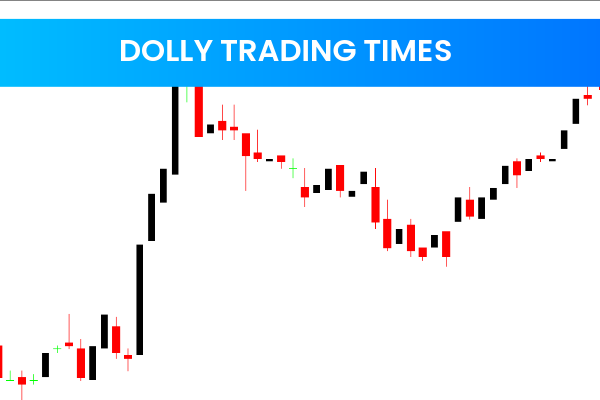
The ZoneTrade indicator for MT4 is a powerful momentum tool that helps traders quickly understand the overall market picture. By painting candles green, red, and grey, it visually highlights trend direction and market sentiment. The indicator works across all timeframes, making it suitable for day traders, swing traders, and long-term technical analysts.
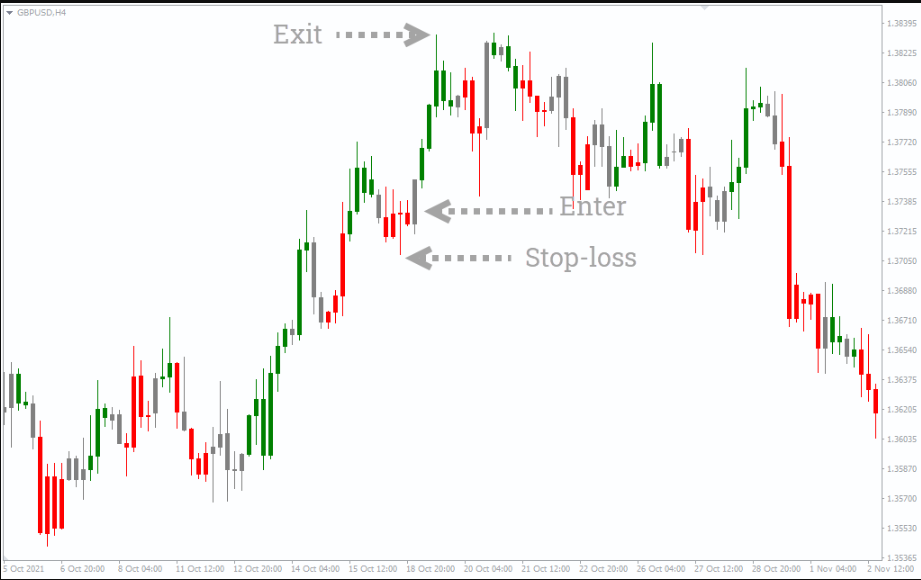
Within the first moments of applying the ZoneTrade indicator to a chart, you can instantly see whether the market is trending upward, downward, or staying neutral. The use of clear color-coded momentum zones makes it easier to read Price Action and avoid emotional decision-making.
How the ZoneTrade Indicator Works
Although the indicator uses the term “zone,” it does not draw traditional price zones or areas. Instead, it paints candlesticks based on momentum and Trend Strength.
Color Interpretations
Green Candles: Indicate bullish momentum and suggest a potential uptrend.
Red Candles: Indicate bearish momentum and point to a downtrend.
Grey Candles: Represent neutrality, acting as a caution signal that momentum is fluctuating.
This simplicity allows traders to make decisions rapidly and focus on Trend Continuation rather than complex calculations.
Using the ZoneTrade Indicator Across Timeframes
The ZoneTrade indicator is highly flexible. It performs well on all timeframes, but shorter timeframes may generate false signals. For best results:
Identify green or red bars on higher timeframes like H1 or H4.
Move to smaller timeframes, such as M15 or M5, to find precise entries.
This top-down approach helps traders filter market noise and improve the accuracy of their trades.
How to Trade With the ZoneTrade Indicator
Trading with the ZoneTrade indicator for MT4 is straightforward, thanks to its clear visual cues.
Buy Setup
Locate a green candle indicating bullish momentum.
Wait for the trend to fully develop rather than entering immediately.
Enter the trade once the green momentum is confirmed.
Place a stop-loss near the candle low.
Exit the position when a red candle appears.
Sell Setup
Look for a red candle showing bearish momentum.
Allow the trend to confirm itself.
Enter the trade on a confirmed red bar.
Put a stop-loss near the candle high.
Exit when a green candle forms.
Combining the ZoneTrade Indicator With Other Tools
Although the indicator performs strongly on its own, many traders enhance accuracy by pairing it with other momentum oscillators such as:
RSI (Relative Strength Index)
MACD (Moving Average Convergence Divergence)
Stochastic Oscillator
This combination helps confirm momentum, identify divergences, and refine entry and exit decisions.
Why Traders Prefer the ZoneTrade Indicator
The ZoneTrade indicator offers several advantages:
Easy to use
Works on all markets and timeframes
Clear visual signals
Helps remove emotional bias
Supports trend-following strategies
Its simplicity makes it ideal for beginners, while its accuracy and clarity also appeal to experienced traders.
Conclusion
The ZoneTrade indicator for MT4 is an excellent momentum-based tool that paints candles in green, red, and grey to help traders understand the dominant market sentiment instantly. While it provides reliable buy and sell signals, combining it with other confirmation indicators enhances accuracy.
To download more powerful MT4 and MT5 indicators, visit IndicatorForest.com for professional trading tools and resources.
FAQ
2 Downloads
Published:
Nov 23, 2025 21:31 PM
Category: