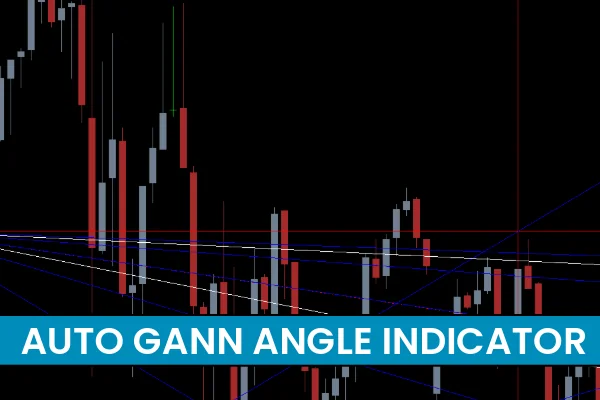
The Auto Gann Angle Indicator MT4 is a powerful market-analysis tool that uses automatic Gann trendlines and horizontal support/resistance levels to highlight future price projections. Traders use Gann angle forecasting to identify hidden reversal areas, long-term swing zones, and high-probability buy/sell setups. This indicator works on all MetaTrader 4 timeframes and is suitable for forex, stocks, indices, and cryptocurrency markets.
By combining geometric price angles with dynamic price channels, the Auto Gann Angle Indicator helps traders understand how markets react at precise levels. The tool automatically draws trendlines and channels so you can focus on reading Price Action and planning accurate trade entries.
How the Auto Gann Angle Indicator MT4 Works
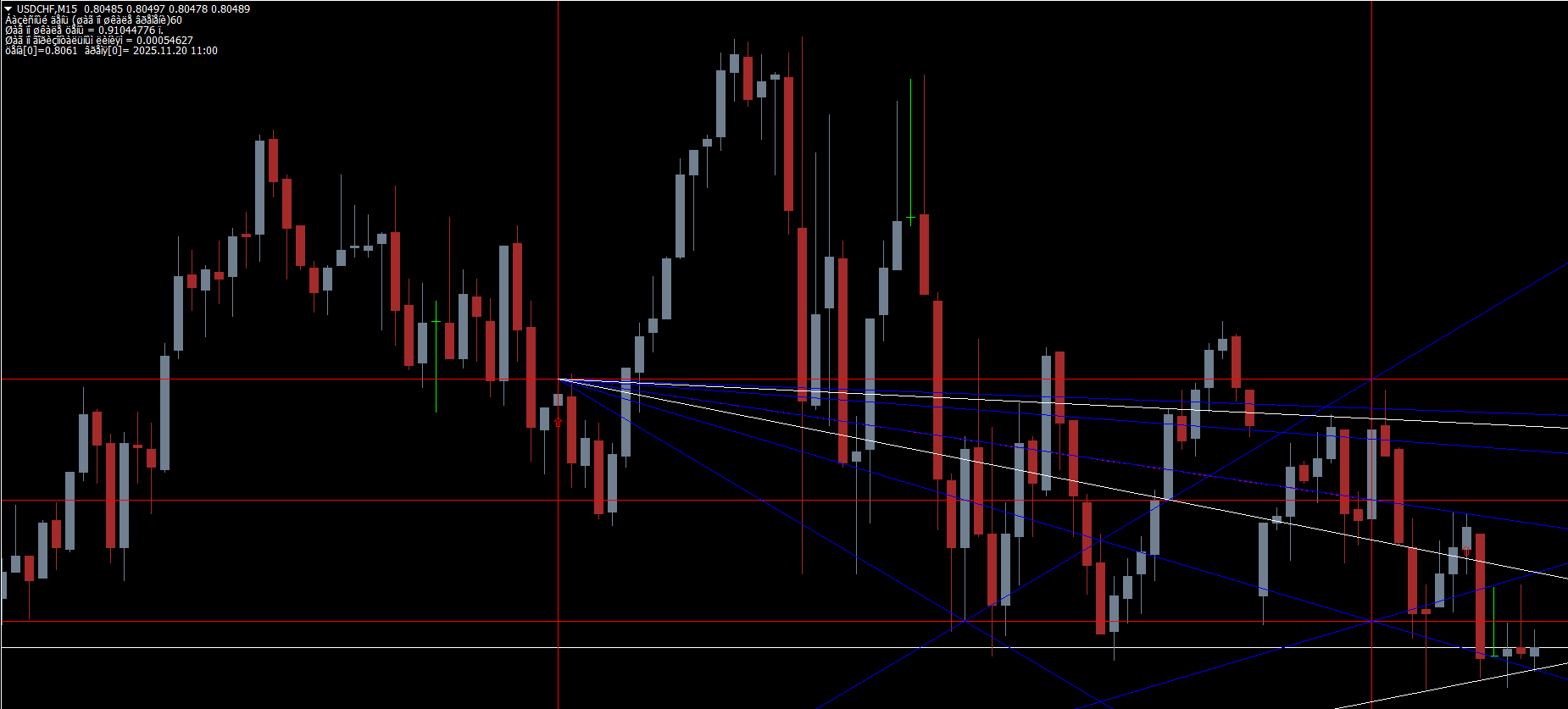
The indicator blends Gann angles, horizontal levels, and automatic channels into one visual framework. These elements make it easy to detect:
Long-term trend direction
Reversal opportunities
Key Support And Resistance zones
Buy and sell entry signals
Breakout and pullback opportunities
The Gann angles slope according to market momentum. When price interacts with these angled trendlines, it often reacts with a bounce, breakout, or reversal. Understanding these reactions is the key to using the tool effectively.
Trading Forex and Stocks Using the Auto Gann Angle Indicator
Identifying Buy Zones with Gann Angle Support
When the price enters a Gann angle channel and touches the trendline support, traders look for bullish price-action signs such as:
Bullish pin bars
Long-tailed rejection candles
Engulfing patterns
False breakout signals
For example, if price prints a long-tailed bullish pin bar while rejecting the Gann angle support, this suggests strong buying pressure. A confirmed bullish reversal at support creates a high-probability buy setup.
Entry Tips
Enter after the confirming bullish candle closes.
Place stop loss below the channel support.
Target the opposite Gann channel line or next resistance.
Identifying Sell Zones with Gann Angle Resistance
Similarly, when the price approaches the upper Gann angle trendline (resistance), it creates strong sell opportunities, especially when:
Price fails to break above resistance
A bearish pin bar forms
Lower-high structures appear
A false break wick pierces resistance and closes below
These signals indicate momentum weakness and warn of potential downside movement.
Entry Tips
Enter short after a clear bearish reversal pattern.
Place stop loss above the Gann trendline.
Take profit at the lower channel or nearest support.
Using Horizontal Support and Resistance Levels
In addition to angled trendlines, the indicator provides flat S/R levels. This combination increases accuracy:
Trendline + horizontal resistance = stronger sell signal
Trendline + horizontal support = stronger buy signal
Confluence zones = highest probability setups
When both levels align, you can anticipate Market Structure shifts with more confidence.
Effective Strategy Tips for the Auto Gann Angle Indicator
Set Alerts on Key Levels
Because the indicator relies on long-term projections, price may interact with its levels less frequently. Setting MT4 alerts ensures you never miss a high-probability zone.
Combine With Trend Indicators
Enhance accuracy by using additional tools such as:
Moving Averages
RSI or Stochastic
Volume indicators
MACD
This helps you confirm trend momentum before taking entries.
Stay Patient
Since the Auto Gann Angle Indicator projects long-range price levels, setups may take time to develop. Patience leads to higher-quality and more reliable trades.
Conclusion
The Auto Gann Angle Indicator MT4 is a versatile and highly effective tool for identifying future price swing points and reversal zones. By analyzing price behavior around angled trendlines and horizontal levels, traders can find accurate buy/sell opportunities across multiple markets. Combine Gann angles with additional indicators and sound risk management for increased success.
For more MT4 and MT5 trading tools, visit IndicatorForest.com to explore premium indicators, strategies, and guides.
FAQ
4 Downloads
Published:
Nov 20, 2025 22:20 PM
Category: