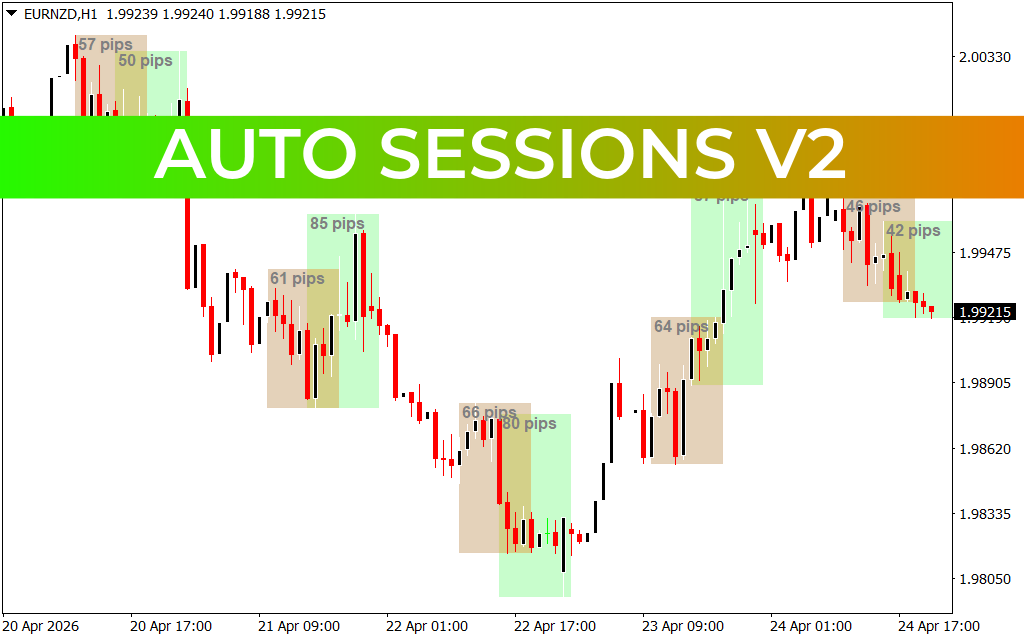
Master the Market Rhythm: The Power of Auto Sessions V2
In the global forex market, timing is not just a factor—it is the foundation of success. Because the market operates 24 hours a day, price behavior changes dramatically depending on which major financial hub is active. A strategy that works during the high-volatility overlap of London and New York might fail miserably during the quieter Asian session. The Auto Sessions V2 indicator is a professional-grade tool designed to automate the mapping of these critical trading windows, providing traders with the institutional context needed to win.
Understanding Market Seasonality
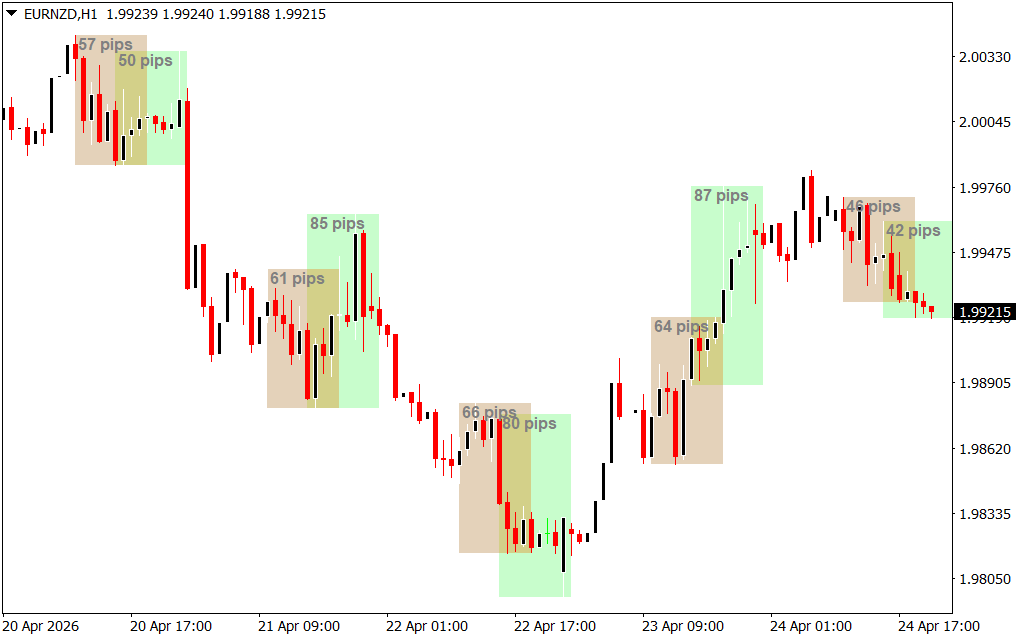
The forex market is divided into four primary sessions: Sydney, Tokyo, London, and New York. Each of these periods has a unique "personality" regarding volume, volatility, and typical pip range. The Auto Sessions V2 brings this macro-structure directly to your MT4 charts. By automatically shading the background or drawing boxes around specific time blocks, it allows you to visualize where institutional money is flowing.
Instead of manually calculating GMT offsets or constantly checking a world clock, this indicator does the heavy lifting for you. It identifies the high and low of each session, which often act as critical Support And Resistance levels for the remainder of the trading day.
Key Features of the V2 Update
The V2 version of this popular tool introduces several enhancements designed for the modern day trader:
- Pip Range Calculation: Automatically displays the total pip movement for each session. This is vital for volatility expansion strategies and for identifying "exhausted" markets that have already moved their average daily range.
- Overlap Identification: Clearly highlights the periods when two major sessions are active simultaneously. These overlaps are typically the most liquid and volatile times to trade, offering the tightest spreads and the fastest trend movements.
- Customizable Visuals: Unlike cluttered indicators that obscure Price Action, Auto Sessions V2 features a clean, professional aesthetic. Traders can adjust transparency, colors, and specific session toggles to suit their personal chart template.
- Historical Reference: By looking back at previous days, traders can identify recurring patterns, such as "London breakouts" or "New York reversals," which are invisible on a standard naked chart.
Strategic Implementation
The Auto Sessions V2 is an indispensable asset for breakout traders. A common professional strategy involves "trading the box"—waiting for a breakout of the Asian session high or low during the London open. By having these levels plotted automatically, you can set your orders with mathematical precision.
Furthermore, the indicator serves as a powerful psychological filter. It helps traders avoid "over-trading" during low-liquidity periods where price action is often random and prone to false signals. By focusing your energy on the start of major sessions, you align yourself with the world’s largest banks and hedge funds. Whether you are a scalper or a day trader, Auto Sessions V2 provides the structural roadmap you need to navigate the complexities of the global market.
39 Downloads
Last Update:
Apr 26, 2026 23:55 PM
Published:
Feb 01, 2026 20:39 PM
Category: