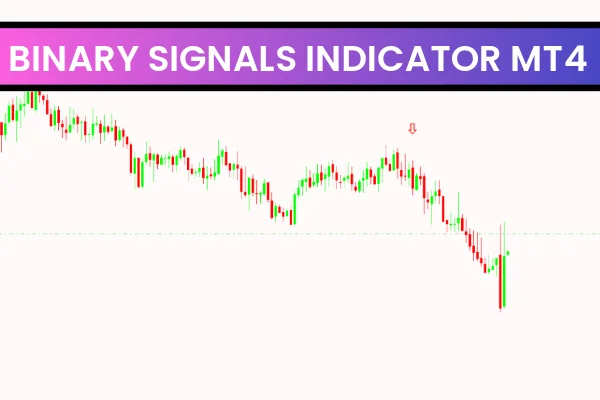
The Binary Options Signals Indicator for MT4 is an arrow-based signal tool designed specifically for Binary Options trading. It works with all tradable assets supported by MetaTrader 4, including forex pairs, commodities, indices, synthetic markets and cryptocurrencies. Its main purpose is to convert short-term and medium-term market reversals into clear BUY (CALL) and SELL (PUT) signals.
Unlike many cluttered indicators, the Binary Options Signals Indicator is clean, chart-friendly, and easy to interpret, making it suitable for both novice and advanced traders. It offers a combination of precision, simplicity and visual clarity that many Binary Options traders look for in their signal tools.
How the Binary Options Signals Indicator Works
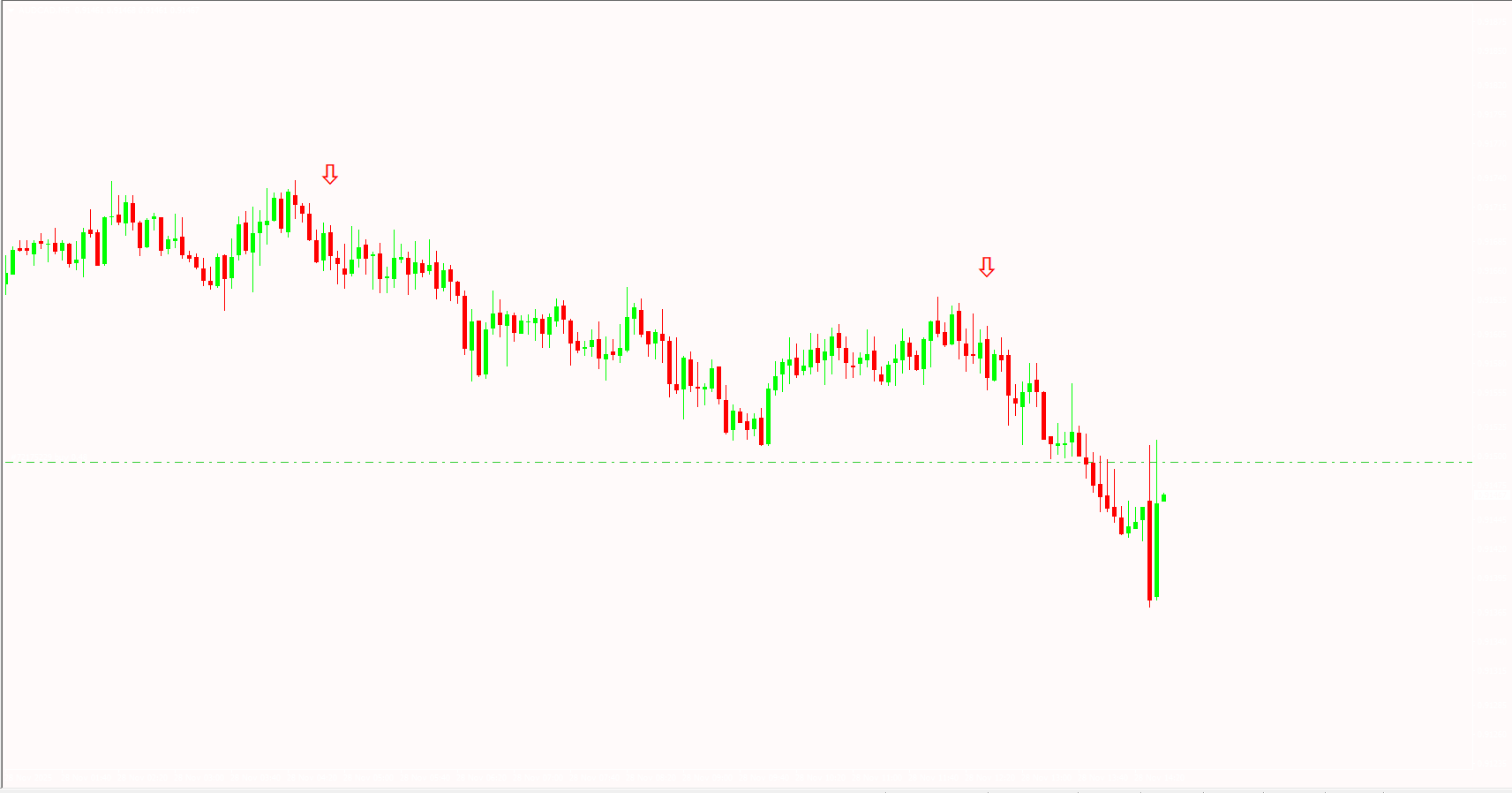
The indicator uses a blend of Relative Strength Index (RSI) calculations and Exponential Moving Average (EMA) crossovers to determine turning points in the market. Once the indicator identifies momentum shifts or reversal zones, it paints a GREEN arrow for a CALL trade and a RED arrow for a PUT trade.
Why RSI and EMA Combination Works
RSI helps identify overbought and oversold conditions
EMA crossovers detect momentum direction and trend changes
Combined together, they generate better-timed signals for short-term trades
Binary Options traders benefit from these signals because they rely heavily on accurate timing, especially when trading short expiry durations.
Binary Options Signals Indicator BUY/SELL Signals
On your MT4 chart, the indicator displays GREEN and RED arrows as potential CALL and PUT opportunities. These arrows highlight the exact candle where the reversal is expected to begin.
CALL (BUY) Signal Rules
To maximize the probability of success:
Confirm an uptrend using price structure, EMAs, or another trend filter.
Wait for a GREEN arrow to appear.
Allow the candle to fully close to avoid false signals or repainting.
Place a BUY/CALL trade at the opening of the next candle.
Typically exit after the second candle closes, or follow your preferred expiry time.
PUT (SELL) Signal Rules
The SELL setup follows the same conditions:
Ensure the broader trend is downward.
Wait for the RED arrow and let the candle close.
Enter a SELL/PUT at the beginning of the next candle.
Exit after one to two candles, depending on your expiry rules.
Waiting for confirmation and candle closure is essential for reducing false signals caused by market noise or temporary price spikes.
Best Practices for Using the Binary Options Signals Indicator
Use Trend Confirmation
Even the best signal indicators perform better when aligned with market flow. Consider using tools like MACD, Moving Averages, or Market Structure analysis to confirm direction.
Avoid Flat or Choppy Market Conditions
Ranging markets with low volatility can create premature or weak signals. Focus on sessions or times of day when momentum is stable.
Combine with Price Action
Candlestick patterns like pin bars, engulfing candles or breakout structures enhance signal reliability and filtering.
Test on Various Expiry Times
Different assets respond differently to Binary Options expiries. Experiment with:
60-second expiry
2–5 minute expiry
Candle-close expiry
This ensures that the signals are aligned with your trading style.
Advantages of the Binary Options Signals Indicator for MT4
Easy-to-read signal arrows
No chart clutter or excessive lines
Suitable for all trading assets on MT4
Great for beginners and experienced traders
Based on reliable technical inputs (RSI + EMA)
Free to download and install
Conclusion
The Binary Options Signals Indicator for MT4 is a simple yet powerful tool designed for Binary Options traders who need clean CALL and PUT signals. By combining RSI and EMA calculations, it identifies potential reversals with impressive accuracy. However, like all technical tools, it is best used together with trend analysis and Price Action for consistent results.
To explore more powerful MT4 indicators and trading tools, visit IndicatorForest.com.
FAQ
The Binary Signals Indicator MT4 generates clear buy and sell signals designed for binary options trading. It provides visual signals such as arrows or colored indicators that indicate potential entry points for binary options trades, helping traders identify high-probability setups for call or put options based on technical analysis.
The indicator typically displays buy signals (for call options) when bullish conditions are detected, and sell signals (for put options) when bearish conditions are identified. These signals help traders determine when to enter binary options trades, with clear visual cues that make decision-making faster and more objective.
Enter call options when buy signals appear, indicating bullish momentum. Enter put options when sell signals appear, indicating bearish momentum. Always confirm signals with price action, support/resistance levels, or trend analysis to improve accuracy. Use proper risk management and only risk what you can afford to lose.
The indicator is specifically designed for binary options trading, providing clear entry signals that help traders make quick decisions within the time constraints of binary options. The visual signals make it easy to identify potential setups without complex analysis, which is important for time-sensitive binary options trades.
The indicator works on all MT4 timeframes, though binary options traders often prefer shorter timeframes (M1, M5, M15) for quick trades. The indicator can also be used on higher timeframes for longer-duration binary options, making it versatile for different binary options trading strategies.
12 Downloads
Published:
Dec 14, 2025 14:59 PM
Category: