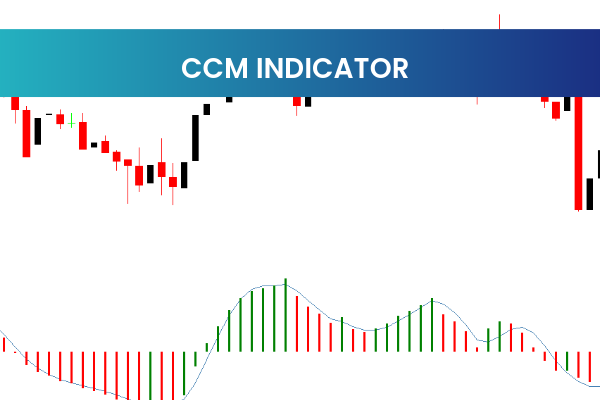
The CCM Indicator is a valuable Forex trading tool available for free on the MetaTrader 4 (MT4) platform. Known as the Currency Correlation Meter, this indicator provides traders with insights into how different currency pairs move in relation to each other. By identifying correlations, traders can make more informed decisions, manage risk, and improve trading strategies.
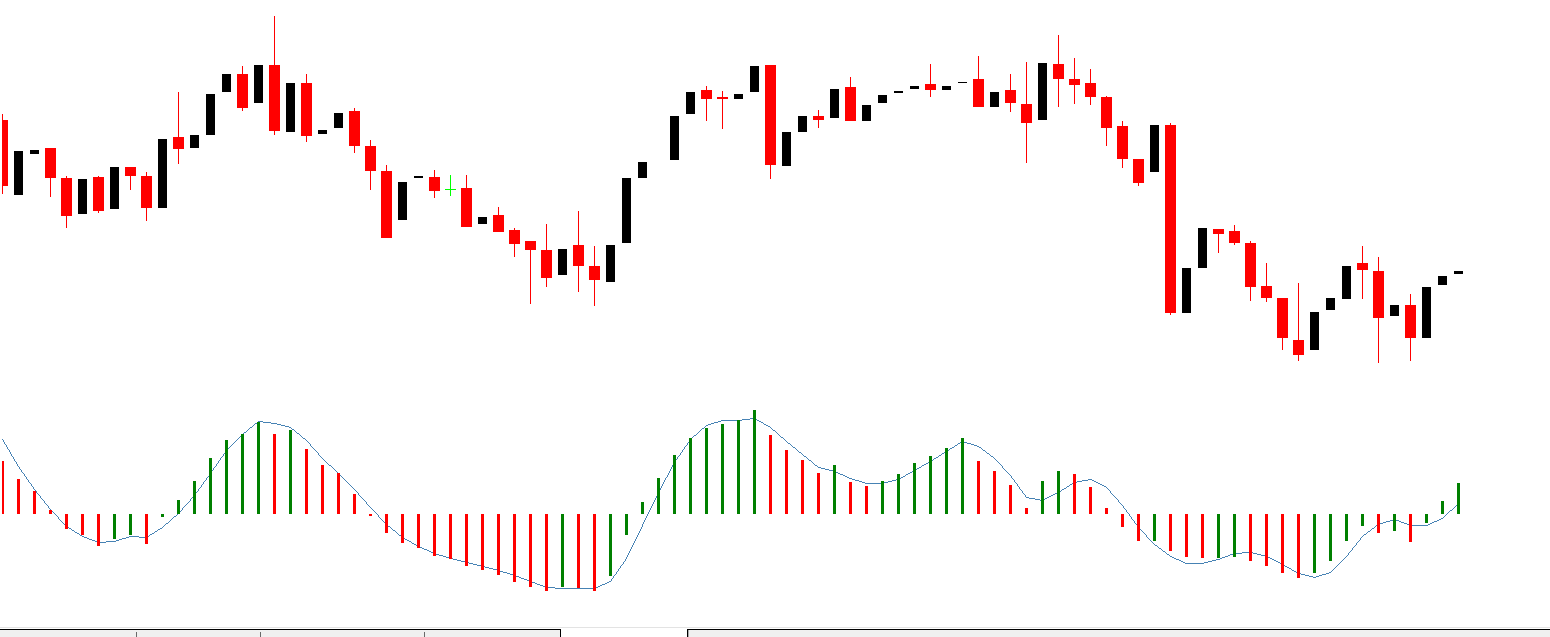
Currency correlations are essential in Forex trading because they reveal whether two pairs move in the same direction, opposite directions, or independently. The CCM Indicator simplifies this analysis by calculating the correlation coefficient and displaying it directly on the MT4 chart.
How the CCM Indicator Works
The CCM Indicator measures the strength and direction of correlation between two currency pairs. Its calculation produces a value ranging from -1 to +1:
Positive correlation (+1): Both currency pairs move in the same direction
Negative correlation (-1): Currency pairs move in opposite directions
No correlation (0): Currency pairs move independently
This visual representation allows traders to instantly assess relationships between multiple pairs, helping them make better trading and hedging decisions.
Benefits of Using the CCM Indicator
The CCM Indicator offers multiple benefits for Forex traders of all experience levels:
Identifies correlated currency pairs for strategic trading
Helps reduce risk by avoiding redundant trades on positively correlated pairs
Aids in portfolio diversification by selecting uncorrelated pairs
Supports trend confirmation and hedging strategies
By understanding how currencies interact, traders can avoid overexposure to similar market moves and improve overall trade management.
How to Use the CCM Indicator in MT4
Using the CCM Indicator is straightforward. After downloading it for free, traders can install it in the MT4 indicators folder. Once added to a chart, the indicator allows users to select currency pairs and timeframes to monitor correlations.
Traders can adjust settings to suit personal trading styles, such as choosing the number of periods for correlation calculation or highlighting specific correlation thresholds. The user-friendly interface ensures both beginners and experienced traders can use it effectively.
Trading Strategies Using Currency Correlations
The CCM Indicator is versatile and can be applied to multiple Forex trading strategies:
Hedging trades: Trade negatively correlated pairs to reduce risk exposure
Trend confirmation: Confirm moves in one pair by checking correlated pairs
Diversified trading: Spread trades across uncorrelated pairs to manage risk
Avoid redundancy: Prevent trading multiple positively correlated pairs simultaneously
By integrating the CCM Indicator into their strategies, traders can make more informed and confident decisions.
Installation and Compatibility
The CCM Indicator is fully compatible with MT4 and works across all timeframes and currency pairs. Installing it is simple:
Download the CCM Indicator file
Place it in the MT4 Indicators folder trend
Restart MT4 and add the indicator to any chart signal
Its lightweight design ensures smooth operation without slowing down the trading platform.
Who Should Use the CCM Indicator
The CCM Indicator is ideal for:
Beginner traders learning currency relationships
Intermediate and advanced traders managing risk
Forex traders focusing on portfolio diversification
Traders interested in hedging and correlated strategies
Its combination of simplicity and powerful insights makes it a must-have tool for Forex trading on MT4.
Why the CCM Indicator is Popular
The CCM Indicator is highly regarded in the Forex community because it provides actionable insights without overwhelming complexity. Traders benefit from a clear visual display of currency correlations, helping them improve trade timing, risk management, and overall strategy efficiency.
For access to more high-quality MT4 indicators and trading tools, visit IndicatorForest.com and explore the complete collection.
4 Downloads
Published:
Jan 12, 2026 23:02 PM
Category: