Master Intraday Volatility with the Darma Abetar Indicator
In the fast-paced world of Forex trading, the ability to distinguish between market noise and a genuine Trend Reversal is the hallmark of a successful trader. The Darma Abetar Indicator is a sophisticated technical analysis tool for MetaTrader designed to provide high-precision reversal signals by analyzing price exhaustion and momentum shifts. By distilling complex mathematical calculations into an intuitive visual system, this indicator empowers traders to enter the market with confidence at the very beginning of a new price wave.
The Mechanics of Darma Abetar
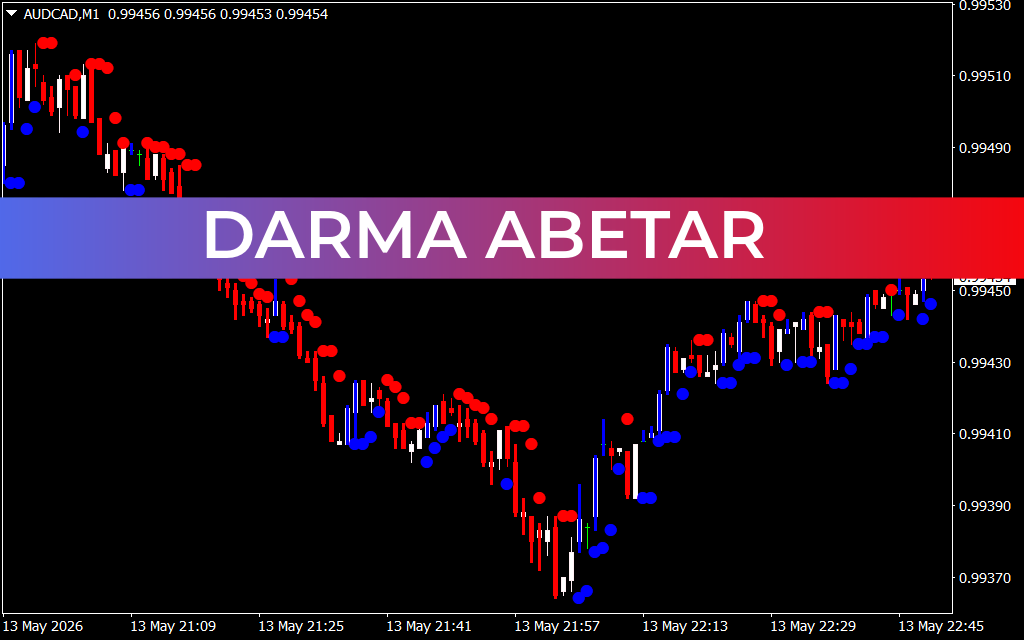
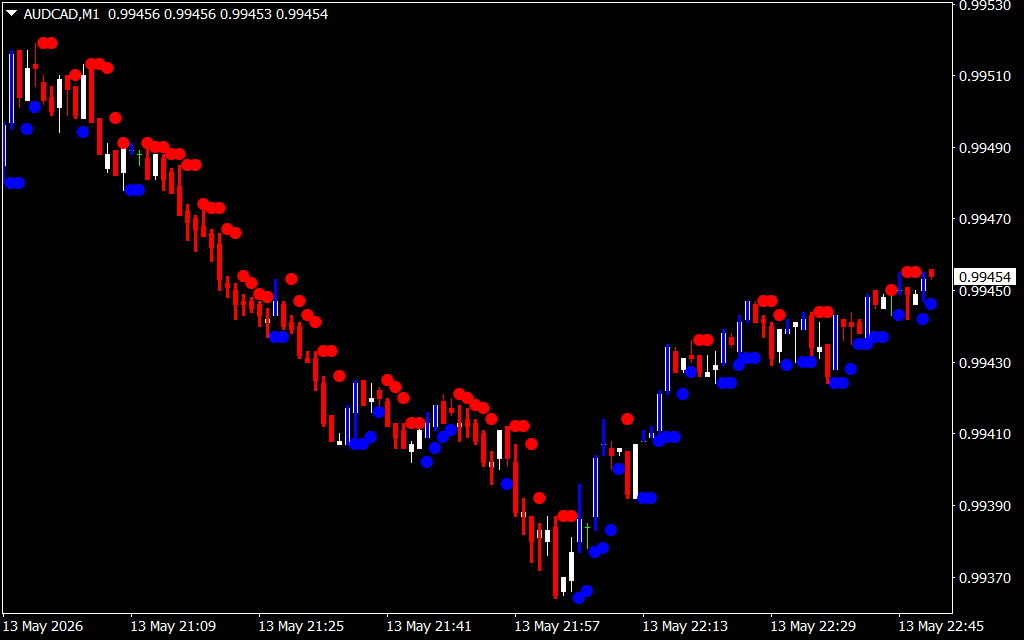
The Darma Abetar system operates on the principle of Price Action symmetry and volatility filtering. As demonstrated in the AUD/CAD M1 chart, the indicator populates as a series of color-coded dots placed strategically above or below the price candles.
- Red Dots: These appear at local peaks, signaling bearish exhaustion and a potential downward reversal.
- Blue Dots: These appear at local troughs, indicating bullish exhaustion and a high-probability opportunity for long entries.
Unlike standard oscillators that can remain in "overbought" or "oversold" territory for extended periods during a strong trend, Darma Abetar is engineered to identify the precise moment of a structural shift. It identifies "cluster" zones where price has failed to make a new high or low, signaling that the current momentum is fading.
Key Features and Trading Benefits
- Real-Time Signal Precision: The primary advantage of the Darma Abetar indicator is its speed. It is highly responsive to price shifts, providing signals that allow scalpers and day traders to capture the "meat" of a move.
- Visual Noise Reduction: By focusing only on significant swing points, the indicator helps traders ignore minor price fluctuations. This is particularly vital on lower timeframes like the M1 or M5, where market noise is most prevalent.
- Objective Entry and Exit: The indicator removes the emotional guesswork from trading. A blue dot serves as a clear "Buy" signal, while a red dot serves as a clear "Sell" or "Exit" signal for existing long positions.
- Seamless Platform Integration: Optimized for the MetaTrader environment, Darma Abetar runs efficiently without slowing down your terminal, even when monitoring multiple currency pairs simultaneously.
Strategic Application for Scalpers
For an intraday scalper, Darma Abetar acts as a definitive filter. A common high-probability strategy involves waiting for the dots to "cluster." As seen in the provided AUD/CAD example, when a series of red dots form at a resistance level, it confirms that the market is struggling to push higher, providing an ideal entry for a short trade.
Furthermore, the indicator is excellent for trailing stop-loss placement. Traders can move their stop loss behind the most recent dot of the same color, ensuring they lock in profits while giving the trade room to develop. When the color of the dots flips (e.g., from blue to red), it provides a definitive signal to close the position and look for the next opportunity.
Conclusion
The Darma Abetar Indicator is a robust and reliable solution for traders who prioritize precision and visual clarity. By identifying the critical pivot points of the market, it enables you to trade with the flow of momentum rather than against it. Whether you are a high-frequency scalper or a methodical day trader, this tool provides the analytical edge needed to navigate today’s volatile markets.
7 Downloads
Last Update:
May 14, 2026 01:51 AM
Published:
Jan 22, 2026 15:16 PM
Category: