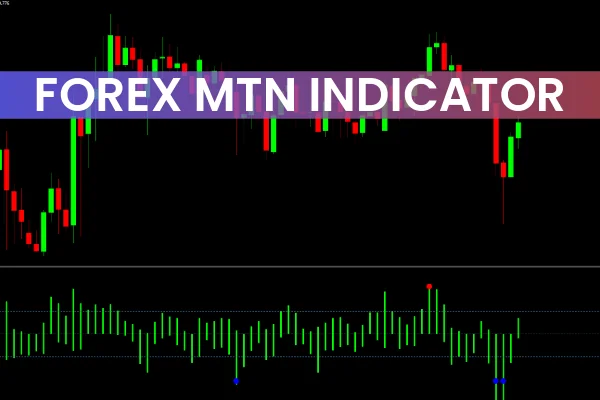
The Forex MTN Indicator for MT4 is a momentum-based technical analysis tool designed to detect extreme trading zones in the forex market. Its smart algorithm uses histogram bars to measure price momentum and identify potential trend reversals when momentum starts to fade.
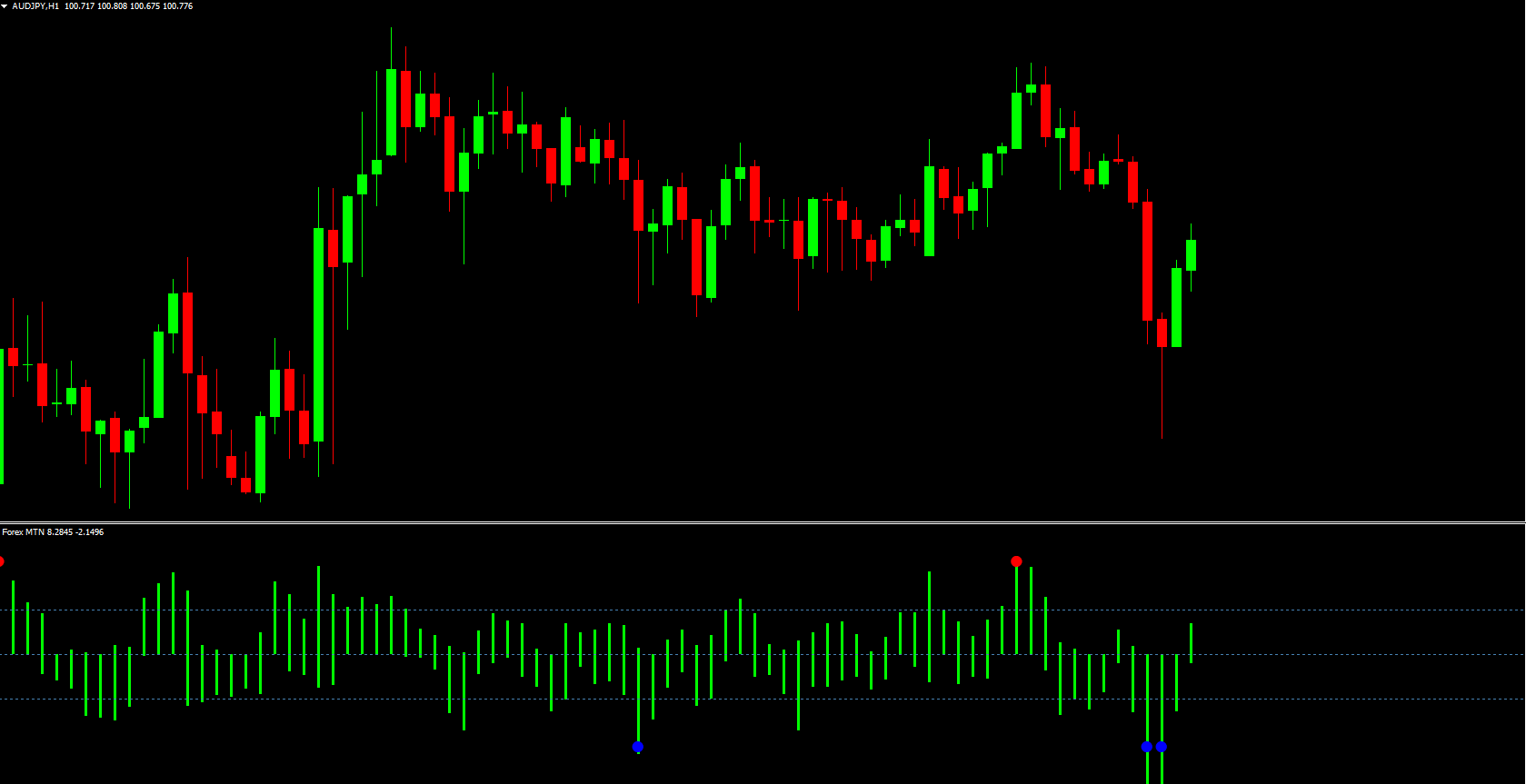
The indicator is highly visual and beginner-friendly, showing blue and red dots on the chart to represent buy and sell signals respectively. It also includes overbought and oversold levels, making it an excellent tool for spotting entry points in volatile markets.
By using the Forex MTN Indicator, traders can enhance their accuracy, identify short-term market reversals, and make better trading decisions across multiple timeframes.
The Forex MTN Indicator for MetaTrader 4 is based on momentum and histogram analysis. The indicator’s histogram bars oscillate between overbought and oversold levels—specifically, +12 and -12—to show when price momentum is likely to reverse.
Here’s how it functions:
Blue Dots: Indicate potential buy signals when the histogram crosses below the oversold level (-12) and starts rising.
Red Dots: Indicate potential sell signals when the histogram crosses above the overbought level (+12) and begins to fall.
When the histogram bars start contracting after reaching extreme levels, it means the trend is weakening—providing traders with early clues for possible trend reversals.
How to Trade Using the Forex MTN Indicator
The Forex MTN Indicator for MT4 can be used for Scalping, day trading, or short-term swing trading. Here’s a simple step-by-step guide to use it effectively:
Identify the Market Trend
Use basic Price Action analysis or moving averages to determine the dominant market trend. It’s best to trade only in the direction of the main trend for higher accuracy.
Wait for a Signal
When the histogram crosses the overbought/oversold levels, watch for blue or red dots to appear:
Blue Dot → Buy Signal
Red Dot → Sell Signal
Confirm with Price Action
Combine the indicator signals with support/resistance levels or candlestick patterns to confirm entries. For example, a red dot forming below a bearish order block can strengthen a sell setup.
Manage Your Trade
Set a stop loss above or below the recent swing high/low, depending on trade direction. Since the indicator doesn’t provide take-profit levels, traders can aim for a 1:2 or better risk-reward ratio.
Best Timeframes and Trading Styles
The Forex MTN Indicator performs well on all timeframes—from M1 (1-minute) charts for scalpers to H4 or Daily charts for swing traders. However, it’s especially effective for intraday trading, where short-term reversals happen frequently.
It’s recommended to pair the Forex MTN Indicator for MT4 with other indicators like Moving Averages, RSI, or MACD for additional confirmation.
Advantages of Using the Forex MTN Indicator
Simple and Effective
With clear visual signals, even beginner traders can easily understand and apply it to their trading strategy.
Detects Trend Reversals Early
The momentum-based histogram helps spot market reversals before they fully develop, giving traders a timing edge.
Works on All Assets
It can be applied not only to forex pairs but also to indices, commodities, and cryptocurrencies on the MetaTrader 4 platform.
Free and Lightweight
The indicator is lightweight, easy to install, and free to download from trusted sources like IndicatorForest.com.
Conclusion
The Forex MTN Indicator for MT4 is a valuable trading tool that helps traders identify momentum shifts and potential trend reversals in real time. With its combination of histogram bars, color-coded dots, and overbought/oversold zones, it simplifies technical analysis and enhances decision-making for both beginners and experienced traders.
👉 Download the Forex MTN Indicator for MT4 now at IndicatorForest.com and improve your momentum trading strategy today!
11 Downloads
Published:
Nov 03, 2025 12:53 PM
Category: