Enhance Your Trading Clarity with the MA Price Display Edu Indicator
In the fast-paced world of Forex trading, the difference between a successful entry and a missed opportunity often comes down to how quickly you can process information. While moving averages are foundational tools for identifying trend direction and market sentiment, standard MetaTrader setups often leave charts cluttered and difficult to read. The MA Price Display Edu indicator for MT4 is a professional-grade utility designed to solve this problem by providing a clean, intuitive, and highly functional visual layer to your technical analysis.
Why Moving Averages Are Essential
Moving averages (MAs) are the "bread and butter" of technical analysis. They smooth out price fluctuations to reveal the underlying trend. However, professional traders don't just look at the line; they look at the relationship between the current price and the average. The MA Price Display Edu simplifies this by providing real-time data overlays that show you exactly where the price stands in relation to your chosen period—whether it is a simple (SMA), exponential (EMA), or smoothed moving average.
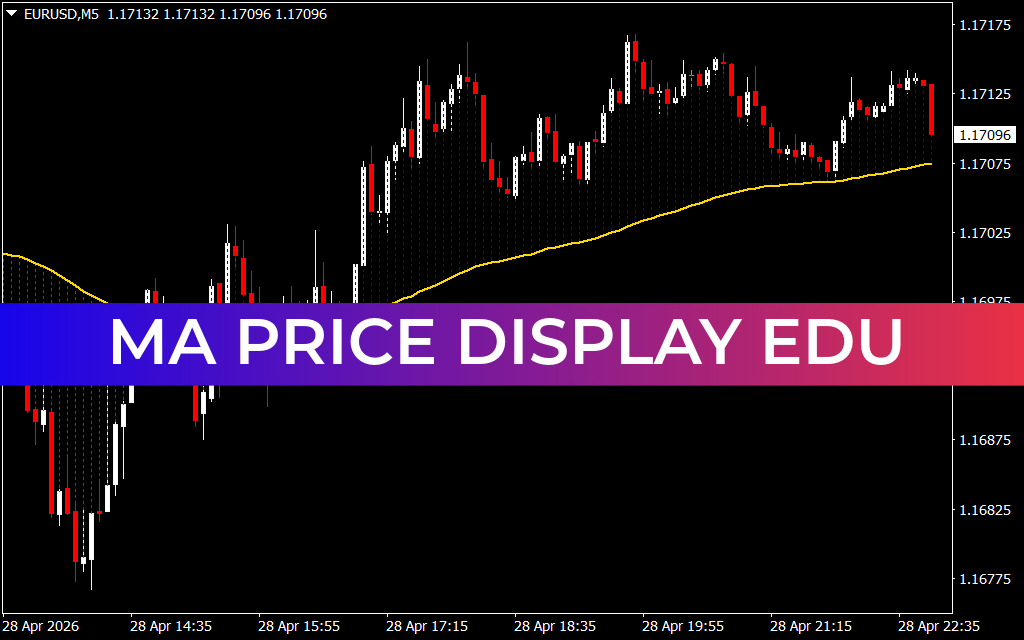
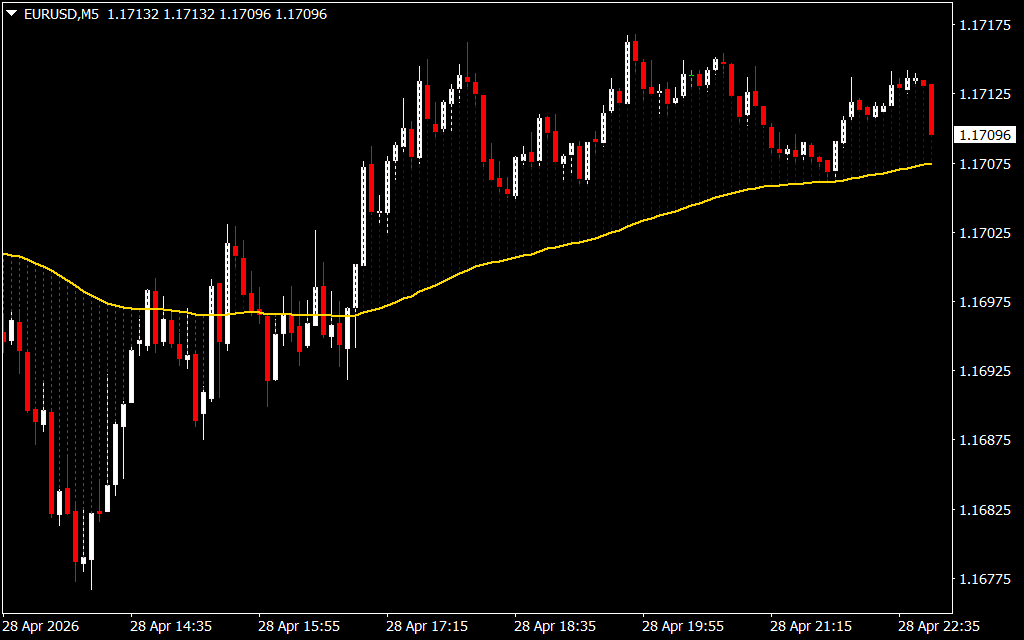
As shown in the EUR/USD M5 chart, the indicator provides a comprehensive visual guide:
- Dynamic Trend Visualization: The indicator uses a color-coded vertical histogram or cloud to represent the gap between the price and the MA line. This helps traders visualize the "stretch" in the market, making it easier to spot overextended conditions.
- Immediate Sentiment Check: By displaying the current price value and trend status directly on the main chart, it eliminates the need to cross-reference multiple windows, allowing for faster decision-making during high-volatility sessions.
- Customizable Educational Features: Designed with an "Edu" (educational) focus, it helps novice traders understand the concept of "mean reversion"—the tendency of price to return to its moving average after a significant expansion.
Strategic Implementation: Trend and Reversion
The MA Price Display Edu is versatile enough for multiple trading styles. For trend followers, the indicator highlights when the price is consistently trading above or below the MA, signaling a strong directional bias. For mean reversion traders, the visual "histogram" bars act as a volatility gauge; when the distance between the price and the MA becomes exceptionally wide, the indicator warns of a potential pullback or correction.
In the provided EUR/USD H1 examples, we see the indicator excel at identifying "buy the dip" opportunities within a bullish trend. When the price retraces toward the MA without breaking it, the visual data provides the confidence needed to enter a position with a tight stop-loss.
Professional Grade Utility
Beyond simple aesthetics, the MA Price Display Edu is built for performance. It is lightweight, ensuring that your MT4 terminal remains responsive even during news events. Whether you are Scalping the 1-minute chart or swing trading the daily timeframes, this indicator transforms a basic technical tool into a comprehensive trading dashboard.
By integrating the MA Price Display Edu into your setup, you move away from subjective "guessing" and toward objective, data-driven trading. It provides the structural clarity required to identify Trend Strength and exhaustion, ensuring you stay on the right side of the market.
6 Downloads
Last Update:
Apr 29, 2026 02:04 AM
Published:
Jan 31, 2026 15:50 PM
Category: