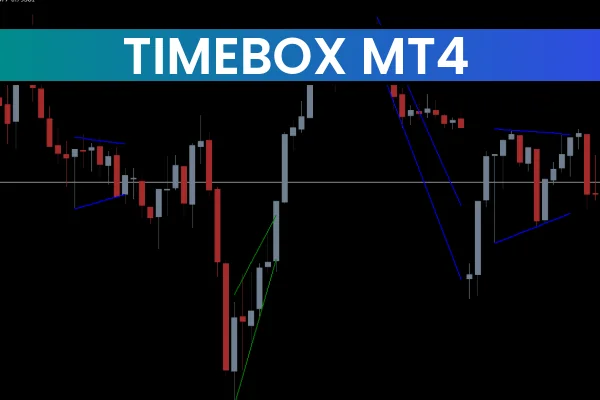
The Timebox Indicator MT4 is a practical and visually powerful trading utility designed to help forex traders analyze the market based on time segments rather than price alone. In forex trading, timing is just as important as direction, and this indicator makes it easier to identify crucial trading hours, session opens, and market behavior during specific time intervals.
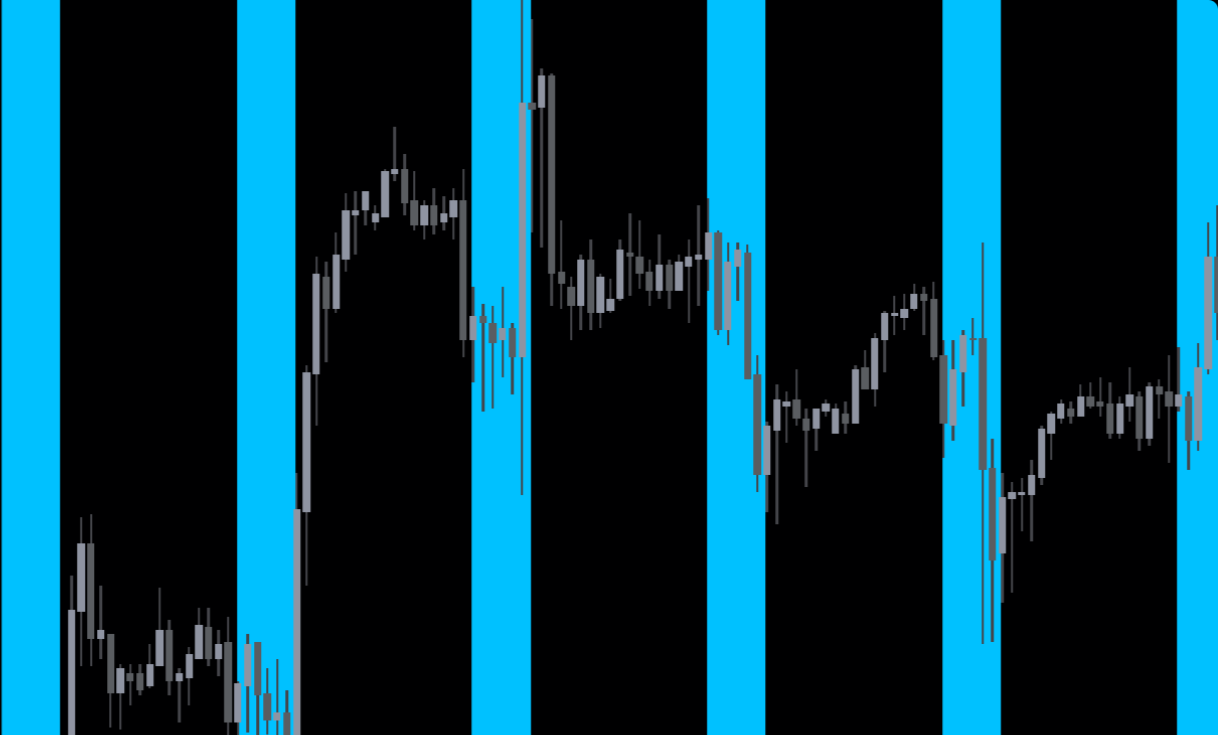
Unlike traditional indicators that rely on mathematical calculations, the Timebox Indicator focuses on time-based Market Structure. It draws customizable horizontal and vertical boxes on the MetaTrader 4 chart, highlighting predefined periods such as trading sessions, news windows, or high-volatility hours. This makes it easier for traders to anticipate price movements that tend to repeat at certain times of the day.
The indicator is lightweight, easy to use, and completely free, making it suitable for new traders as well as experienced professionals.
What Is the Timebox Indicator MT4
The Timebox Indicator MT4 is a session-marking and time-analysis tool that visually separates Price Action into meaningful time zones. These time zones often correspond to:
London session
New York session
Asian session
Market open and close
High-impact news periods
Custom trading hours
By visually highlighting these intervals, traders can better understand how price behaves during different times of the trading day.
Why Time-Based Analysis Matters in Forex
Forex markets behave differently depending on who is trading and when. For example:
London and New York sessions usually bring high volatility
Asian session often shows consolidation
News releases cause sharp price spikes
Session overlaps create strong momentum
The Timebox Indicator MT4 allows traders to identify these behaviors instantly without guessing or manually marking charts.
Key Features of the Timebox Indicator MT4
Automatically draws time boxes on the chart
Highlights trading sessions and custom periods
Fully customizable colors, styles, and time ranges
Works on all MT4 timeframes
No lag and no heavy calculations
Ideal for session trading and Scalping
Free to download and easy to install
How to Use the Timebox Indicator MT4
Session Trading Strategy
Traders can use the indicator to highlight the London or New York session and trade breakouts or reversals that occur during these high-liquidity periods.
News Trading Preparation
By marking news release times, traders can avoid risky periods or prepare for volatility spikes.
Scalping and Intraday Timing
Scalpers can identify the most active hours and avoid low-volatility ranges that produce false signals.
How to Trade Using the Timebox Indicator MT4
Buy Setup
Identify a high-liquidity session using the time box
Wait for price to break above consolidation
Enter a BUY trade with trend confirmation
Place stop loss below session low
Sell Setup
Focus on session open or overlap
Look for bearish rejection or breakout
Enter SELL trade after confirmation
Stop loss above session high
Best Timeframes for the Indicator
The Timebox Indicator MT4 works effectively on:
M1 – M15: Scalping
M30 – H1: Intraday trading
H4 – Daily: Session behavior analysis
It does not depend on timeframe and adapts well to all trading styles.
Who Should Use the Timebox Indicator MT4
Forex scalpers
Intraday traders
Session-based traders
News traders
Price action traders
Beginner and advanced MT4 users
Combining Timebox Indicator with Other Tools
For best results, combine the Timebox Indicator MT4 with:
Support And Resistance indicators
Moving averages
RSI or MACD
Volume indicators
This combination helps confirm price behavior within specific time zones.
Advantages of the Timebox Indicator MT4
Improves trade timing
Reduces overtrading
Enhances market structure understanding
Helps avoid low-probability periods
Supports disciplined trading
Conclusion
The Timebox Indicator MT4 is a must-have tool for traders who understand that time controls market behavior. By visually marking trading sessions, key intervals, and important market periods, the indicator allows traders to make smarter, better-timed trading decisions.
It does not provide direct buy or sell signals, but when combined with price action and technical indicators, it significantly improves trade accuracy. Visit IndicatorForest.com to explore more professional trading tools and enhance your MT4 trading experience.
FAQ
The Timebox Indicator MT4 draws customizable horizontal and vertical boxes on the MetaTrader 4 chart, highlighting predefined periods such as trading sessions (London, New York, Asian), market open and close, high-impact news periods, or custom trading hours. This visual separation helps traders understand how price behaves during different times of the trading day.
Forex markets behave differently depending on who is trading and when. London and New York sessions usually bring high volatility, Asian session often shows consolidation, news releases cause sharp price spikes, and session overlaps create strong momentum. The Timebox Indicator allows traders to identify these behaviors instantly without guessing or manually marking charts.
Traders can use the indicator to highlight the London or New York session and trade breakouts or reversals that occur during these high-liquidity periods. By marking news release times, traders can avoid risky periods or prepare for volatility spikes. Scalpers can identify the most active hours and avoid low-volatility ranges that produce false signals.
The Timebox Indicator MT4 works effectively on M1-M15 for scalping, M30-H1 for intraday trading, and H4-Daily for session behavior analysis. It does not depend on timeframe and adapts well to all trading styles, making it versatile for different trading approaches.
For best results, combine the Timebox Indicator MT4 with support and resistance indicators, moving averages, RSI or MACD, and volume indicators. This combination helps confirm price behavior within specific time zones. The indicator does not provide direct buy or sell signals, but when combined with price action and technical indicators, it significantly improves trade accuracy.
3 Downloads
Last Update:
Dec 15, 2025 23:46 PM
Published:
Dec 15, 2025 23:42 PM
Category: