Unlocking Market Precision with the Xpoints Trading System
In the volatile landscape of the foreign exchange market, traders are constantly searching for a competitive edge that balances simplicity with technical depth. The Xpoints Trading System has emerged as a powerhouse tool for retail and professional traders alike, designed specifically to demystify Price Action and provide high-probability entry and exit signals. By leveraging advanced algorithmic calculations, Xpoints transforms chaotic price movements into a structured visual roadmap.
Understanding the Xpoints Methodology
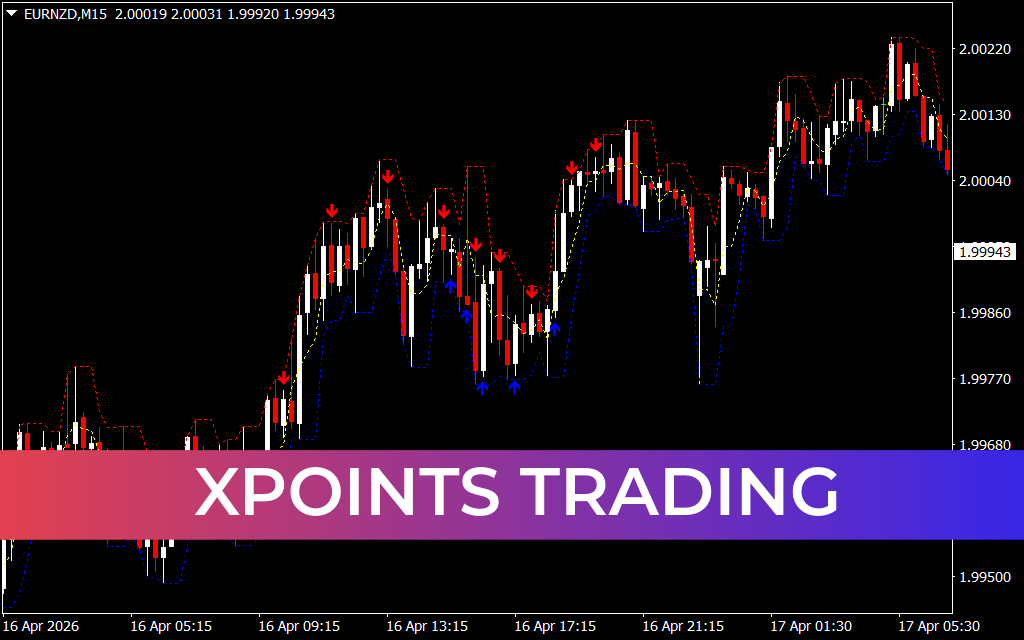
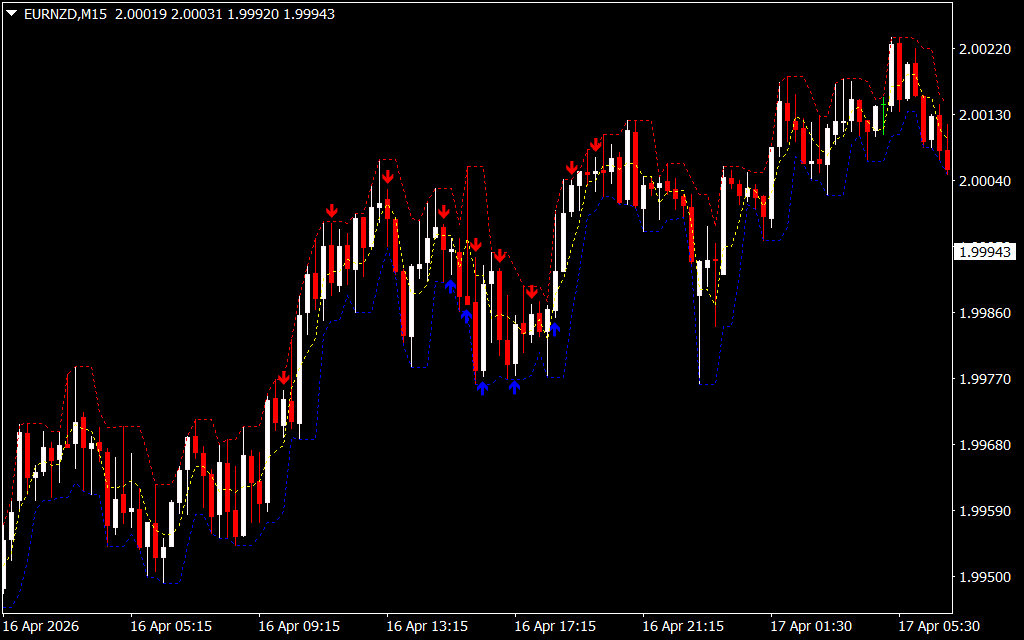
At its core, Xpoints is a trend-following and volatility-based indicator. As evidenced in the M15 timeframe for major pairs like EURNZD, the system utilizes a unique combination of dynamic channels and signal arrows to guide trading decisions. Unlike standard indicators that often lag behind the market, Xpoints focuses on real-time price boundaries.
The system is characterized by three primary components:
- Dynamic Volatility Bands: The red (upper) and blue (lower) dashed lines create a corridor that adapts to market volatility. These bands act as elastic Support And Resistance levels, highlighting when the price is overextended.
- The Median Trend Line: A central yellow line serves as the "gravity" of the pair, helping traders identify the primary trend direction and potential mean reversion targets.
- Precision Signal Arrows: The hallmark of the system is the red (sell) and blue (buy) arrows. These appear at exhaustion points, signaling that a reversal or a continuation bounce is likely.
Why Traders Choose Xpoints
The primary appeal of Xpoints Trading lies in its ability to reduce "analysis paralysis." Many indicators clutter the screen with conflicting data, but Xpoints offers a "clean" chart experience.
- Risk Management: By providing clear boundaries via the volatility bands, traders can easily identify where to place stop-losses and take-profit targets.
- Versatility: While it excels on the 15-minute (M15) chart for day trading, its logic is equally applicable to Scalping on the M5 or swing trading on the H1 and H4 timeframes.
- Confirmation Logic: The system encourages a "confluence-first" approach. For example, a blue buy arrow appearing at the lower blue band offers a significantly higher probability of success than an arrow appearing in the middle of the channel.
Optimized for Modern Markets
Modern markets are driven by high-frequency algorithms and sudden liquidity shifts. The Xpoints Trading system is built to withstand these "fake-outs" by requiring price to interact with volatility extremes before issuing a signal. This ensures that traders are entering moves with the backing of statistical probability rather than emotion.
For those looking to refine their MetaTrader setup, Xpoints provides a robust framework that integrates seamlessly with other technical tools. It isn't just an indicator; it’s a comprehensive strategy that empowers traders to stay on the right side of the trend while capturing the peaks and troughs of market cycles with surgical precision.
18 Downloads
Last Update:
Apr 20, 2026 19:30 PM
Published:
Feb 03, 2026 17:18 PM
Category: