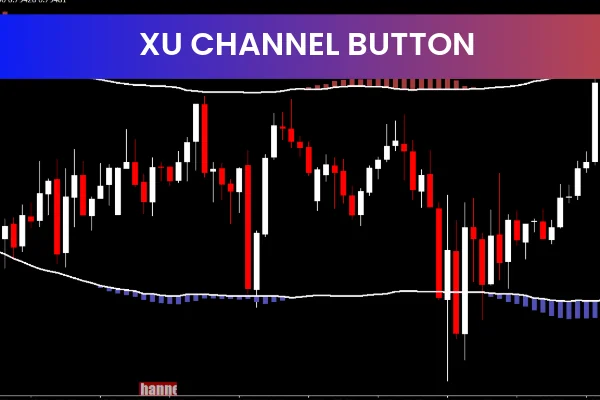
The Xu Channel Button indicator for MT4 is a simple yet effective Forex trading tool that displays price channels directly on the chart. It is designed for traders who want a clear visual structure of market movement without complex settings or confusing signals. By plotting price channels with a single click, this indicator helps traders quickly identify trends, potential breakouts, and key trading opportunities.
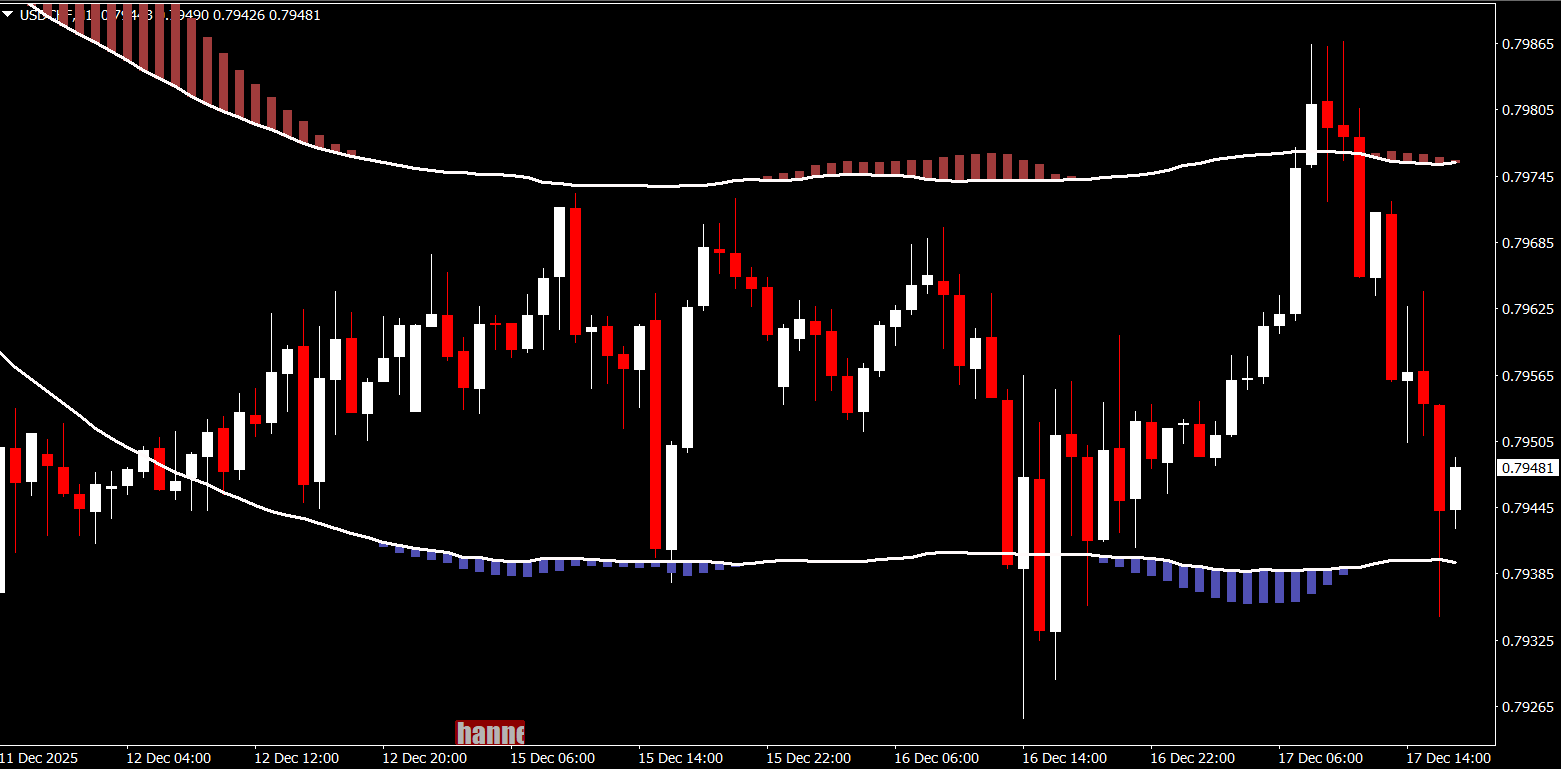
Thanks to its ease of use and clean chart presentation, the Xu Channel Button indicator is suitable for both beginner and experienced traders who rely on channel-based analysis in the Forex market.
What Is the Xu Channel Button Indicator
The Xu Channel Button indicator is a channel-based technical indicator for the MetaTrader 4 platform. Its main purpose is to automatically draw price channels that reflect recent Market Structure.
Price channels are formed by:
An upper boundary that acts as resistance
A lower boundary that acts as support
By visualizing these boundaries, traders gain a better understanding of how price is moving within a defined range or trend.
How the Xu Channel Button Indicator Works
The Xu Channel Button indicator analyzes recent price action and plots a price channel on the chart. Instead of manually drawing channel lines, traders can rely on the indicator to do this automatically.
Channel Visualization
The upper channel line highlights potential resistance levels
The lower channel line highlights potential support levels
Price movement within the channel reflects trend direction
This makes it easy to determine whether the market is trending upward, trending downward, or moving sideways.
Button-Based Control
One of the unique features of the Xu Channel Button indicator is its button-based functionality. Traders can easily show or hide the price channel on the chart, keeping the workspace clean and organized.
Identifying Trading Opportunities with Price Channels
The Xu Channel Button indicator is especially useful for spotting trading opportunities based on price behavior within the channel.
Trend Trading
In an uptrend, traders may look for buy opportunities near the lower channel line
In a downtrend, traders may look for sell opportunities near the upper channel line
This approach helps traders trade in the direction of the prevailing trend.
Breakout Trading
When price breaks above or below the channel boundaries, it may signal:
A potential breakout
Increased volatility
A new trend forming
The Xu Channel Button indicator helps traders visually level confirm these breakout conditions.
Support and Resistance Identification
Price channels naturally highlight dynamic Support And Resistance levels. The Xu Channel Button indicator makes these levels easy to see and follow.
The lower channel often acts as support,
The upper channel often acts as resistance
These levels can be used for:
Entry planning
Stop loss placement
Take profit targets
Advantages of the Xu Channel Button Indicator
The Xu Channel Button indicator offers several benefits to Forex traders:
Easy-to-use channel plotting
Clean and clear chart display
Helps identify trends and ranging markets
Useful for breakout and reversal analysis
Free and compatible with MT4
Its simplicity makes it ideal for traders who prefer visual market structure without relying on multiple indicators.
Best Timeframes and Trading Styles
The Xu Channel Button indicator works well on all timeframes:
Lower timeframes for Scalping and intraday trading
Higher timeframes for swing and trend trading
It performs best in markets where price respects channel boundaries, especially during active trading sessions.
Combining the Xu Channel Button Indicator with Other Tools
For better accuracy, traders often combine the Xu Channel Button indicator with:
Trend indicators such as moving averages
Momentum indicators like RSI or Stochastic
Price action confirmation patterns
This combination improves signal reliability and reduces false breakouts.
How to Use the Indicator Effectively
To get the most from the Xu Channel Button indicator:
Identify the overall market trend first
Trade near channel boundaries with confirmation
Avoid trading in very low volatility conditions
Use proper risk management with stop losses outside the channel
This disciplined approach helps improve consistency and long-term performance.
Final Thoughts
The Xu Channel Button indicator for MT4 is a practical and beginner-friendly tool that simplifies price channel analysis. By clearly displaying market structure, it helps traders identify trends, support and resistance levels, and potential breakout opportunities with ease.
If you are looking for a straightforward way to trade using price channels, this indicator is a valuable addition to your MT4 setup. Visit IndicatorForest.com to explore more free Forex indicators and enhance your trading strategy today.
FAQ
XU Channel Button automatically draws price channels and provides button-based controls for easy trading. It helps identify trend direction, support/resistance levels, and potential trading opportunities with a user-friendly interface.
The button interface allows quick access to trading functions, easy channel adjustments, fast entry and exit signals, and simplified risk management. This makes trading more efficient and less time-consuming.
It works well on all timeframes, but many traders prefer H1 and H4 for swing trading, M15 and M30 for day trading, and M5 for scalping. Choose timeframes that match your trading style.
Enter trades when price bounces off channel boundaries, trade breakouts when price moves beyond channel lines, use channel slope to determine trend strength, and combine with other indicators for confirmation.
The button interface provides quick access to trading functions, reduces chart clutter, simplifies indicator management, and makes it easier for beginners to use advanced channel analysis techniques.
4 Downloads
Published:
Dec 17, 2025 11:41 AM
Category: