Simplify Momentum Trading with the 3 Colors MACD Indicator
The Moving Average Convergence Divergence (MACD) has long been considered the "king of oscillators" by technical analysts worldwide. However, for many retail traders, interpreting the standard MACD histogram can be challenging, especially during periods of high volatility or market consolidation. The 3 Colors MACD indicator for MetaTrader 4 (MT4) and MT5 is a professional-grade evolution of this classic tool. By introducing a refined, color-coded visual system, this indicator translates complex momentum data into clear, actionable signals that empower traders to make faster and more accurate decisions.
The Innovation of Color-Coded Momentum
Traditional MACD indicators often feature a single-color histogram that simply tracks the distance between two moving averages. The 3 Colors MACD enhances this by utilizing three distinct colors to represent different market states: expansion, correction, and reversal. This visual categorization allows traders to see at a glance whether a trend is gaining strength or if momentum is beginning to fade.
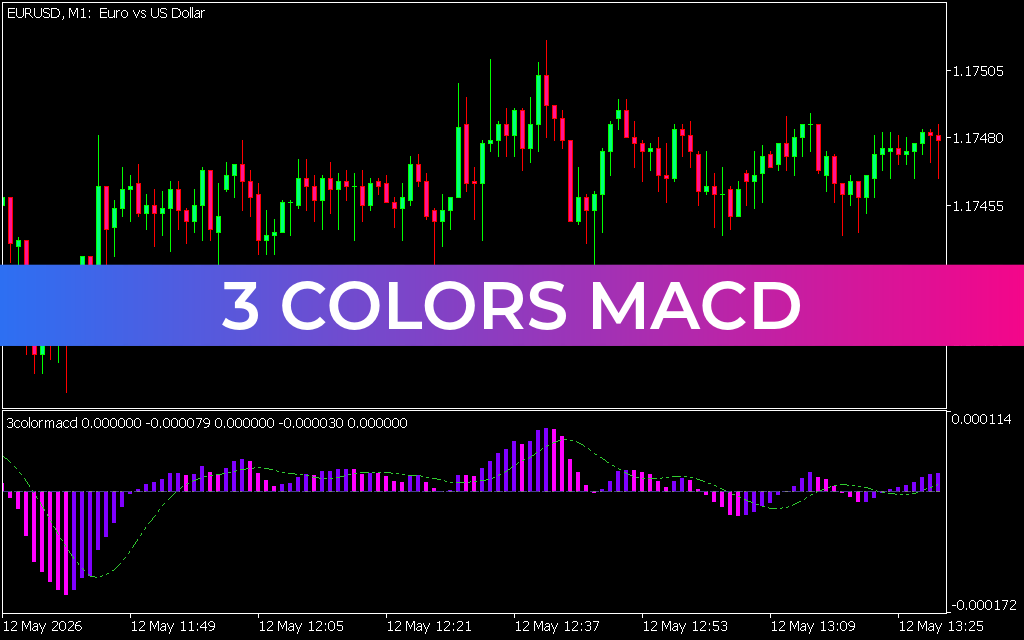
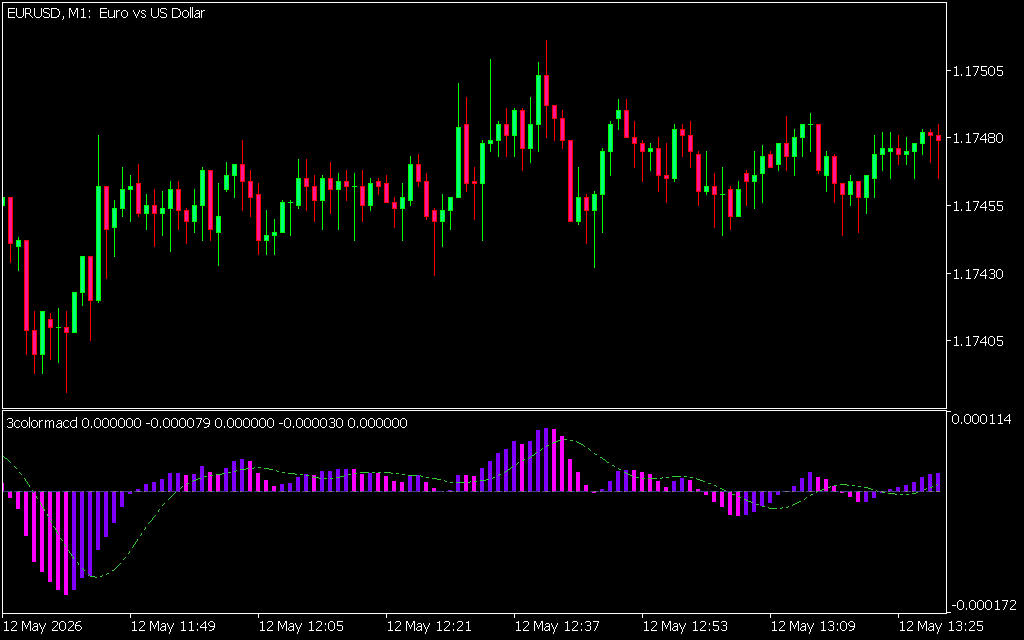
As demonstrated in the EUR/USD M1 chart, the indicator is presented in a dedicated sub-window:
- Bright Green Bars (Rising Bullish Momentum): These bars appear when the MACD is above the zero-line and increasing in value. It signifies a strong bullish expansion, providing a green light for trend-following long positions.
- Dark Green/Yellow Bars (Fading Bullish Momentum): When the bullish momentum starts to slow down, the color changes. This serves as an early warning of a potential correction or trend exhaustion, allowing traders to lock in profits.
- Bright Red Bars (Rising Bearish Momentum): Conversely, red bars signify a dominant bearish regime where sellers are in control. The increasing height of the red histogram tracks the acceleration of a downtrend.
Strategic Benefits for Day Traders and Scalpers
The 3 Colors MACD is a critical asset for traders who need to navigate the intraday noise of the Forex and CFD markets:
- Zero-Line Cross Signals: The crossover of the zero-line remains one of the most powerful signals in technical analysis. The 3 Colors MACD clarifies these pivots with immediate color shifts, helping you catch the "meat" of a new trend.
- Superior Divergence Detection: Because the color changes highlight the peaks and troughs of momentum so clearly, identifying divergence becomes significantly easier. A higher high in price matched with a fading color in the MACD histogram is a classic leading signal of an impending reversal.
- Filtering Market Chop: During sideways markets, the 3 Colors MACD stays close to the zero-line with frequent color changes. This visual feedback tells professional traders to stay on the sidelines until a high-conviction breakout occurs.
- Enhanced Signal Accuracy: By focusing on the "slope" of the momentum rather than just the direction, the indicator filters out the minor price wiggles that often trigger false signals in standard oscillators.
Implementation and Performance
The 3 Colors MACD is optimized for the MetaTrader environment, offering low-latency performance that is essential for Scalping lower timeframes like the M1 or M5. In the provided EUR/USD example, the indicator successfully tracks a structural recovery, providing a smooth visual guide that keeps the trader on the right side of the market throughout the session.
By adding the 3 Colors MACD to your technical arsenal, you replace subjective interpretation with visual certainty. It provides the high-definition momentum data required to trade with precision, confidence, and consistency in today's volatile markets.
3 Downloads
Last Update:
May 12, 2026 17:08 PM
Published:
Jan 23, 2026 12:52 PM
Category: