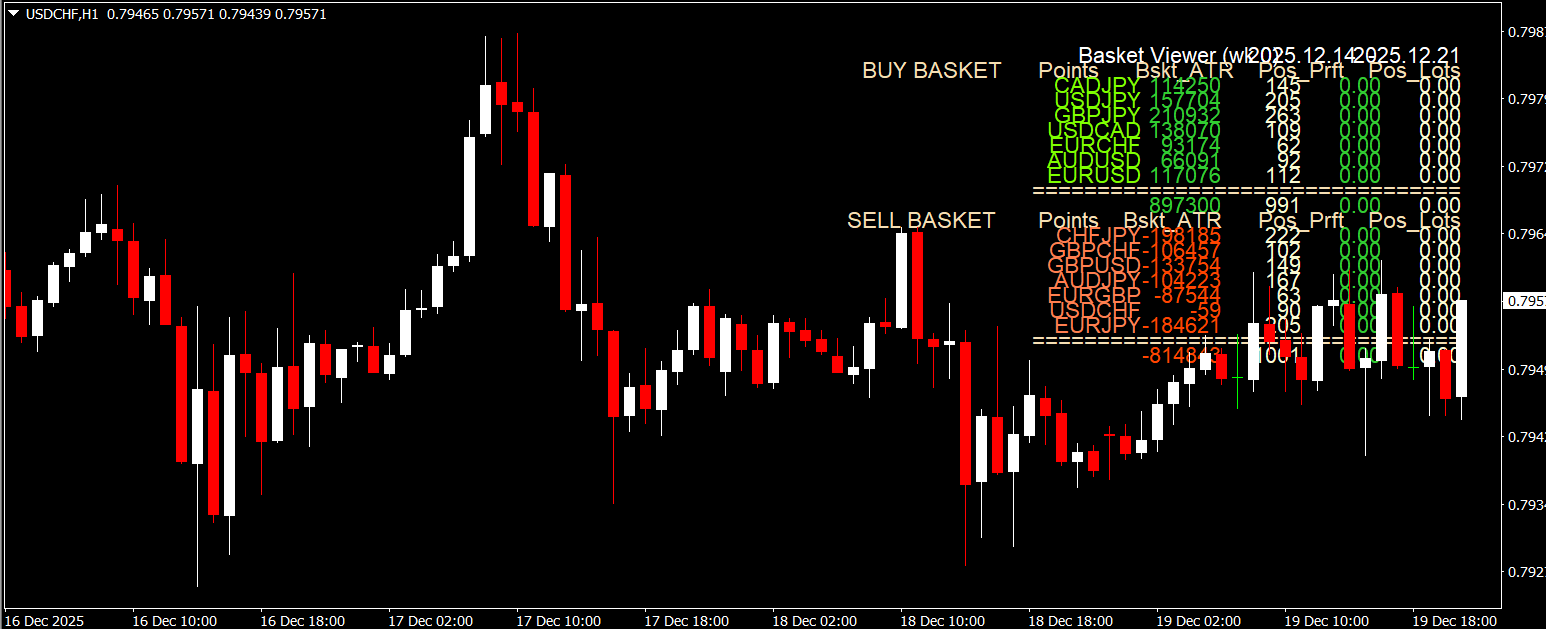
The Basket Viewer Indicator is a powerful and free Forex Indicator designed for the MT4 trading platform. It allows traders to view all open trades in a single chart window, making it easier to monitor performance without switching between multiple charts. This tool is especially useful for traders managing several positions simultaneously or using multiple currency pairs, as it consolidates all relevant information in one place.
Why the Basket Viewer Indicator is Essential
The Basket Viewer Indicator simplifies trade management by providing a clear overview of all open trades. Traders can instantly see the total profit or loss, the number of trades, lots traded, and the total pips gained or lost. Additionally, it calculates the average entry and exit price for each position, giving a complete snapshot of trading performance.
Key Features of the Basket Viewer Indicator
All-in-One Trade View: Displays every open trade in a single chart window.
Profit and Loss Overview: Shows total P/L for all positions, helping traders quickly assess profitability.
Trade Metrics: Includes total lots, total pips, and the number of trades for efficient monitoring.
Average Entry and Exit Prices: Provides insight into trade performance and strategy effectiveness.
Compatible with Other Tools: Works seamlessly with other MT4 indicators and Expert Advisors.
Free and User-Friendly: Accessible to all traders without any cost and easy to install.
How to Use the Basket Viewer Indicator
Install the Indicator: Place the Basket Viewer Indicator file in the MT4 “Indicators” folder.
Attach to Chart: Apply the indicator to any chart to start monitoring all open trades.
Read the Data: Check total profit/loss, number of trades, total lots, total pips, and average entry/exit prices.
Make Informed Decisions: Use the consolidated data to adjust your trading strategy or close underperforming trades.
Benefits for Forex Traders
Using the Basket Viewer Indicator provides traders with quick insights into their trading performance, helping reduce errors and missed opportunities. It is especially helpful for traders running multiple strategies or managing high-volume trading accounts. With all the critical trade information in one place, traders can make informed decisions faster and more efficiently.
Tips for Maximum Efficiency
Combine with trend and momentum indicators to confirm signals.
Use the indicator alongside risk management strategies to optimize trade outcomes.
Regularly monitor performance metrics to improve overall trading strategy.
For traders who want better control and clarity over their Forex trades, visit IndicatorForest.com to download the Basket Viewer Indicator and explore other free MT4 tools.
Image Suggestions:
basket-viewer-indicator-chart.png – ALT: Basket Viewer Indicator showing all open trades on MT4 chart.
basket-viewer-indicator-metrics.png – ALT: Basket Viewer Indicator displaying total P/L, lots, pips, and trade performance.
basket-viewer-indicator-trading.png – ALT: Forex trader monitoring multiple trades using Basket Viewer Indicator.
FAQ
3 Downloads
Published:
Dec 19, 2025 15:59 PM
Category: