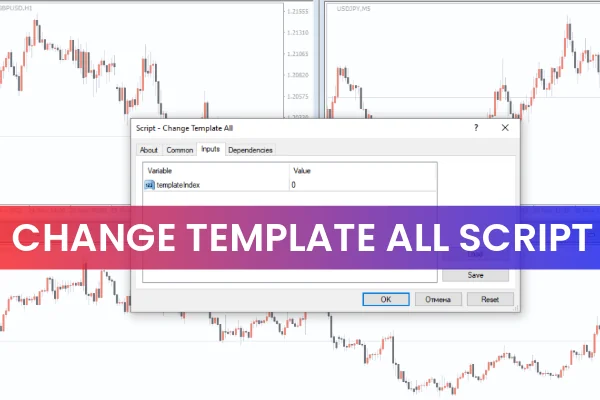
The Change Template All Script for MT4 is a practical tool for forex traders who want to apply a customized chart template across multiple MT4 charts simultaneously. A template includes chart settings, indicators, and visual layouts, allowing traders to replicate their preferred setup efficiently.

This script is particularly useful for traders managing multiple currency pairs and seeking consistent chart setups across all charts.
How It Works
The script enables traders to:
Save a customized template on MT4.
Assign a template number corresponding to its saved order (e.g., 0, 1, 2).
Apply the template to all open charts with a single click.
Once the script is executed, it reads the saved template and applies it to every chart currently open on MT4. This eliminates the need to apply templates individually, saving time and ensuring consistency across multiple charts.
Practical Applications
The Change Template All Script is useful for:
Day traders: Quickly replicate chart setups across multiple currency pairs.
Swing traders: Ensure consistent analysis layout for long-term positions.
Traders using multiple indicators: Apply complex chart setups across charts without manually configuring each one.
Efficiency: Save time and reduce human error when managing multiple charts.
For example, if a trader has customized a EUR/USD chart with indicators and trendlines, they can apply this exact setup to AUD/USD, GBP/USD, and USD/JPY charts with one click using the script.
Benefits of Using the Script
Time-saving: Apply templates across multiple charts instantly.
Consistency: Ensure all charts have the same indicators, layouts, and visual settings.
Easy to use: Simple drag-and-drop script execution.
Free download: Available at IndicatorForest.com.
This script is ideal for traders looking to standardize their chart setups and reduce repetitive tasks.
Conclusion
The Change Template All Script for MT4 is a powerful tool for applying saved chart templates across multiple MT4 charts simultaneously. It streamlines chart management, ensures consistency, and saves traders time. Download the script for free at IndicatorForest.com to enhance your MT4 workflow.
FAQ
13 Downloads
Published:
Dec 03, 2025 03:21 AM
Category: