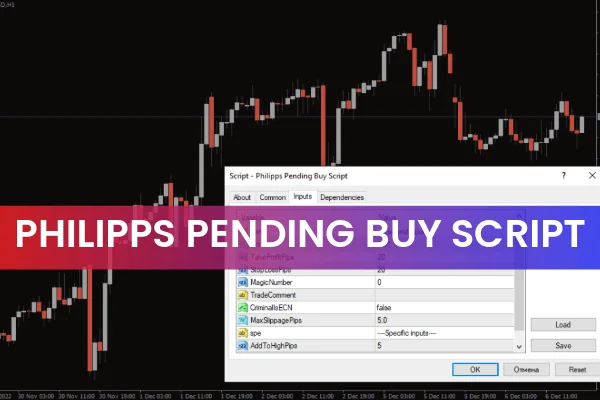
The Philipps Pending Buy Script for MT4 is a specialized automated trading script designed to open buy pending orders only. Its functionality is intentionally limited to bullish entries, meaning it cannot trigger or process a sell pending order under any circumstances. This predefined restriction makes it a straightforward tool for traders who only want to automate buy setups based on their analysis or strategy.
Although limited in flexibility, this script is still extremely useful for certain market environments—especially trending markets where a trader expects a bullish continuation. When used correctly, the Philipps Pending Buy Script can help save time and reduce execution errors by automating the placement of buy pending orders such as Buy Stop or Buy Limit orders.
Why Consider Using the Philipps Pending Buy Script?
Automating even small parts of your trading workflow can help reduce mistakes and streamline decision-making. With this script, traders can:
Automate buy pending order placement
Set predefined Stop Loss and Take Profit levels
Reduce manual entry errors
Trigger buy orders even when away from the screen
Apply uniform position sizing rules
However, because the script only supports buy orders, it cannot be used in bearish conditions or sideways markets where sell opportunities may appear. It is most beneficial for traders who operate in uptrending markets, breakout conditions, or bullish continuation phases.
How to Trade With the Philipps Pending Buy Script
Applying the Script on MT4
Using the script is quite simple. Once it is installed in the Scripts directory of your MetaTrader 4 platform, you can apply it directly to your chart. The process is as follows:
Open your MT4 platform and select the chart where you want to place a buy pending order.
Drag and drop the Philipps Pending Buy Script from the Navigator panel onto the chart.
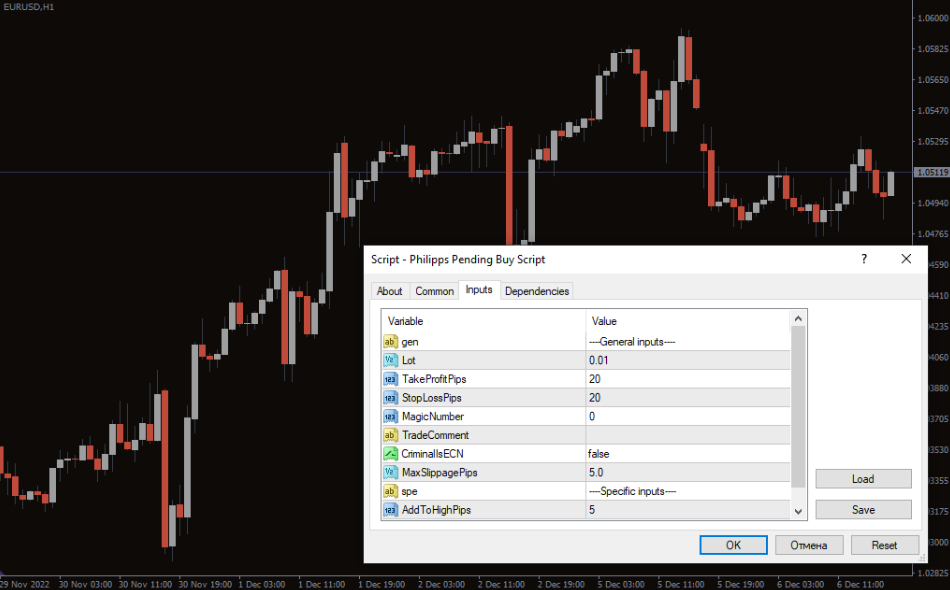
The “Inputs” window will appear, allowing you to adjust:
Lot size
Entry price
Take Profit
Stop Loss
Order type (e.g., Buy Stop or Buy Limit)
Once configured, click “OK” to run the script.
You must ensure that Auto Trading is enabled before launching the script, or the order will not execute.
What the Script Looks Like in Action
After running the Philipps Pending Buy Script, the chart will display your newly placed buy pending order along with its respective Stop Loss and Take Profit levels. This gives you an instant visual representation of your planned bullish setup.
For example, if you expect a breakout above a recent high, you can place a Buy Stop Order, ensuring the script executes the order as soon as the market reaches your target price. This eliminates the need to manually monitor the chart.
When Not to Use This Script
Because the script is limited to buy orders only, it is not suitable for:
Downtrending markets
Range-bound conditions where bearish trades are more likely
Traders who actively enter both buy and sell pending orders
Strategies requiring order modification or multi-directional automation
The script excels when used for bullish setups but is too rigid for traders needing directional flexibility.
Conclusion
The Philipps Pending Buy Script for MT4 is a useful automated trading tool designed exclusively for buy pending orders. While it may not be suitable for every market condition, it simplifies and automates the process of placing buy pending orders with predefined parameters. For bullish traders or those testing automated entry methods, this MT4 script is definitely worth exploring.
You can download the script for free at IndicatorForest.com and start enhancing your automated trading workflow today.
FAQ
4 Downloads
Published:
Dec 04, 2025 02:16 AM
Category: