Precision Trading with the TDO Buy Sell Indicator for MT4
In the fast-moving world of financial markets, the ability to distinguish between a genuine Trend Reversal and temporary market noise is the hallmark of a professional trader. Many retail traders fail because they enter trades too late or get trapped in "whipsaws" during low-volatility periods. The TDO Buy Sell indicator for MetaTrader 4 (MT4) is a high-performance momentum oscillator and trend-following utility designed to solve these challenges by providing clear, visual confirmation of market sentiment.
What is the TDO Buy Sell Indicator?
The TDO (Trend Direction Oscillator) is a sophisticated hybrid indicator that combines price velocity with trend structural analysis. Unlike standard oscillators that often provide conflicting signals in trending markets, the TDO utilizes a specialized histogram and signal line system to keep traders aligned with the dominant market force.
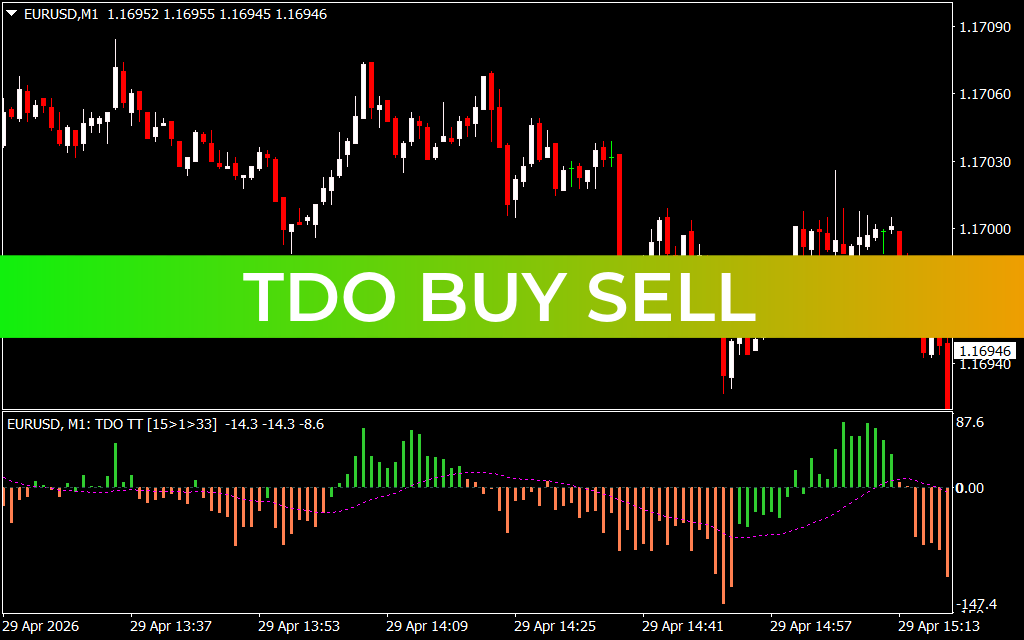
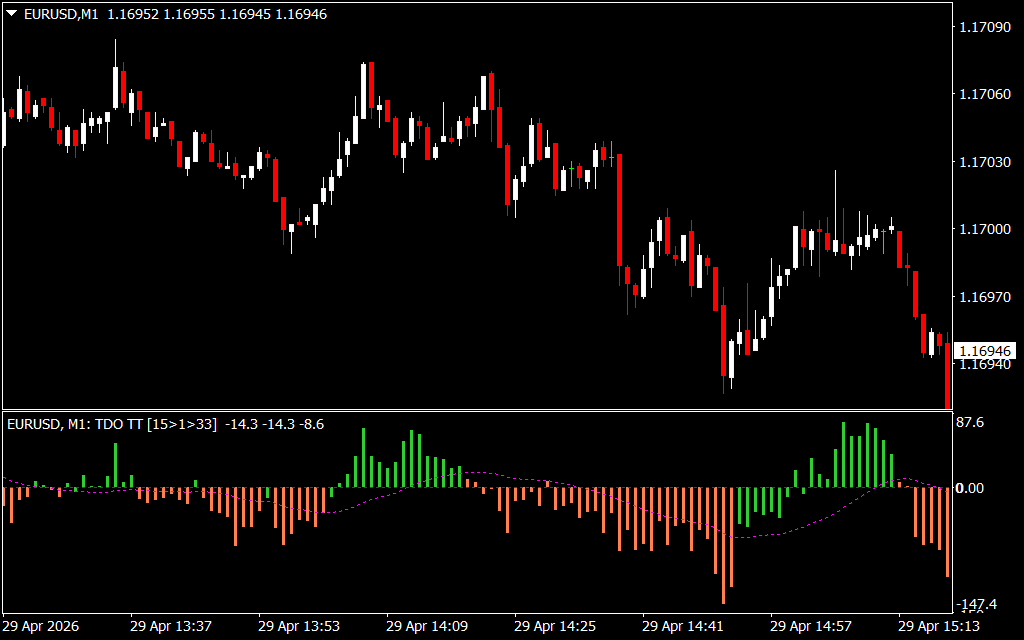
As observed in technical analysis of the EUR/USD M1 timeframe, the indicator is plotted in a sub-window and consists of several key components:
- The Zero Line: This is the equilibrium point. When the histogram bars are above zero, the trend is considered bullish; below zero, the trend is bearish.
- Green Histogram Bars: These signal rising bullish momentum, suggesting that buyers are aggressively pushing the price higher.
- Orange/Red Histogram Bars: These indicate growing bearish momentum, signaling that sellers have taken control of the immediate Price Action.
- The Signal Line (Purple): A smoothed moving average that helps traders identify "exhaustion" points and potential reversal zones before they appear on the main chart.
Why Use the TDO Buy Sell for MT4?
Professional traders favor the TDO Buy Sell because it acts as both a momentum filter and an entry trigger.
- Noise Reduction: By focusing on the rate of change rather than just price levels, the TDO filters out the erratic "jitter" found on lower timeframes like the M1 and M5.
- Early Reversal Detection: The purple signal line often crosses the histogram before a major price move, giving you a crucial head start over traders relying on lagging indicators.
- Visual Clarity: The color-coded histogram makes it nearly impossible to misinterpret the current market bias, reducing the psychological stress of manual chart analysis.
Strategic Trading Applications
The TDO Buy Sell is a versatile powerhouse that can be integrated into almost any trading system:
- Zero-Line Breakouts: A high-probability trade occurs when the histogram crosses from negative to positive territory. Entering a "Buy" trade on a green bar crossing the zero line ensures you are trading with fresh momentum.
- Momentum Scalping: On the M1 chart, scalpers look for "Green-on-Green" or "Red-on-Red" scenarios—where both the histogram and its position relative to the signal line indicate a strong burst of energy.
- Trend Exhaustion: If the price is making a new high but the TDO histogram is producing smaller green bars, "Bearish Divergence" is occurring. This is a critical warning to tighten stop-losses or exit long positions.
Conclusion
The TDO Buy Sell indicator is an essential asset for any MT4 user who demands precision. By transforming complex mathematical calculations into an intuitive visual format, it allows you to hunt for high-probability setups with the confidence of a seasoned professional. Whether you are a day trader looking for quick intraday turns or a swing trader seeking trend confirmation, the TDO Buy Sell provides the analytical edge required to succeed in today's markets.
11 Downloads
Last Update:
Apr 29, 2026 20:26 PM
Published:
Jan 30, 2026 19:39 PM
Category: