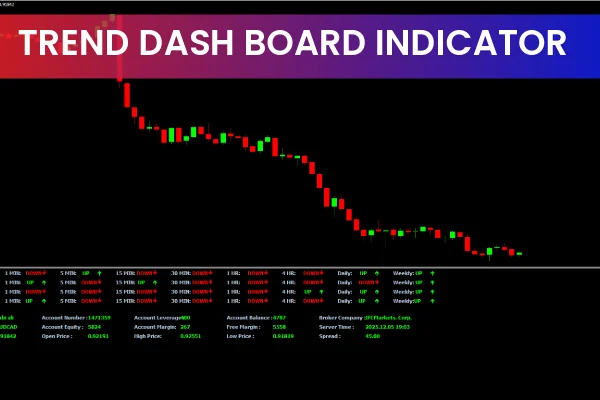
The Trend DashBoard Indicator for MT4 provides bullish and bearish trend information along with up and down arrow signals. It consolidates data from multiple MetaTrader indicators—MACD, Stochastic, Moving Average, and RSI—allowing traders to make well-informed buy and sell decisions based on these signals.
This indicator is ideal for both new and advanced traders, offering a free download and easy installation.
Additional features of the trend dashboard indicator
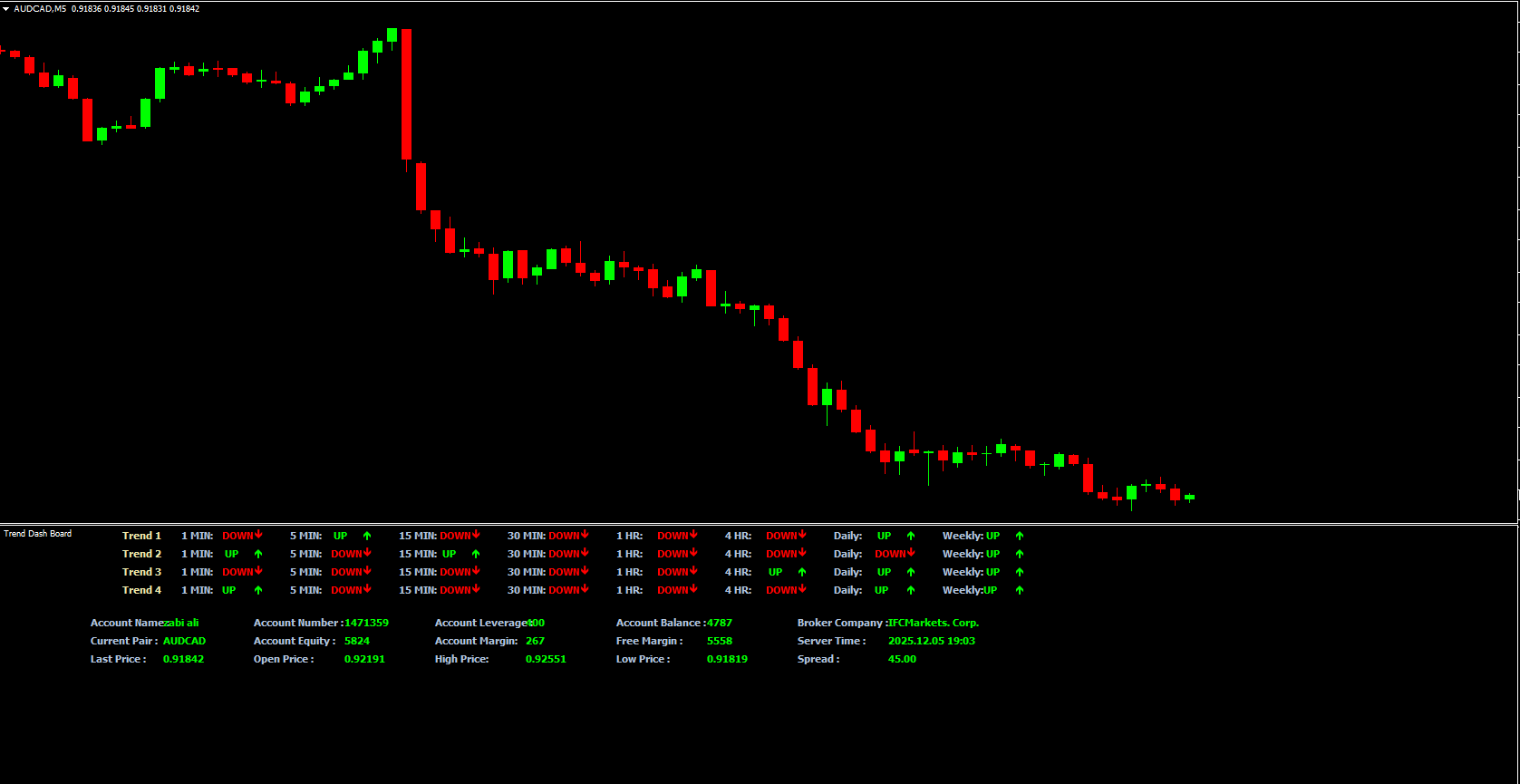
Beyond trend signals, the indicator displays detailed account and market information:
Account Name & Number
Account Equity & Balance
Free Margin & Current Leverage
Broker Name & Server Time
Last Price, Open Price, High/Low Price, and Spread of the trading instrument
It integrates seamlessly with other dashboard indicators like the Buyers Sellers Dashboard Indicator and Forex Dashboard Full Indicator, offering a broader market perspective and enhanced trading insights.
Trend dashboard indicator trading setup
The chart example below demonstrates the EUR/USD H1 timeframe:
Trend 1: Signals from MACD (Moving Average Convergence Divergence)
Trend 2: Stochastic indicator signals
Trend 3: Moving Average-based BUY and SELL arrow signals
Trend 4: RSI-based UP and DOWN arrow signals
UP arrows are displayed in lime, DOWN arrows in red, and account details are also highlighted in lime.
Trading strategies using the trend dashboard indicator
Confluence of indicators
Place BUY trades when a minimum of 3 trend indicators are bullish; stop loss below the previous low.
Place SELL trades when more than 3 indicators are bearish; stop loss above the previous high.
Take profit levels are determined using the risk-reward ratio or exit if trend direction reverses.
Multiple time frame (MTF) trading
Use higher time frames to identify major trend direction.
Use lower time frames to pinpoint precise entry points with lower risk.
This ensures trading in alignment with the overall trend, reducing potential losses.
The Trend DashBoard Indicator works across all intraday timeframes, as well as daily, weekly, and monthly charts, making it versatile for different trading strategies.
conclusion
The Trend DashBoard Indicator for MT4 is a comprehensive forex tool for detecting market trends and generating reliable buy/sell signals. By combining MACD, RSI, Stochastic, and Moving Average indicators, it helps traders make more accurate trading decisions.
Whether you are Scalping, swing trading, or following longer-term trends, this free tool simplifies market analysis and enhances trading efficiency.
FAQ
22 Downloads
Published:
Dec 05, 2025 13:07 PM
Category: