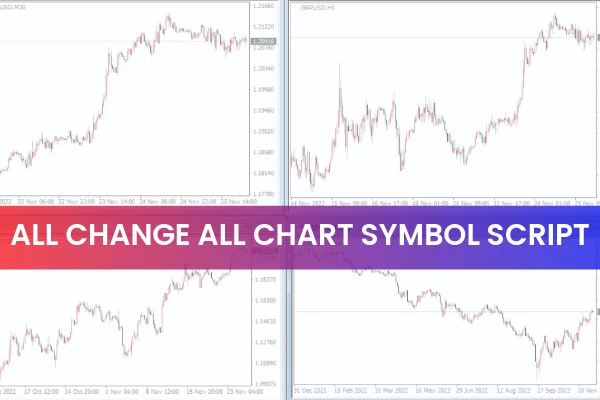
The Al Change All Chart Symbol Script for MT4 is a convenient and highly efficient tool designed to make technical analysis easier for forex traders. This simple MetaTrader script helps you instantly switch between different currency pairs across multiple charts without losing your existing chart settings. It eliminates the stress of manually updating each chart one by one, saving valuable time during analysis.
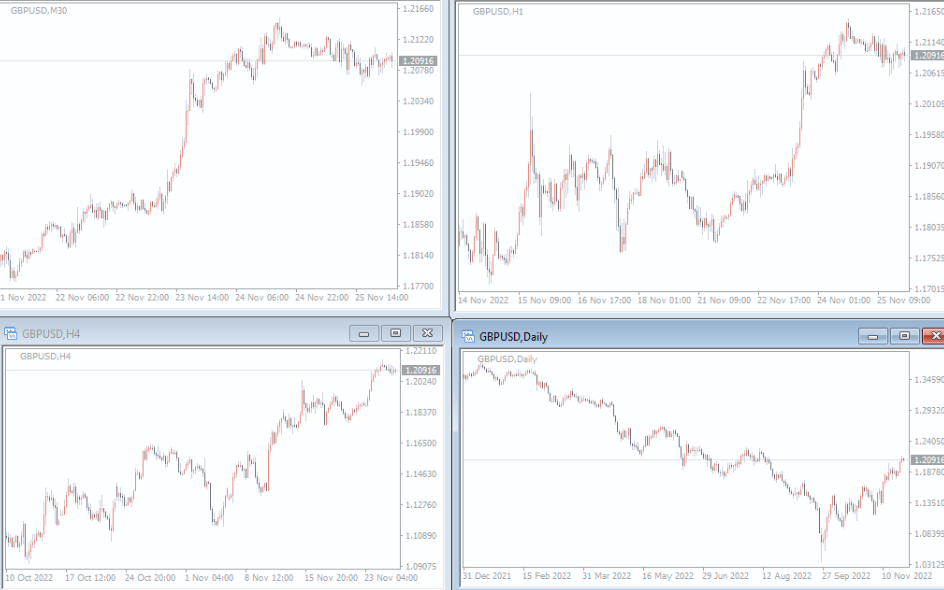
Traders who monitor several timeframes of the same currency pair will find this script especially useful. With just one command, you can change all your open chart symbols at once while retaining templates, indicators, and timeframe arrangements. This makes the Al Change All Chart Symbol Script for MT4 a helpful companion for novice, intermediate, and advanced traders.
Why Traders Use the Al Change All Chart Symbol Script
Most forex traders use multi-timeframe setups such as M5, M15, H1, H4, and Daily charts to get a complete view of market direction. Without a script, switching to a different currency pair would require manually opening multiple new charts, loading indicators, and organizing windows again.
The Al Change All Chart Symbol Script for MT4 solves this problem instantly. With a single action, all your charts update to the new symbol while keeping your original layout intact. This is especially useful for:
Top-down technical analysis
Day trading and intraday trading
Swing trading
Scalping strategies
Traders who use several windows for Price Action confirmation
By simplifying chart management, the script helps traders stay organized and focused on market movements instead of administrative tasks.
How to Use the Al Change All Chart Symbol Script
Using the script is incredibly straightforward. Once you download it from IndicatorForest.com, you simply drag and drop it onto any chart.
When the script window opens, you will see an input box where you type the currency pair (for example, EURUSD, GBPJPY, XAUUSD). After clicking OK, all your open charts instantly switch to the selected symbol while maintaining your existing settings.
For example:
If your screen shows GBPJPY charts on M5 through Daily timeframes and you want to analyze EURUSD instead, simply run the script and type “EURUSD” in the input section. Within seconds, all charts convert to EURUSD without affecting indicators, templates, or timeframe layouts.
Benefits of the Al Change All Chart Symbol Script for MT4
This MT4 script provides a wide range of benefits:
Saves time when switching between multiple currency pairs
Keeps all chart templates, layouts, and indicators intact
Ideal for traders who rely on multi-window chart setups
Useful for strategy testing on different symbols
Enhances workflow for scalpers, day traders, and swing traders
Easy to use for beginners and experienced traders
The script is also highly reliable and compatible with various chart setups, making it a must-have tool for efficient technical analysis.
Conclusion
The Al Change All Chart Symbol Script for MT4 is a recommended tool for forex traders who analyze the market across multiple timeframes. It streamlines the process of switching between pairs and helps maintain consistent analysis without the hassle of recreating chart layouts.
Whether you are a scalper, day trader, or swing trader, this script can significantly improve your workflow. Best of all, you can download it completely free at IndicatorForest.com.
FAQ
10 Downloads
Published:
Dec 04, 2025 01:02 AM
Category: