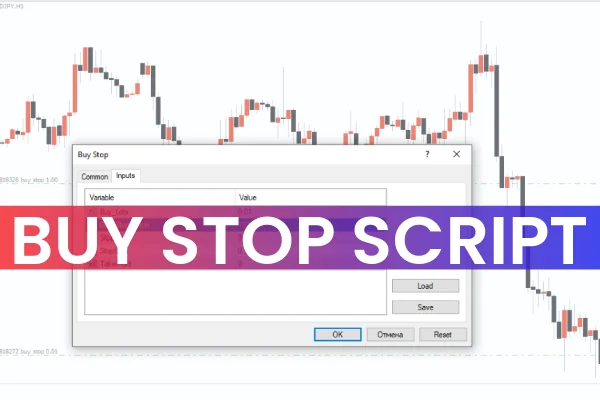
The Buy Stop Script for MT4 is a simple and efficient trading tool that automatically places a Buy Stop order on your chart. Buy Stop orders allow traders to enter the market at a price higher than the current level, executing only when the price reaches the designated stop level.
This script can be used on any forex pair or asset, streamlining trade https://indicatorforest.com/entry for traders who rely on pending buy orders.
How It Works
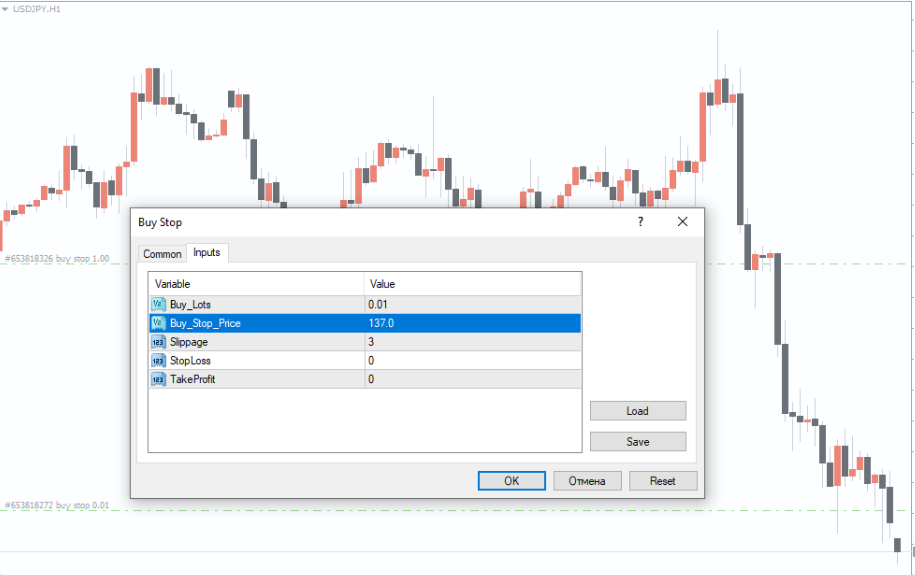
Once applied, the script provides an input box where traders can configure the order settings, including:
Stop price: Must be set higher than the current market price.
Lot size: Define the trade volume.
Additional settings: Magic number, comment, and slippage.
After configuring the inputs, the script activates the Buy Stop order. When the price reaches the set level, the order executes automatically as a market order.
For example, if EUR/USD is trading at 1.1000, setting a Buy Stop at 1.1050 will trigger the order only when the price hits 1.1050.
Practical Applications
The Buy Stop Script is useful for:
Breakout traders: Place orders above resistance levels to catch upward moves.
News trading: React automatically to price surges during high-impact events.
Swing and intraday traders: Automate pending orders for consistent trade execution.
Automation: Reduce manual order placement errors in fast-moving markets.
The script ensures accurate placement and execution of Buy Stop orders without delay.
Benefits of Using the Script
Automates trade entry: No need to manually place Buy Stop orders.
Saves time: Set orders quickly and efficiently.
Reduces errors: Ensures proper placement above the market price.
Works for all assets: Compatible with forex pairs, commodities, and indices.
Free download: Available at IndicatorForest.com.
This script is ideal for traders looking to automate pending buy orders while maintaining precision in execution.
Conclusion
The Buy Stop Script for MT4 simplifies the placement of Buy Stop orders, allowing traders to automate trade execution once the price reaches the specified level. Download the script for free at IndicatorForest.com to enhance your MT4 trading efficiency.
FAQ
8 Downloads
Published:
Dec 03, 2025 03:03 AM
Category: