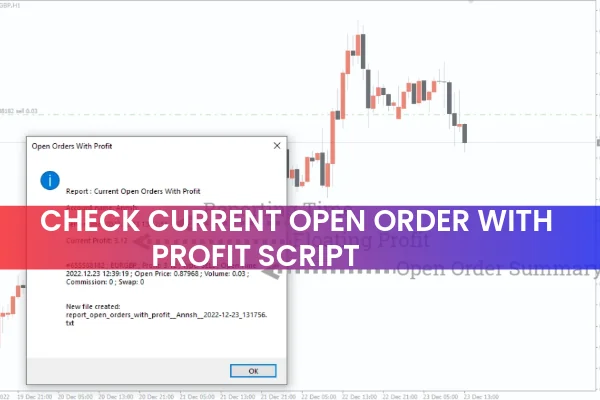
The Check Current Open Orders With Profit Script for MT4 is a highly useful MQL4 script designed to help traders monitor their active positions in real time. Instead of manually checking each trade in the terminal window, this script instantly generates an on-chart report that displays your current profits, order type, entry price, execution time, and position size.
For traders who frequently open multiple entries or manage several positions across different symbols, this script provides an efficient way to visualize performance at a glance. The Check Current Open Orders With Profit Script integrates seamlessly with MT4 and works on any forex pair, index, or CFD instrument.
Why Monitoring Open Orders Matters
When a trade remains open for long periods, market conditions may change rapidly. Price swings, volatility spikes, news events, or sudden shifts in market sentiment can impact your floating profits.
If you are unaware of how your open trades are performing, you may:
miss opportunities to secure profits
fail to adjust position sizes
hold onto losing trades for too long
overlook necessary risk-management actions
By using a script that provides real-time visual trade data, you can make better, faster decisions.
How the Check Current Open Orders With Profit Script Works in MT4
Install the Script on MT4
To get started, simply download the script and place it inside your Scripts directory in the MT4 platform. Restart MT4 or refresh the Navigator window to load it.
Apply the Script to the Active Trade Chart
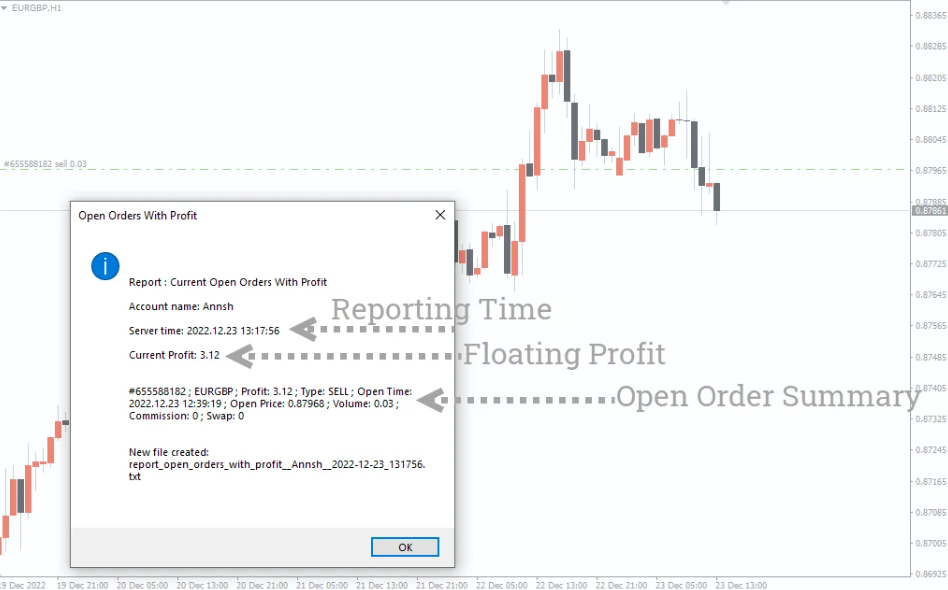
Once installed, drag and drop the script onto the chart of the asset you are currently trading. Immediately, the script will display a complete summary of your open positions, including:
Trade type (Buy or Sell)
Floating profit or loss
Execution date and time
Entry price
Lot size or trading volume
This gives you instant access to essential trade information without opening multiple terminal tabs.
View Multiple Trades Simultaneously
If you have several open orders on the same instrument, the script will list all of them together. This is extremely useful for:
traders using scaling-in techniques
grid trading
cost-averaging strategies
portfolio managers monitoring multiple client positions
day traders executing multiple entries
The script ensures you always have a complete overview of your exposure and profitability.
Example of the Script in Action
In the EUR/GBP chart example referenced above, applying the script generated an immediate report of the active trade. All important details—from floating profits to trade size—were displayed clearly on the chart. If multiple EUR/GBP trades were active, the script would show a consolidated report in the same location.
Having the script show this information visually helps traders evaluate whether positions should be closed, adjusted, or allowed to run based on current market direction.
Conclusion
The Check Current Open Orders With Profit Script for MT4 is an essential tool for forex traders who manage multiple entries or want a faster way to monitor their open positions. By visualizing your floating profit, entry data, and order size directly on the chart, it removes guesswork and improves decision-making.
This script is especially valuable for professional traders, portfolio managers, and anyone who relies on accurate and instant trade reporting.
If you want to streamline your trade monitoring process, you can download the script for free at IndicatorForest.com.
FAQ
1 Download
Published:
Dec 04, 2025 02:04 AM
Category: