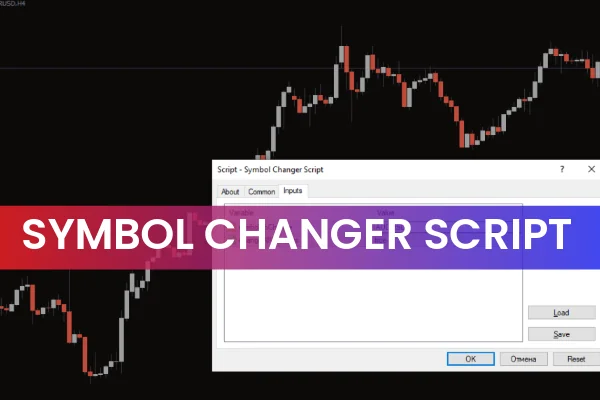
The Symbol Changer Script for MetaTrader 4 is a simple yet powerful forex trading tool designed to automatically change the symbol on your MT4 chart. Instead of navigating through the Market Watch list each time you want to switch currency pairs, this script allows you to make the change instantly with just one action.

Flexible and easy to use, the Symbol Changer Script works on both single charts and multiple charts at once, making it an ideal choice for traders who analyze multiple timeframes or currency pairs. Whether you trade manually or use algorithmic tools, this script improves workflow efficiency and reduces chart-management time.
Why Use the Symbol Changer Script for MT4?
Manually switching between symbols can be slow and frustrating, especially when analyzing many charts. This script simplifies everything:
Quickly switch to any forex pair
Change the symbol on one chart—or all charts—instantly
Save time when performing multi-chart technical analysis
Avoid browsing long lists in the Market Watch window
Great for beginners, intermediate traders, and advanced analysts
The script is lightweight, reliable, and suitable for all MT4 users who want a smoother trading experience.
How to Use the Symbol Changer Script for MT4
Using the Symbol Changer Script is straightforward. After downloading it, follow these steps:
Open the script from your Scripts folder in MT4.
In the input settings, type the desired currency pair (in capital letters, for example: EURUSD).
Choose whether to change the symbol on a single chart or all charts using the Change All Window input.
Set to False → Change only the active chart
Set to True → Change every open chart
Click OK, and the script automatically updates your chart(s).
For example, if your first chart shows GBPUSD and you enter AUDUSD, the chart will instantly switch to AUDUSD while the other charts remain unchanged—unless you set the script to modify all charts.
Note:
The script recognizes only uppercase symbols (e.g., EURUSD, GBPJPY).
The MT4 Auto Trading option is recommended to be enabled before running the script.
Benefits of the Symbol Changer Script
Using this MT4 script provides several advantages:
Faster workflow when switching pairs
Less manual clicking, especially for multi-chart setups
Compatible with all currency pairs and MT4 assets
Perfect for multi-timeframe analysis
Beginner-friendly and highly practical
Free to download
It’s an essential tool for any trader who wants to streamline chart navigation in MetaTrader 4.
Conclusion
The Symbol Changer Script for MT4 is a convenient and effective tool that simplifies changing chart symbols. Whether you’re a novice or an experienced forex trader, this script eliminates unnecessary steps and speeds up your market analysis. You can download it for free on IndicatorForest.com.
FAQ
4 Downloads
Published:
Dec 04, 2025 01:26 AM
Category: