The Open All Charts Script for MetaTrader 4 is a custom MT4 tool designed to automatically open all currency pair charts listed in your Market Watch with a single click. This script is especially useful for traders who analyze multiple charts daily, as it eliminates the need to manually open each chart one by one.
Whether you are a forex trader, algorithmic trader, or EA user, this script significantly speeds up your workflow, allowing you to focus on analysis and trading rather than repetitive chart setup.
Why Use the Open All Charts Script?
Opening multiple charts manually in MT4 can be tedious and time-consuming. Typically, traders must:
Click the “Create New Chart” tab
Select a currency pair
Repeat the process for each pair
For traders using Expert Advisors (EAs), this process can become cumbersome, especially when you need all charts active before attaching an EA. The Open All Charts Script solves this problem by automatically opening every chart on your Market Watch list in just one step.
Other benefits include:
Faster chart setup for technical analysis
Seamless EA deployment across multiple symbols
Ideal for traders analyzing multiple timeframes
Eliminates repetitive manual tasks
How to Use the Open All Charts Script for MT4
Using the script is simple and intuitive:
Download and place the Open All Charts Script in your MT4 Scripts folder.
Refresh your Navigator window or restart MT4 to make the script visible.
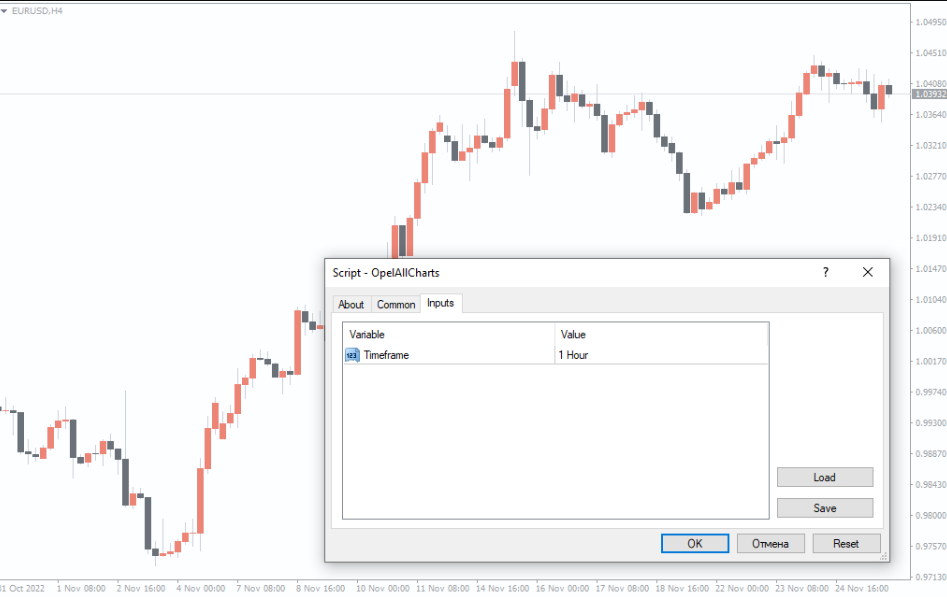
Drag the script onto any active chart.
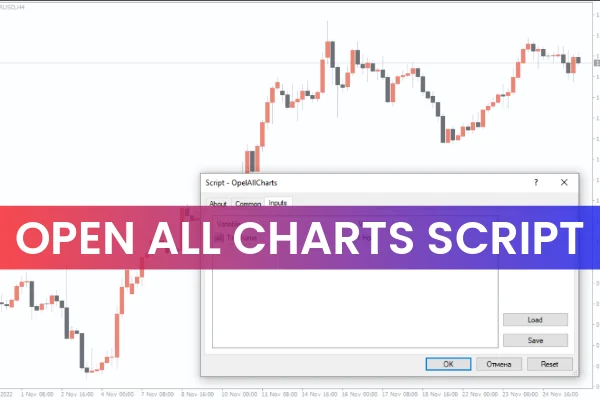
Select your preferred timeframe in the input box.
Launch the script.
Once executed, the script will automatically open all currency pair charts listed in your Market Watch. Ensure that Auto Trading is enabled on your MT4 dashboard, as the script relies on it to operate properly.
Example in Action
For instance, if your Market Watch contains EURUSD, GBPUSD, USDJPY, and AUDUSD, running the script on a EURUSD chart will automatically open all four charts at your chosen timeframe. This allows you to start analyzing price movements immediately or attach EAs without additional setup.
Who Benefits Most From This Script?
The Open All Charts Script is particularly beneficial for:
Forex traders conducting technical analysis across multiple currency pairs
Scalpers and intraday traders who monitor multiple charts simultaneously
EA users who need all charts loaded to execute automated strategies
Traders managing multi-timeframe strategies efficiently
This tool removes repetitive steps and ensures that all relevant charts are ready for immediate analysis.
Conclusion
The Open All Charts Script for MT4 makes trading faster, easier, and more efficient. With just a single click, you can open all charts on your Market Watch list, saving valuable time and simplifying your workflow. It’s a highly recommended tool for traders who rely on technical analysis, multi-timeframe strategies, or automated trading systems.
You can download the script for free at IndicatorForest.com and enhance your MT4 trading experience today.
FAQ
9 Downloads
Published:
Dec 04, 2025 03:01 AM
Category: