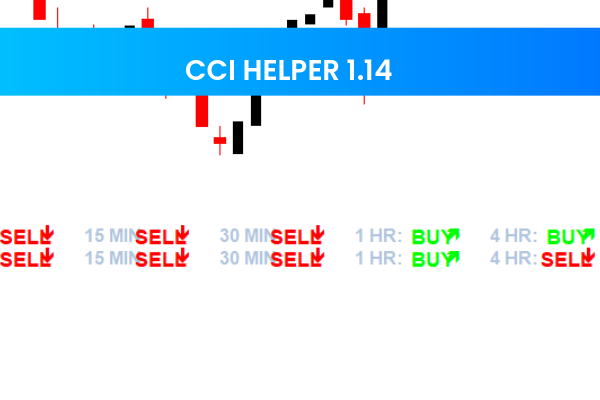
The CCI Helper 1.14 Indicator is a free and popular Forex Indicator for the MetaTrader 4 (MT4) platform. It is a momentum-based tool designed to help traders identify potential entry and exit points by analyzing overbought and oversold market conditions.
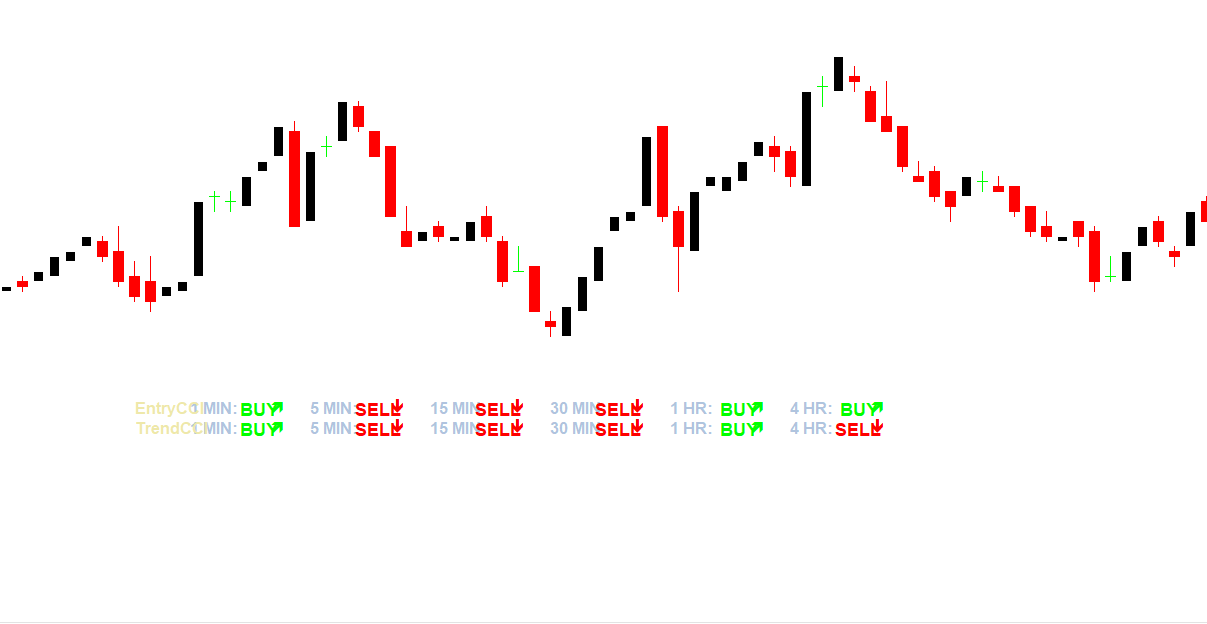
Built on the Commodity Channel Index (CCI), this indicator measures the current price relative to its average over a specific period. It provides traders with valuable insights into market momentum, trend reversals, and trade opportunities, making it useful for both novice and experienced traders.
What Is the CCI Helper 1.14 Indicator?
The CCI Helper 1.14 Indicator is based on the CCI, a momentum oscillator widely used in technical analysis. It helps traders identify overbought and oversold conditions in the market, which can signal potential trading opportunities:
Overbought Condition: When the indicator value rises above +100, the market may be overbought, indicating a potential sell opportunity.
Oversold Condition: When the value drops below -100, the market may be oversold, suggesting a potential buy opportunity.
By visually displaying these values on the chart, the CCI Helper 1.14 makes it easy to spot entry and exit points.
How the CCI Helper 1.14 Indicator Works
The indicator calculates the CCI by comparing the current price to the moving average over a set period. The values are then displayed on the chart, which traders can use to:
Identify potential trend reversals
Spot overbought and oversold conditions
Confirm trade setups with other indicators or Price Action analysis
Traders can combine the CCI Helper 1.14 with other technical indicators such as moving averages, Support And Resistance levels, or trend lines to form a robust trading strategy.
Key Features of the CCI Helper 1.14 Indicator
The CCI Helper 1.14 Indicator offers several features that make it a valuable tool for Forex traders:
Momentum Analysis
Measures market momentum to determine the strength of trends.
Overbought and Oversold Signals
Helps traders identify when the market may reverse or continue its trend.
Entry and Exit Points
Provides clear visual cues for buying or selling opportunities.
Flexible and Customizable
Parameters can be adjusted to suit different trading styles and timeframes.
Free and MT4 Compatible
Available for free download and fully compatible with MetaTrader 4.
Benefits for Forex Traders
Using the CCI Helper 1.14 Indicator provides several advantages:
Helps identify overbought and oversold market conditions
Highlights potential trend reversals for better trade timing signal
Can be used in combination with other indicators for enhanced accuracy
Suitable for all trading levels, from beginners to experts
This makes it ideal for scalping, swing trading, and day trading strategies.
How Traders Use the CCI Helper 1.14 Indicator
Traders can apply this indicator in multiple ways:
Confirm potential trade entries and exits with CCI signals
Identify reversal points in trending markets
Combine with price action analysis for stronger trading setups
Use alongside trend-following indicators to filter false signals
Its easy-to-read visual display allows traders to quickly assess market conditions and make informed decisions.
Who Should Use the CCI Helper 1.14 Indicator?
The CCI Helper 1.14 Indicator is suitable for:
Beginner traders looking for a simple tool to identify overbought and oversold conditions
Intermediate traders seeking to enhance their trade timing
Experienced traders wanting to confirm trends and potential reversals
With its momentum-based signals, it provides a reliable edge for traders at any level.
Final Thoughts
The CCI Helper 1.14 Indicator is a free MT4 Forex tool that helps traders identify overbought and oversold conditions, pinpoint entry and exit points, and confirm potential reversals. Its combination of simplicity, accuracy, and customization makes it a popular choice for traders looking to improve their trading strategy.
Visit IndicatorForest.com to download the CCI Helper 1.14 Indicator and explore other free MT4 tools for profitable Forex trading.
6 Downloads
Published:
Jan 08, 2026 14:54 PM
Category: