Navigate Market Volatility with the Silver Channels Indicator
In the dynamic world of Forex trading, the ability to define the "boundaries" of price action is one of the most effective ways to manage risk and identify high-probability entries. While standard moving averages provide a single point of reference, channel-based indicators offer a comprehensive view of Market Structure. The Silver Channels Indicator is a premier technical tool designed to wrap Price Action in a multi-layered volatility envelope, providing traders with a clear roadmap for trend following and reversal trading.
What is the Silver Channels Indicator?
The Silver Channels Indicator is an advanced volatility-based envelope for the MetaTrader platform. It functions by plotting multiple sets of parallel lines—often referred to as "bands"—above and below a central price average. These lines expand and contract based on market volatility, creating a visual "hallway" through which the price travels.
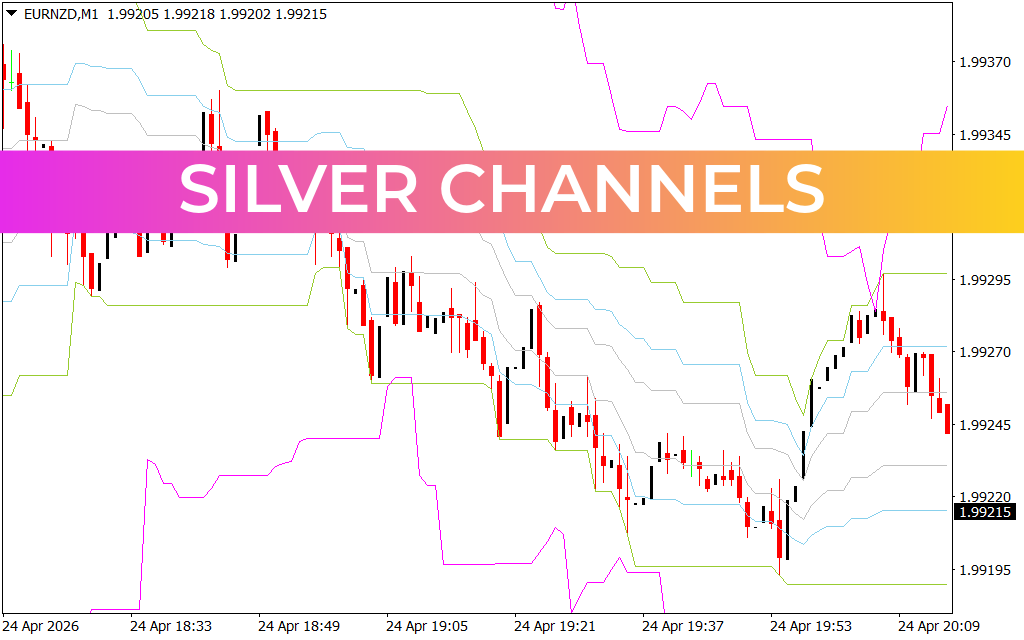
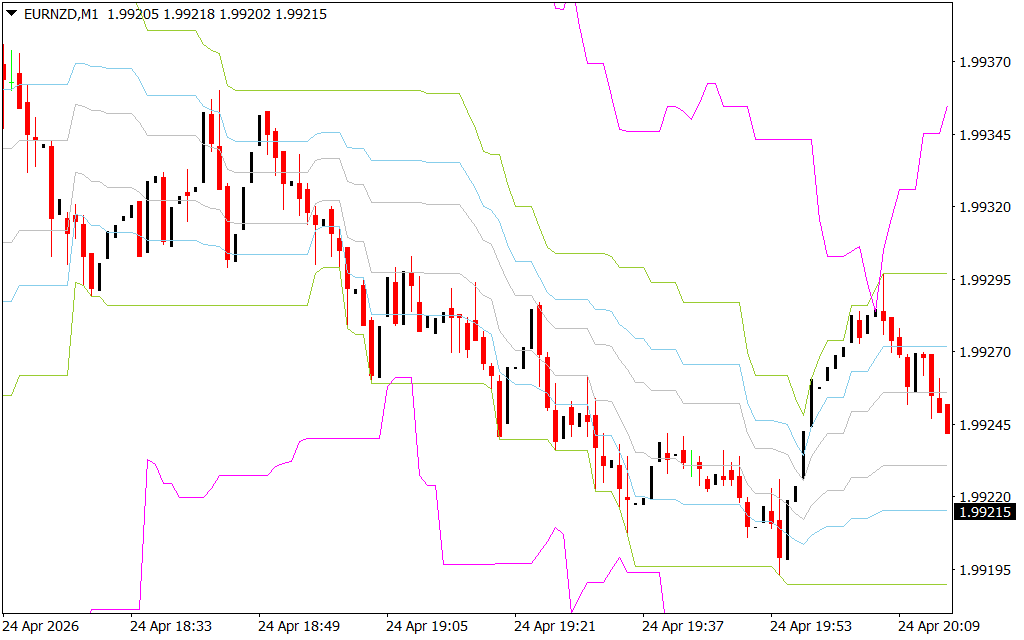
As observed in the EURNZD M1 chart, the indicator uses a distinct color scheme—typically featuring green, blue, and magenta outer boundaries. These layers represent different standard deviations of price, allowing traders to see not just the direction of the trend, but how extreme the current price movement is relative to its average.
Decoding the Volatility Envelopes
The power of Silver Channels lies in its ability to highlight market extremes:
- The Core Channel: The inner lines represent the "fair value" zone. As long as price remains within these boundaries, the market is in a healthy, sustainable trend.
- The Outer Extremes: When price touches or pierces the magenta or outer green lines, it indicates that the market is overextended. These zones often act as "elastic bands" that pull the price back toward the center.
- Channel Slope: The angle of the channels provides an instant visual of Trend Strength. A steep downward slope, as seen in the EURNZD data, confirms a dominant bearish regime where traders should prioritize sell-side opportunities.
Strategic Trading Applications
The Silver Channels Indicator is exceptionally versatile, catering to multiple trading styles:
- Trend Riding: In a strong trend, price will often "hug" the space between the middle and outer bands. Traders can use touches of the inner bands as retracement entries to join the established move.
- Mean Reversion: For contrarian traders, a sharp spike outside the outer Silver Channels is a prime signal to look for a reversal. When price is "stretched" too far from its mean, a snap-back toward the central average is mathematically probable.
- Volatility Breakouts: When the channels narrow (a "squeeze"), it signals a period of low volatility. A sudden candle close outside of these narrow bands often marks the beginning of a massive new trend.
- Dynamic Stop Losses: The outer bands provide logical, volatility-adjusted locations for stop-loss orders, ensuring you aren't taken out by minor market noise.
Conclusion
The Silver Channels Indicator is a sophisticated upgrade to standard Bollinger Bands or Keltner Channels. By providing multiple layers of Support And Resistance that adapt in real-time, it removes the guesswork from technical analysis. Whether you are navigating the rapid fluctuations of the 1-minute chart or managing long-term swing trades, Silver Channels gives you the visual clarity needed to trade with professional-grade precision.
5 Downloads
Last Update:
Apr 26, 2026 01:36 AM
Published:
Feb 02, 2026 03:00 AM
Category: